BudgetXP+ app icon: a white bar chart on a blue background
Press kit

BudgetXP+

Personal finance for iPhone and iPad: track accounts, set budgets, and understand your spending, right in your pocket.

iPhone & iPad Version 1.6 View on the App Store
Opening balance

Why BudgetXP+ exists

Twenty years ago, I wrote a Windows desktop app so my wife and I could track our spending and set money aside for a rainy day.

It worked, but only at the computer. A purchase made at the store had to be remembered and entered later, if it got entered at all.

BudgetXP+ is the fix for that: a budget that lives in your pocket, so a transaction gets logged the moment it happens. BudgetXP+ Desktop came next, syncing over iCloud so our accounts, budgets, and transactions stay in step everywhere we go: the best of both worlds.
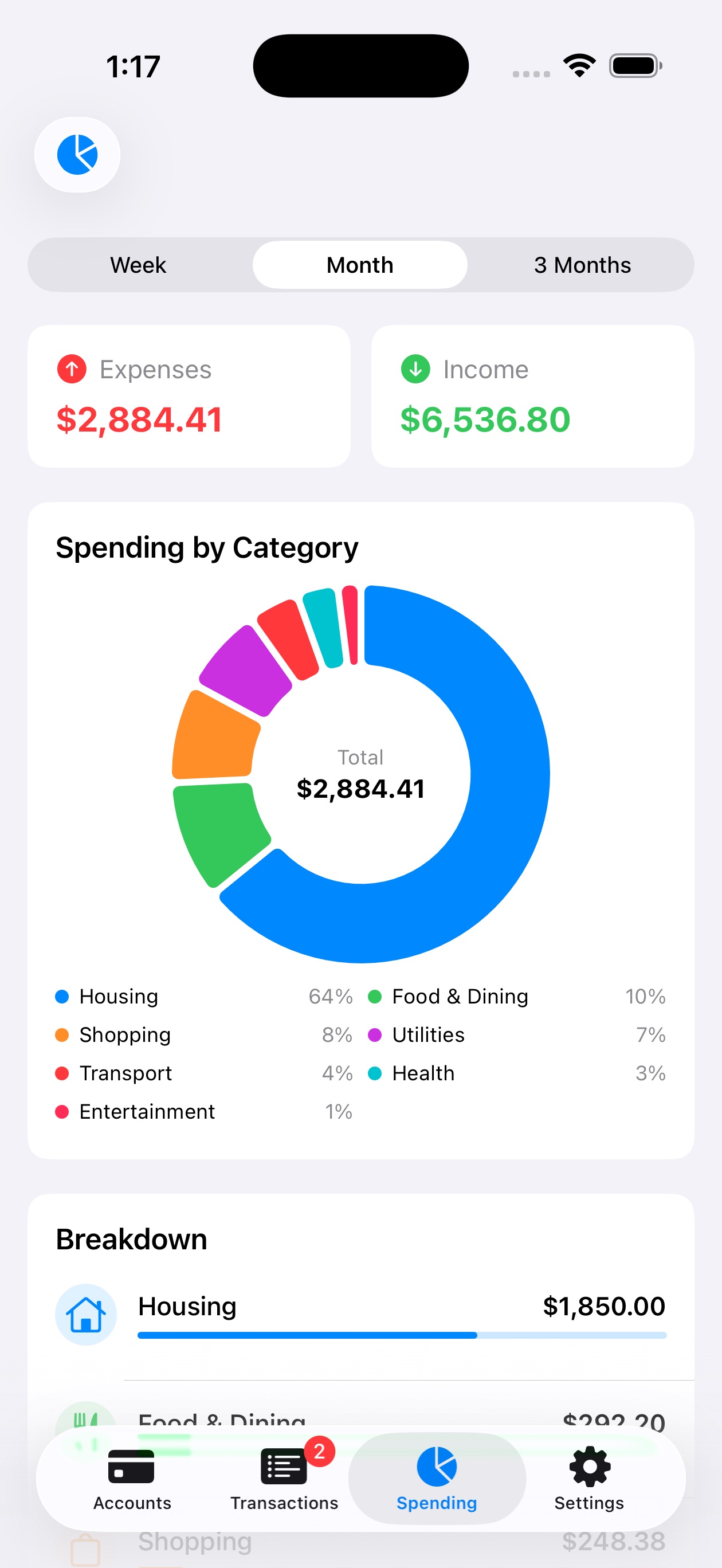
BudgetXP+ spending report showing a category breakdown donut chart
Line items

What it does

Account management

Track checking, savings, money market, CDs, credit cards, and loans. Hide closed accounts and view totals at a glance.

Transaction tracking

Log expenses and income in seconds with categories, autocomplete descriptions, and a smart duplicate detector.

Receipt scanning

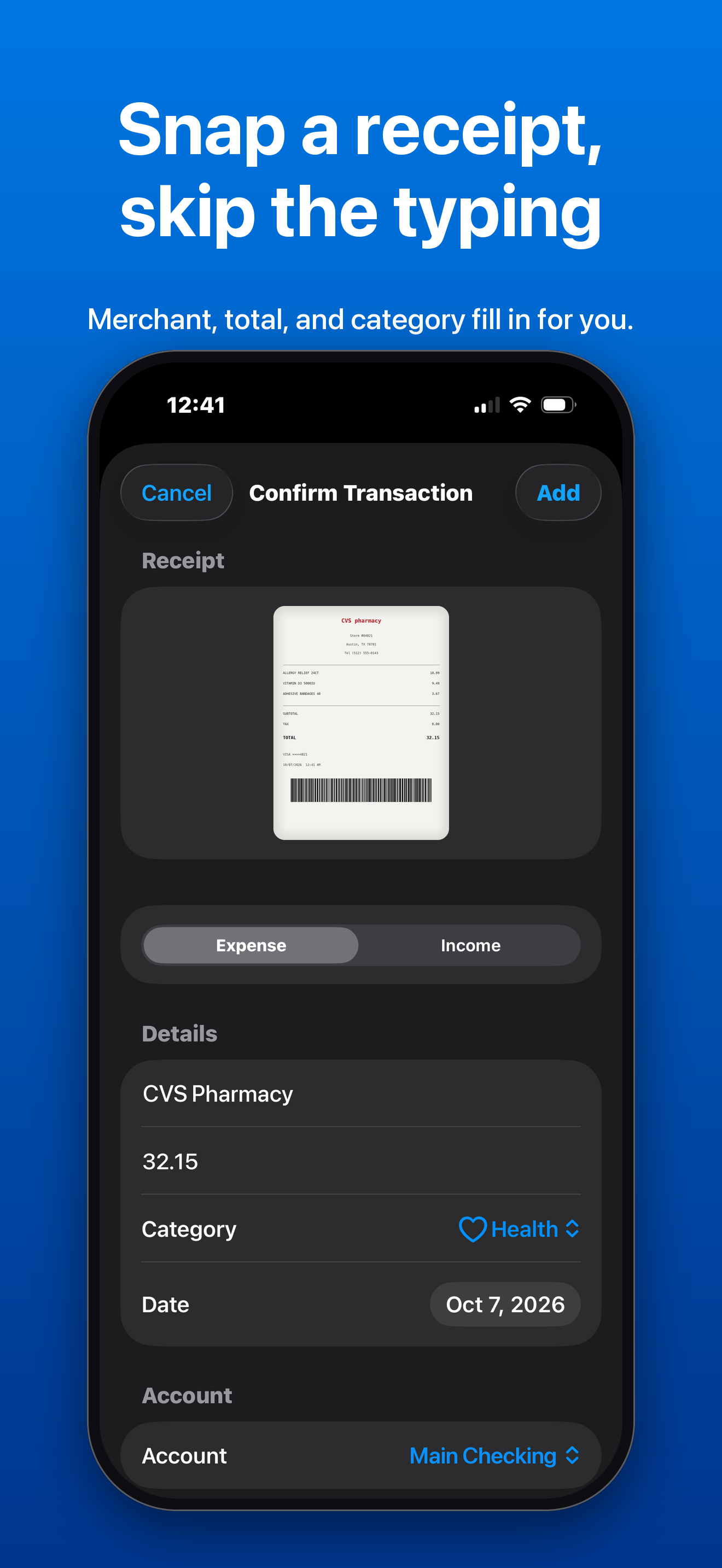
Photograph a receipt and let the app read the total, merchant, and card number automatically.

Budget goals

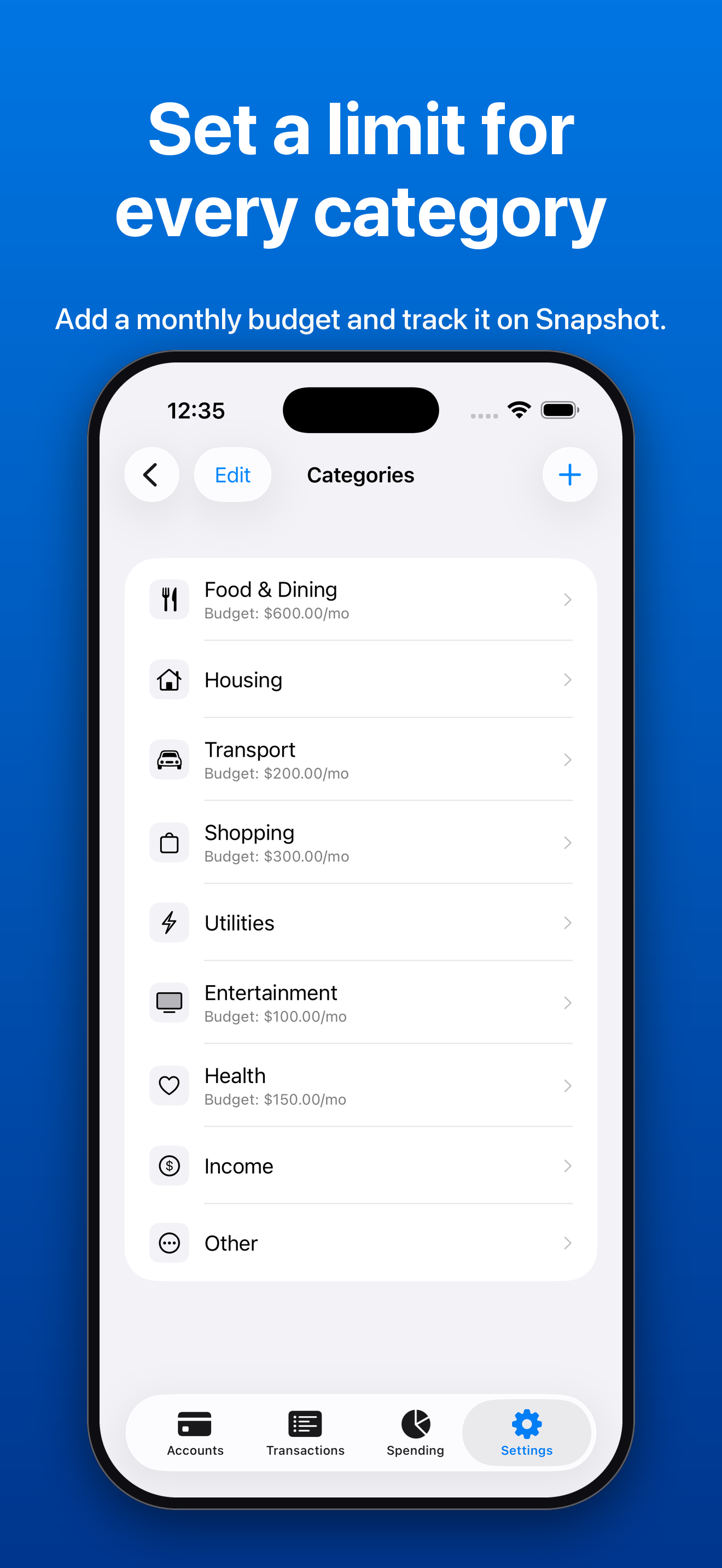
Set monthly spending limits per category and track progress with live, color-coded cards on the dashboard.

Spending reports

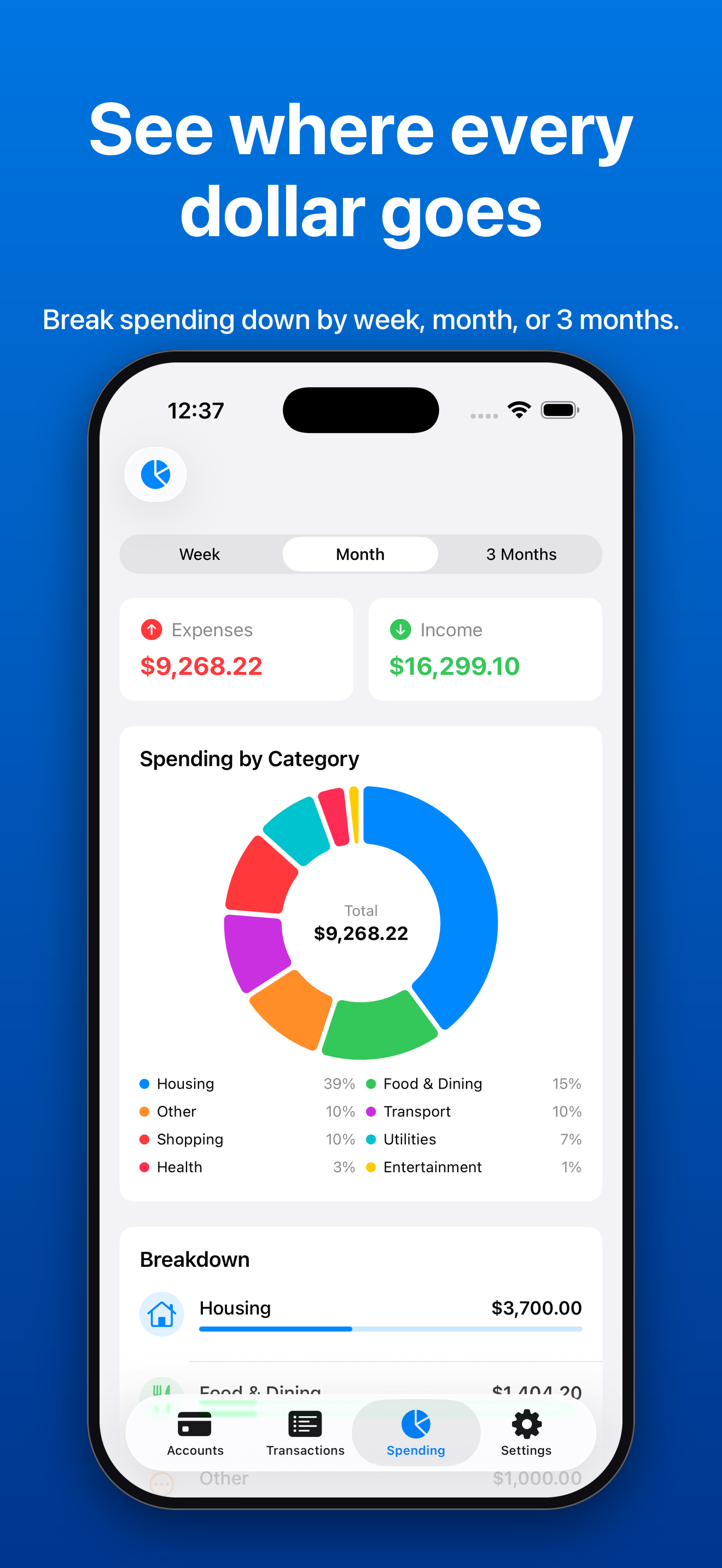
Visualize spending with donut charts, monthly trends, and a running net worth view.

Recurring transactions

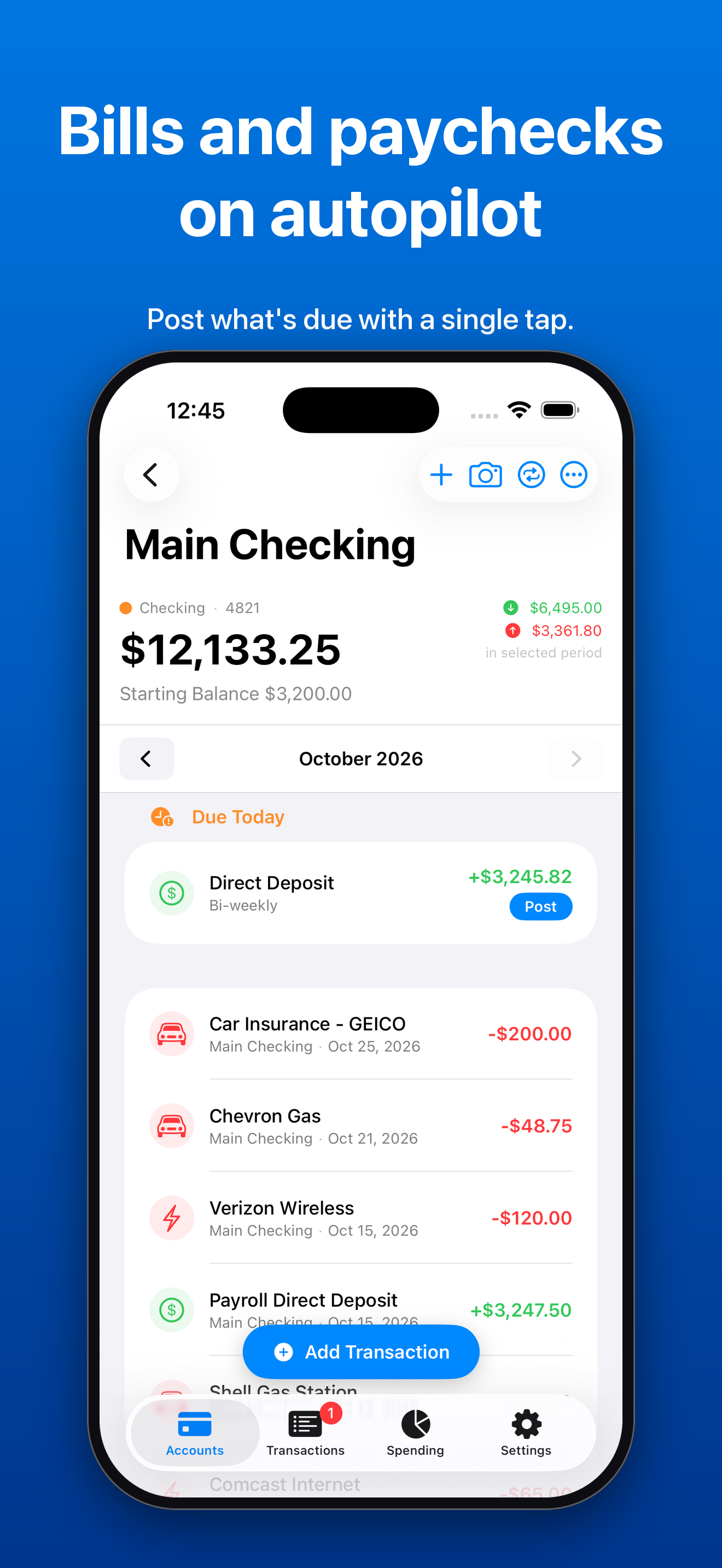
Schedule bills and income to repeat weekly, bi-weekly, monthly, or annually, and post them with a single tap.

Account transfers

Record transfers between accounts and keep every balance accurate automatically.

CSV export

Export your full transaction history and share it with any app or spreadsheet.

Private by design

No BudgetXP+ servers and no account. Data syncs through the user's own iCloud and can be locked behind Face ID or Touch ID.

Statements

Screenshots

Click any image to download the full-resolution PNG.

iPhone

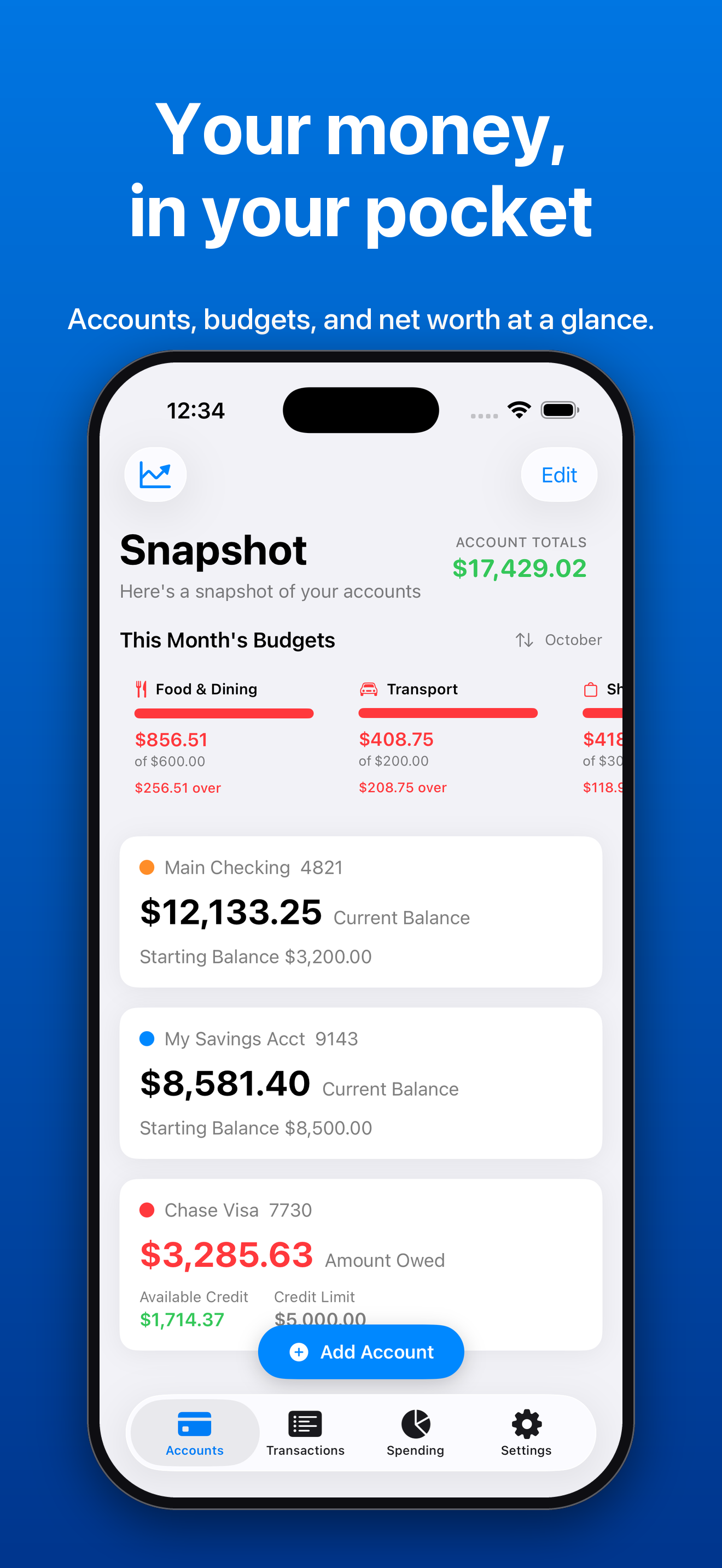
Snapshot with account totals, this month's budgets, and balances. Your money, in your pocket.
Snapshot
Spending by category donut chart with a week, month, and three month selector. See where every dollar goes.
Spending
The edit screen for a category with a monthly budget limit. Set a limit for every category.
Category budgets
Confirming a transaction filled in from a photographed receipt. Snap a receipt, skip the typing.
Receipt capture
Main Checking with a Due Today card and a Post button for a paycheck. Bills and paychecks on autopilot.
Recurring bills and income
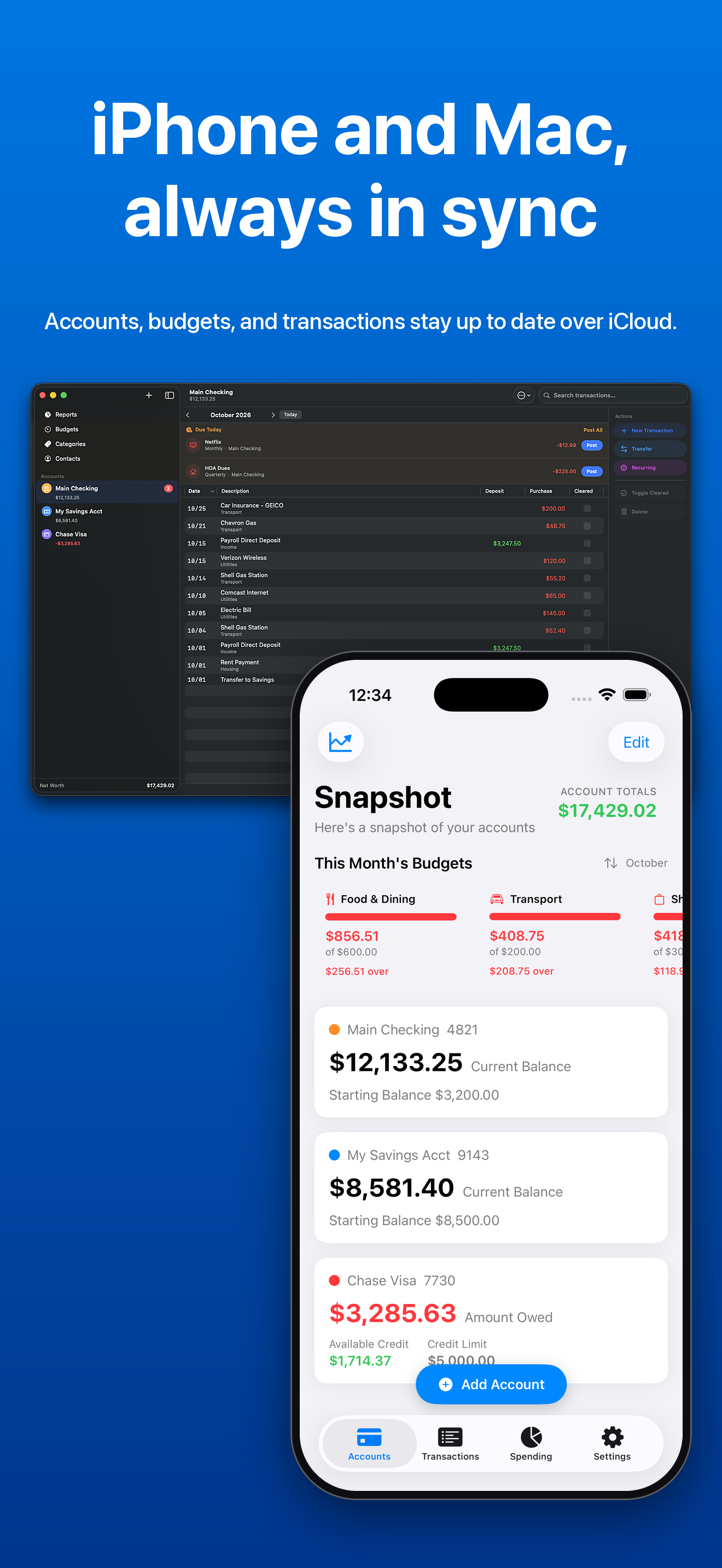
BudgetXP+ on iPhone beside BudgetXP+ Desktop on a Mac, showing the same accounts. iPhone and Mac, always in sync.
iPhone and Mac in sync
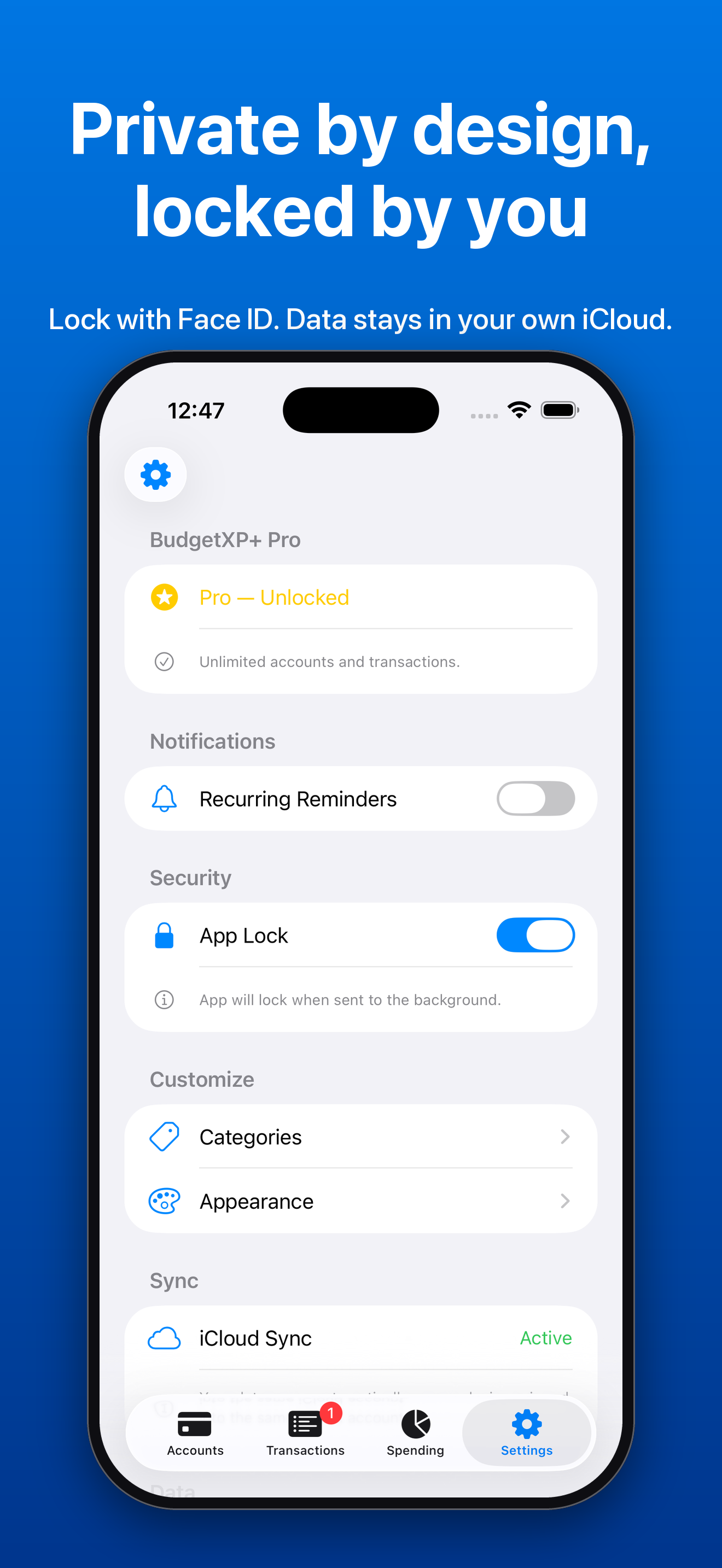
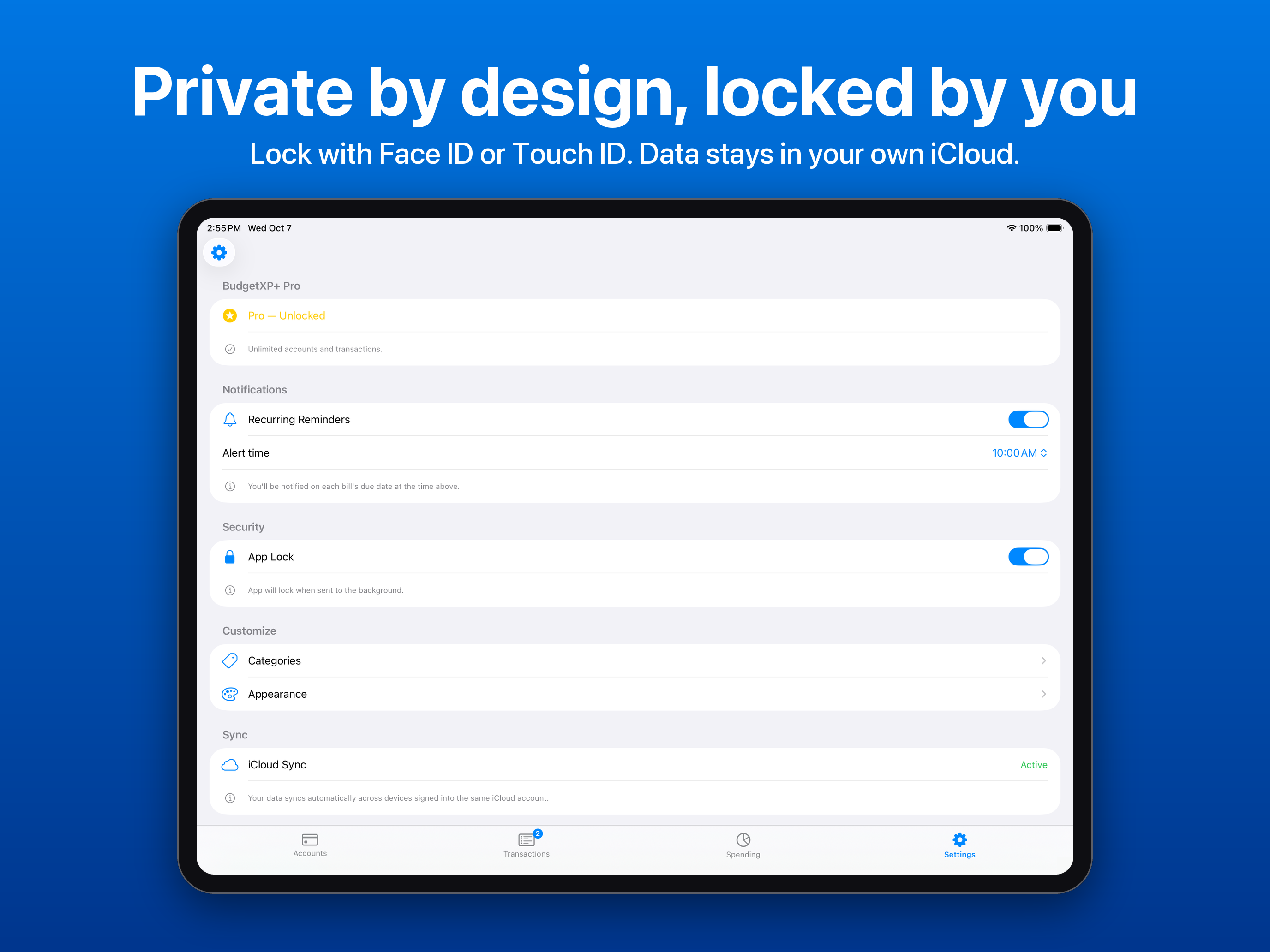
Settings with App Lock turned on and iCloud Sync active. Private by design, locked by you.
App Lock and privacy
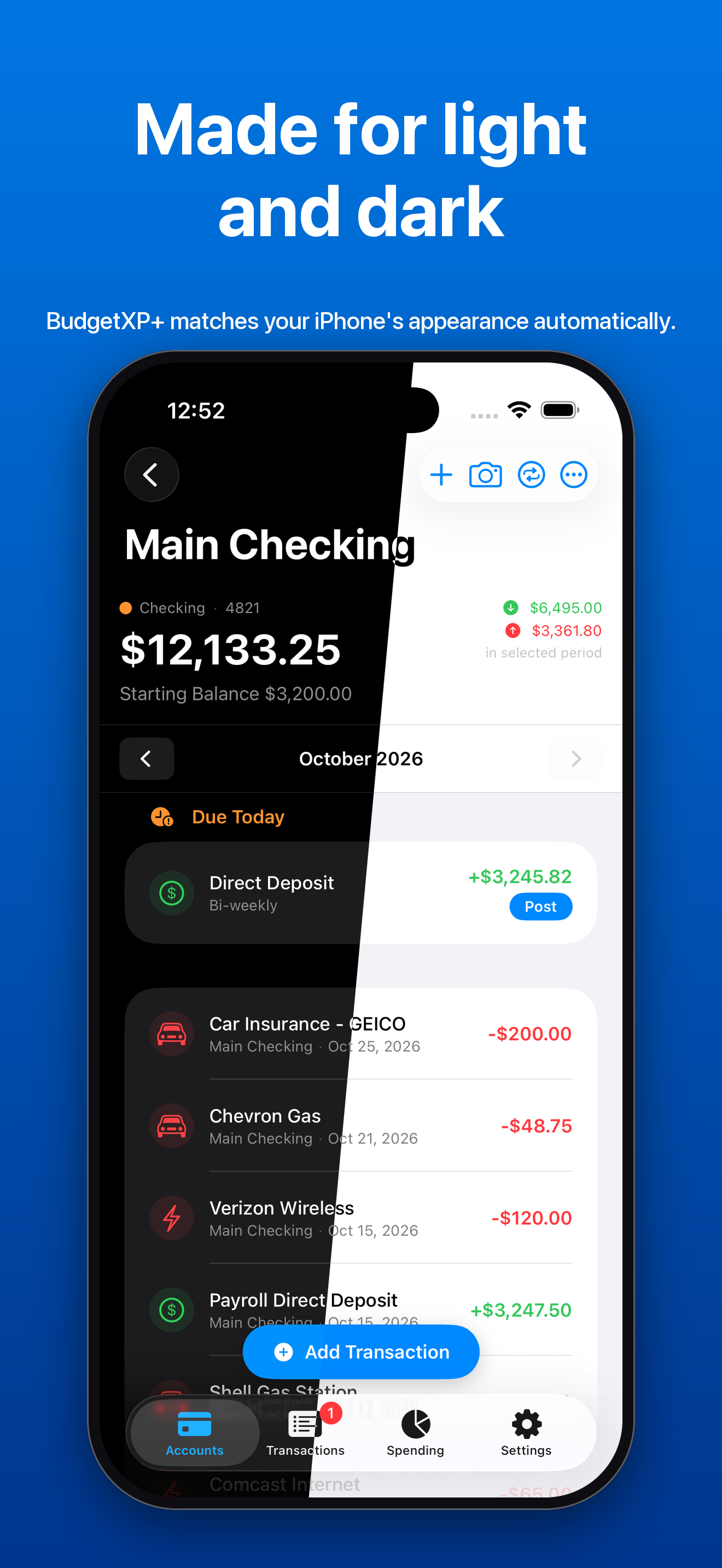
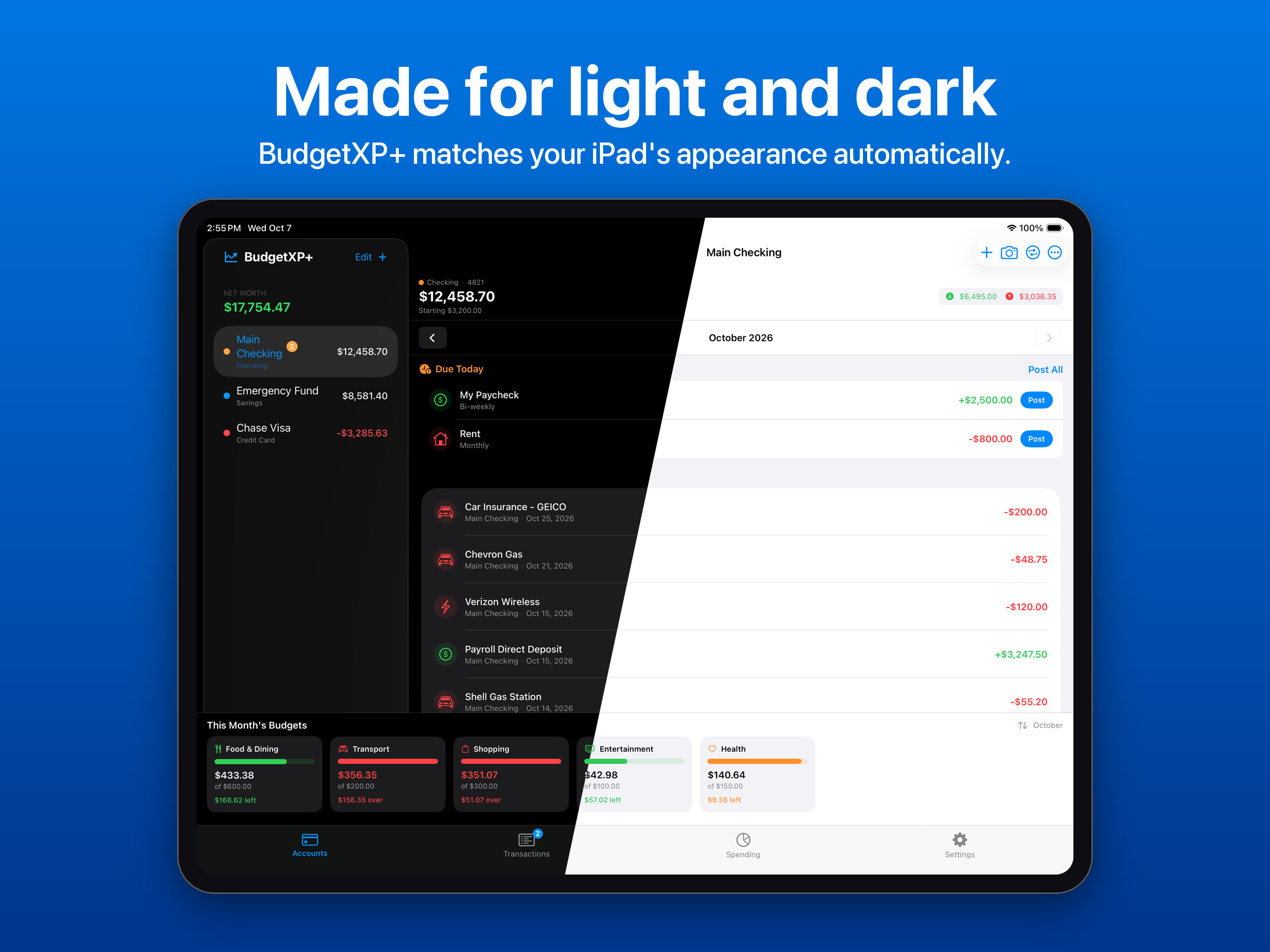
The same account screen split down the middle, half in dark mode and half in light mode. Made for light and dark.
Light and dark mode

iPad

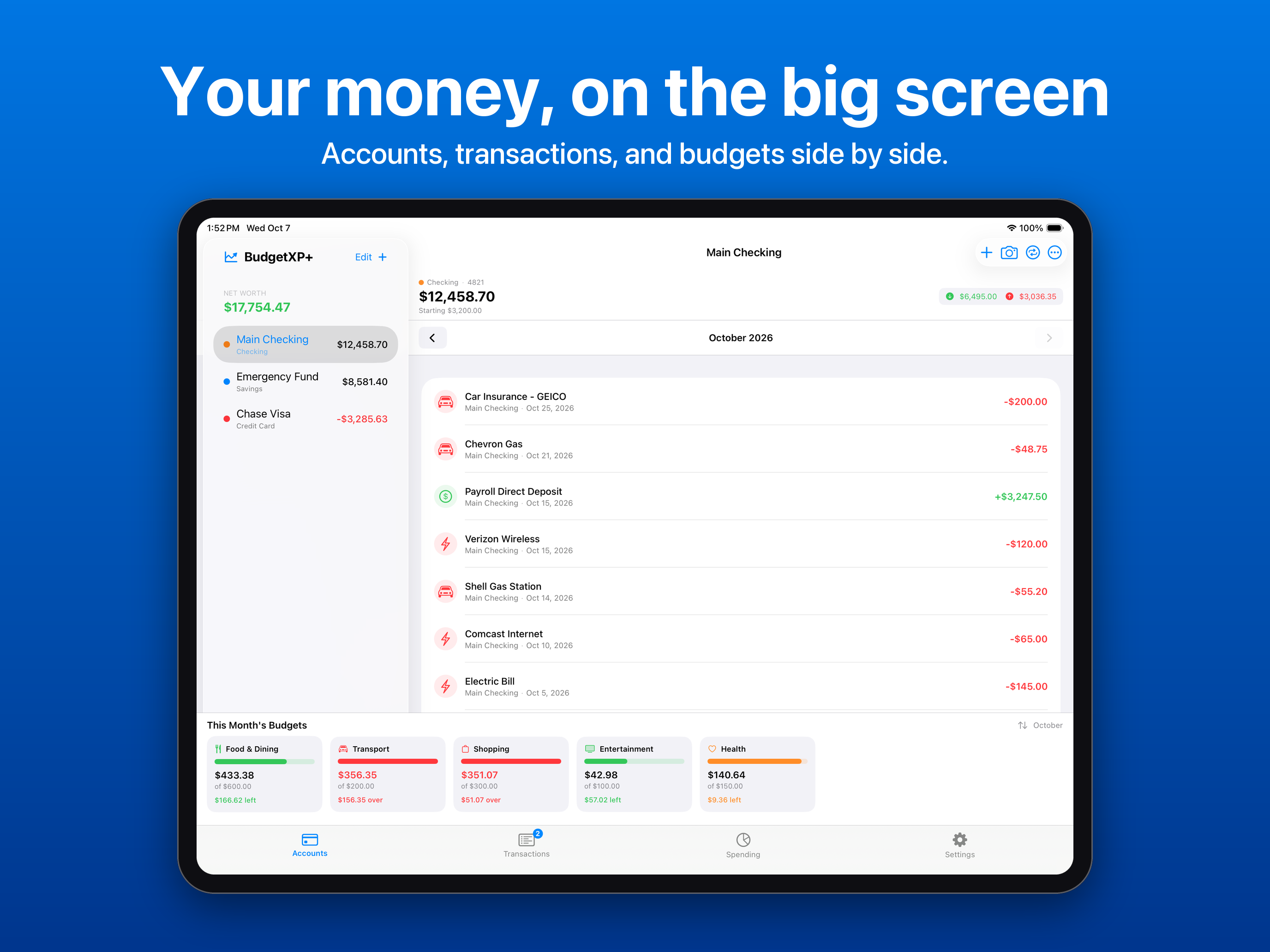
BudgetXP+ on iPad with an account sidebar, the Main Checking ledger, and this month's budgets. Your money, on the big screen.
Split view
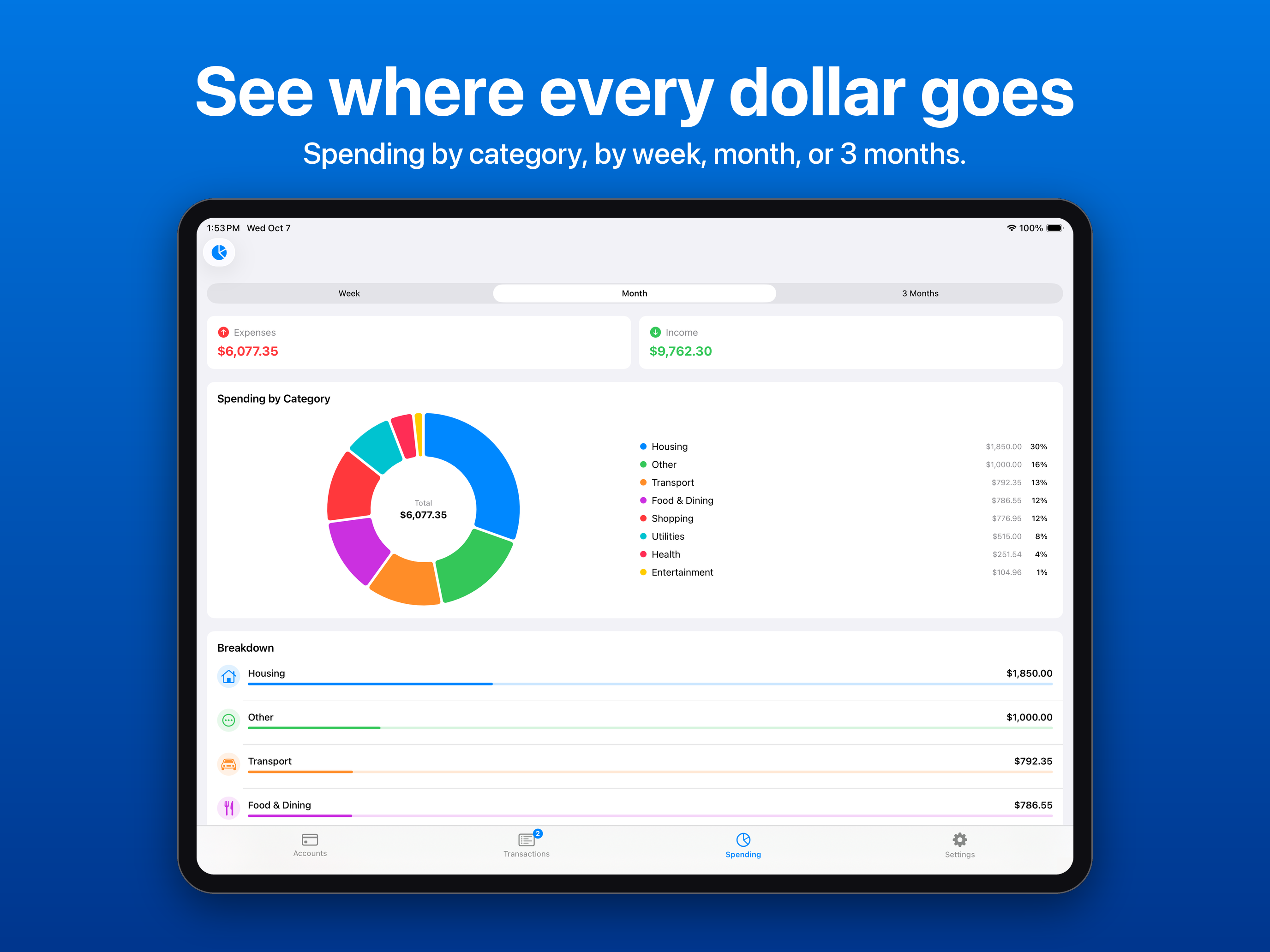
Spending by category on iPad with a donut chart and a ranked breakdown. See where every dollar goes.
Spending
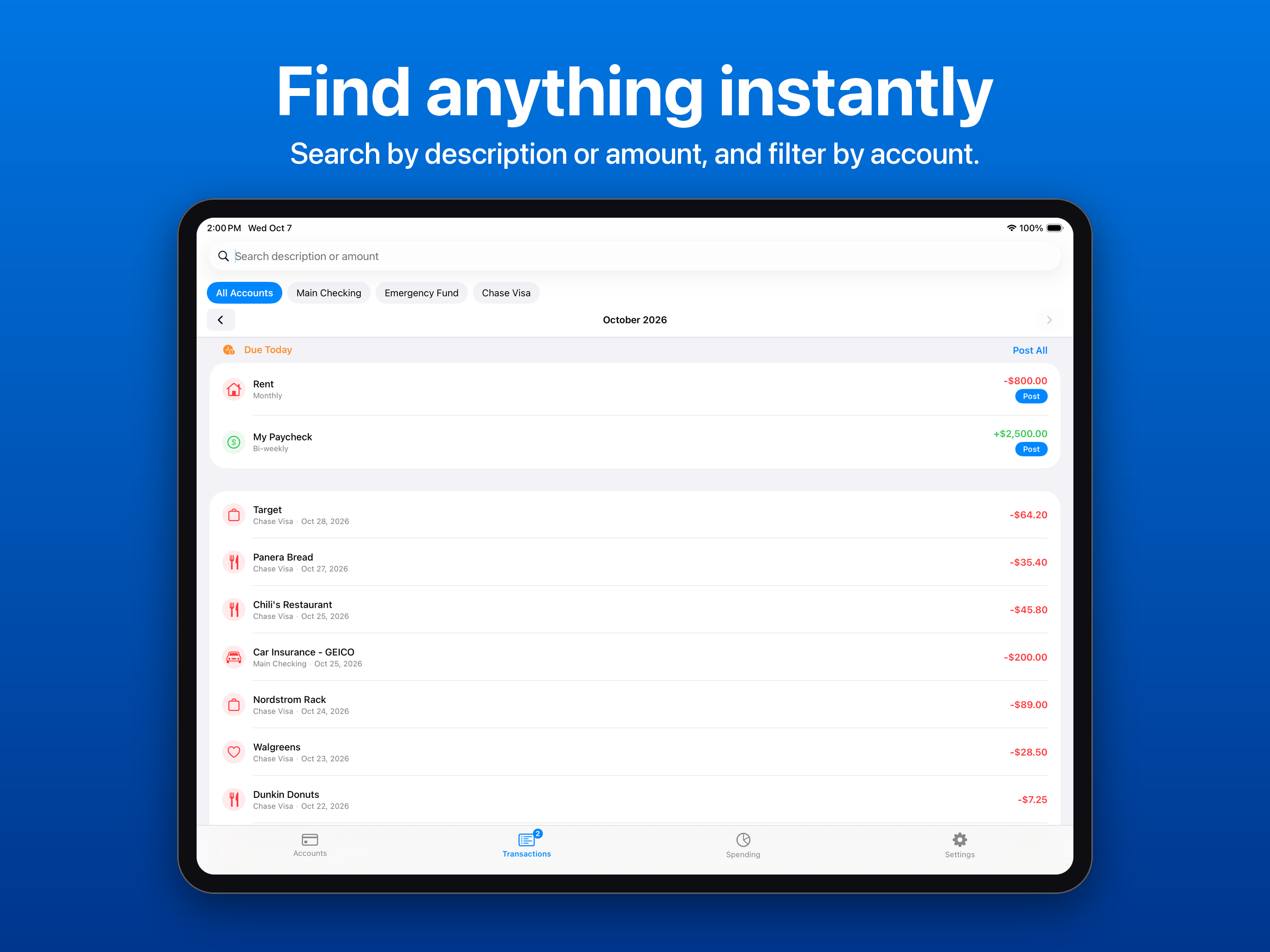
Transactions on iPad with search, account filter chips, and a Due Today block. Find anything instantly.
Transactions
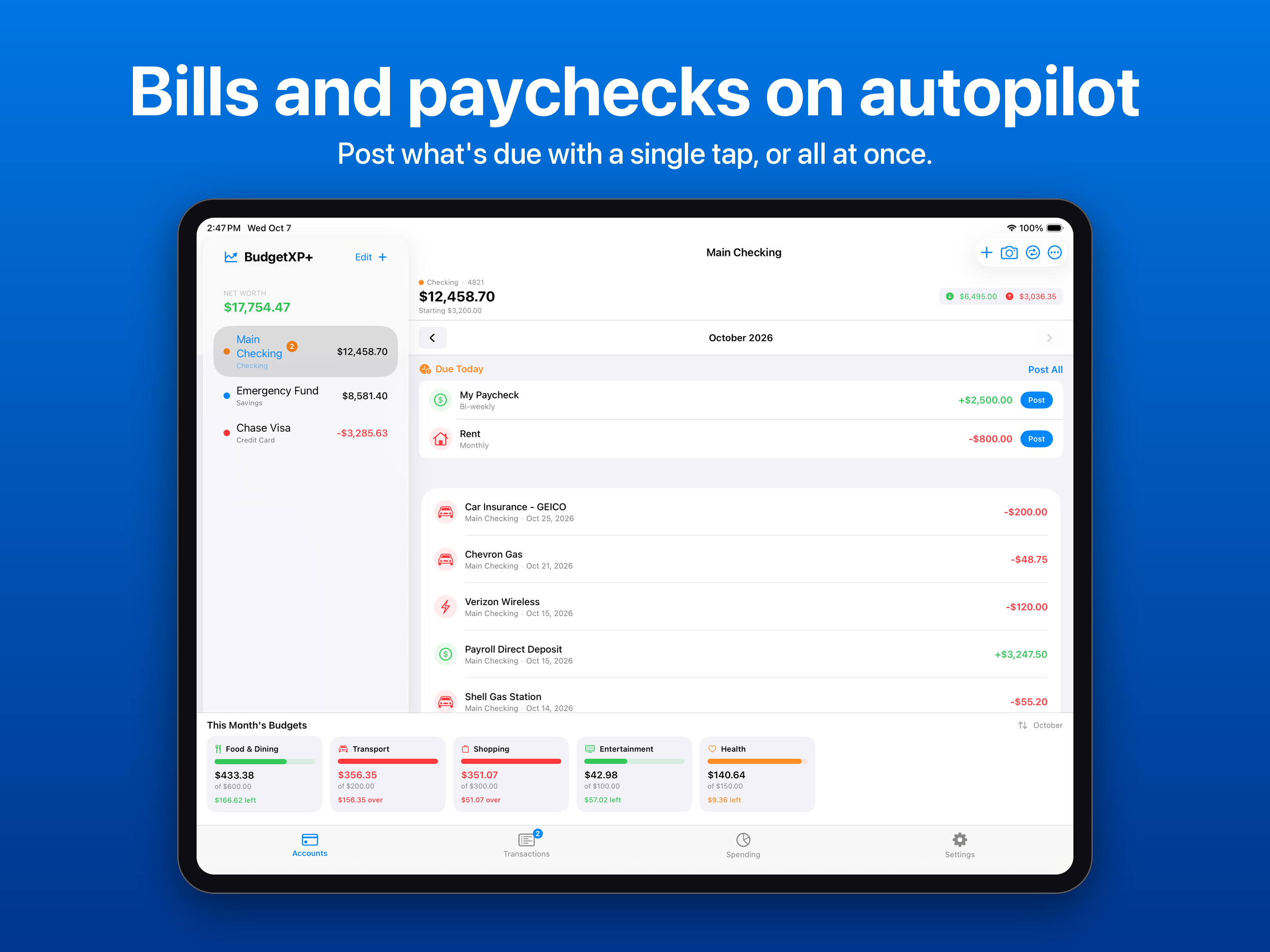
iPad sidebar badge showing two items due, and a Due Today card with Post buttons. Bills and paychecks on autopilot.
Recurring bills and income
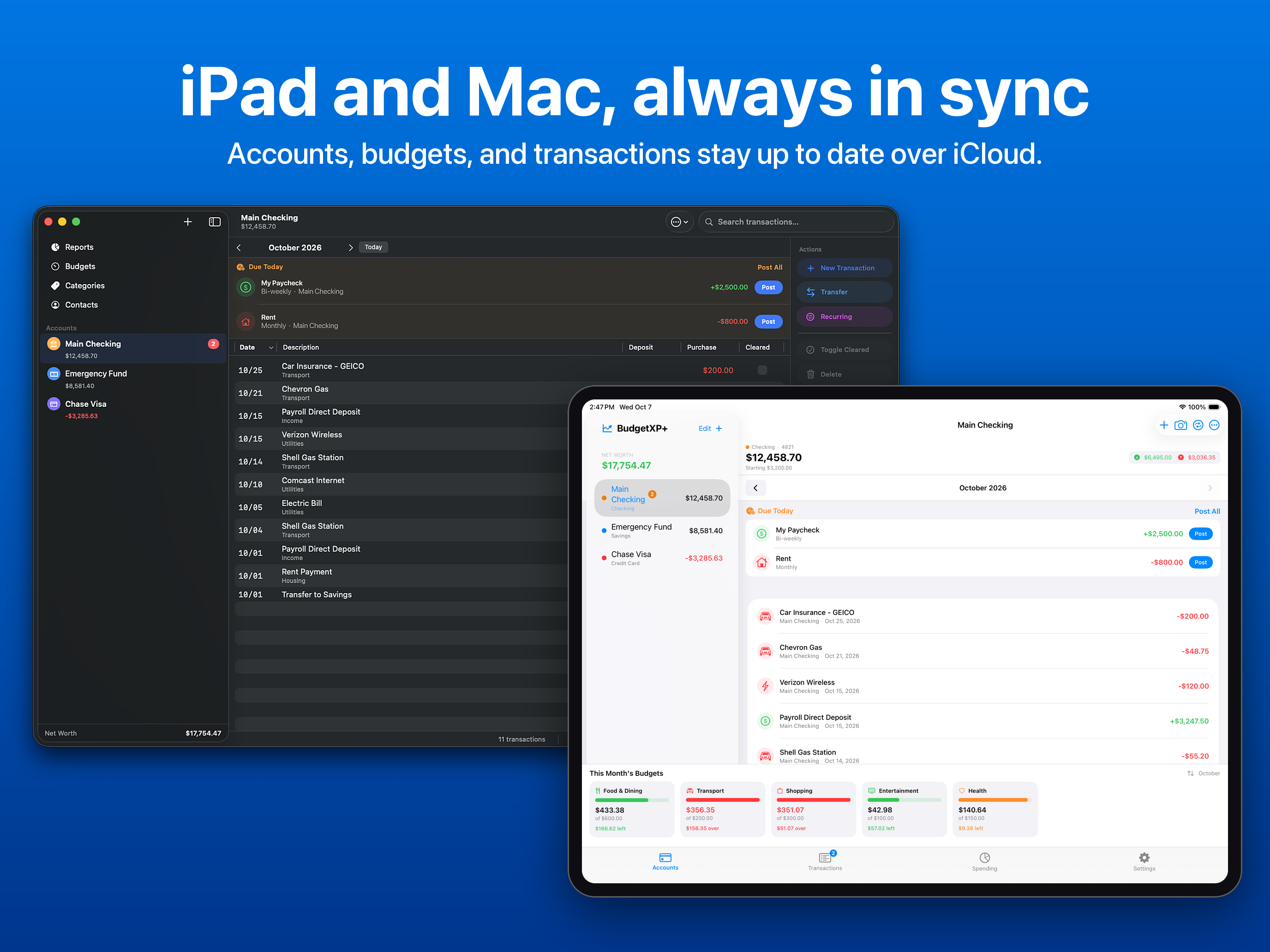
BudgetXP+ on iPad beside BudgetXP+ Desktop on a Mac. iPad and Mac, always in sync.
iPad and Mac in sync
iPad Settings with App Lock on and iCloud Sync active. Private by design, locked by you.
App Lock and privacy
The iPad account screen split between dark mode and light mode. Made for light and dark.
Light and dark mode
Ready to use

Descriptions

One line

BudgetXP+ is a personal finance app for iPhone and iPad that lets you track accounts, set budgets, and understand your spending.

Short paragraph

BudgetXP+ brings everyday budgeting into your pocket. It tracks checking, savings, credit card, and loan accounts, logs transactions in seconds with receipt scanning and duplicate detection, and sets monthly budget goals with live progress tracking. Recurring bills and income post with a single tap, and spending reports chart exactly where the money goes. There are no BudgetXP+ servers or accounts; data stays in the user's own iCloud and syncs automatically with the companion BudgetXP+ Desktop app for Mac. BudgetXP+ was built by independent developer Alexander Rohr, who wrote an earlier version of the same idea as a Windows desktop app twenty years ago.

Balance sheet

Fact sheet

DeveloperAlexander Rohr, independent
PlatformsiPhone and iPad
RequiresiOS 17.5 and iPadOS 17.5 or later
Current version1.6
Release dateAugust 26, 2026
PriceFree download; BudgetXP+ Pro $1.99 one-time
FreeUp to 3 accounts and 50 transactions, budgets, recurring bills, reports, CSV export
ProUnlimited accounts and transactions, one-time purchase, no subscription
PrivacyNo account, no BudgetXP+ servers, iCloud sync via CloudKit
Also availableBudgetXP+ Desktop for Mac
Built withSwiftUI, SwiftData, CloudKit
Developer

Rohr Software logo

Rohr Software logo, a dragon eye

The logo of Rohr Software, Alexander Rohr's independent company and the developer of BudgetXP+. You are welcome to use it alongside coverage of BudgetXP+. Please don't recolor or stretch it.

Download SVG · Download PNG, 512 x 512

Wire details

Press contact

For interviews, review codes for BudgetXP+ Pro, or full-resolution assets:

Alexander is available to talk about building a privacy-first finance app as a solo developer, and bringing a twenty-year-old personal project to iPhone, iPad, and Mac.