Meduo app icon

Meduo

Private health records for your whole family: your kids, yourself, and the parents you care for.

Download on the App Store

Free to download · Premium $19.99/year · iPhone and iPad
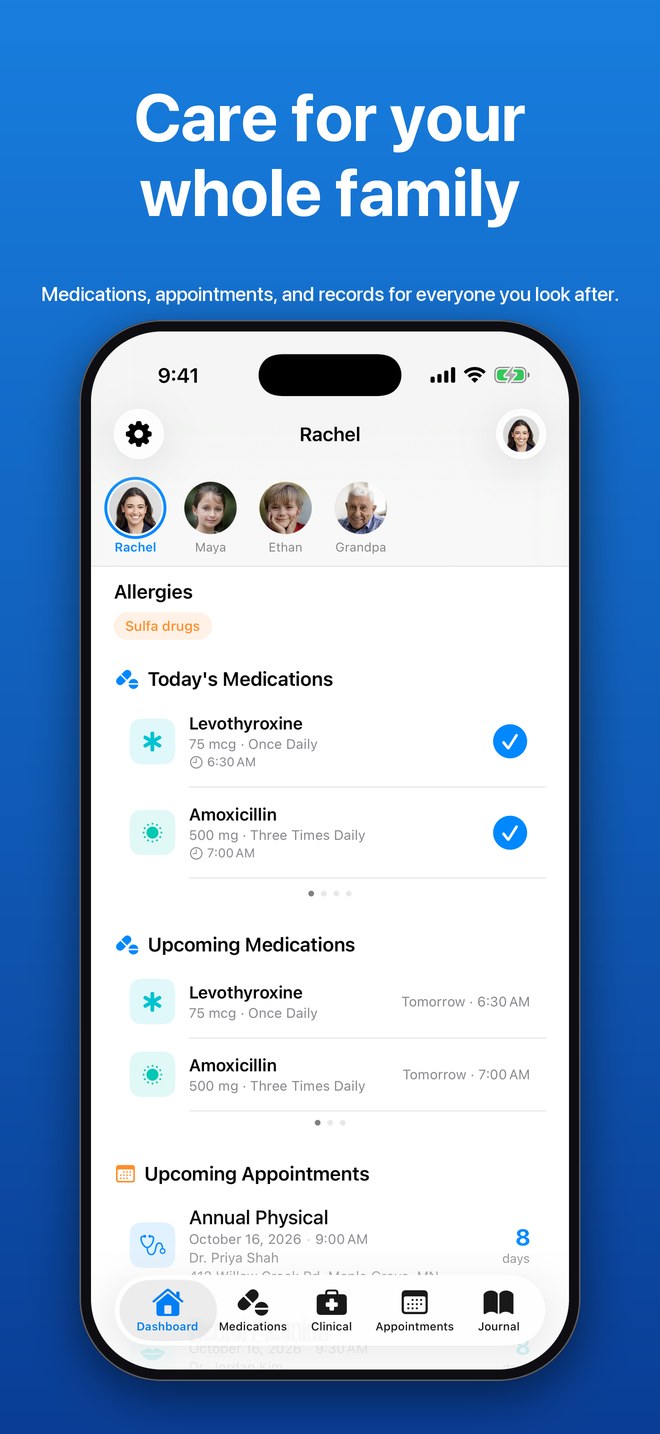
Meduo dashboard with a switcher for four family members, today's medications, and upcoming appointments
Why Meduo

Built from a family's own journey

For years, my daughter had unexplained episodes of vomiting and vertigo. The journal we kept of every episode took her doctors through specialist after specialist, until she was finally diagnosed with vestibular migraines.

Meduo gives every family that kind of record, along with the medications, surgeries, and history a new doctor always asks about. My in-laws use it to care for an elderly parent. Whoever you look after, it keeps their health information in one place.

Alexander Rohr, developer

Features

Everything a doctor asks about

Family profiles

A separate record for each person you care for, with one-tap switching. Hide a profile you no longer need day to day, or delete it with everything in it.

Medication reminders

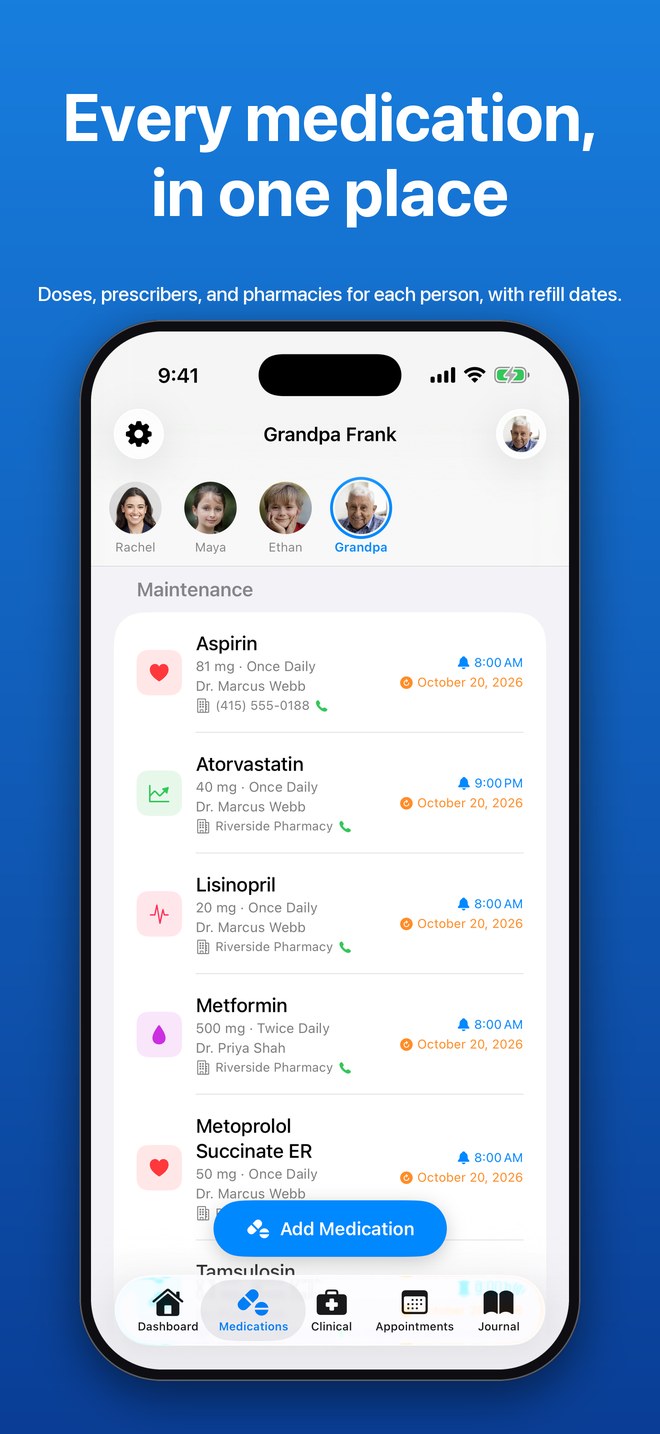
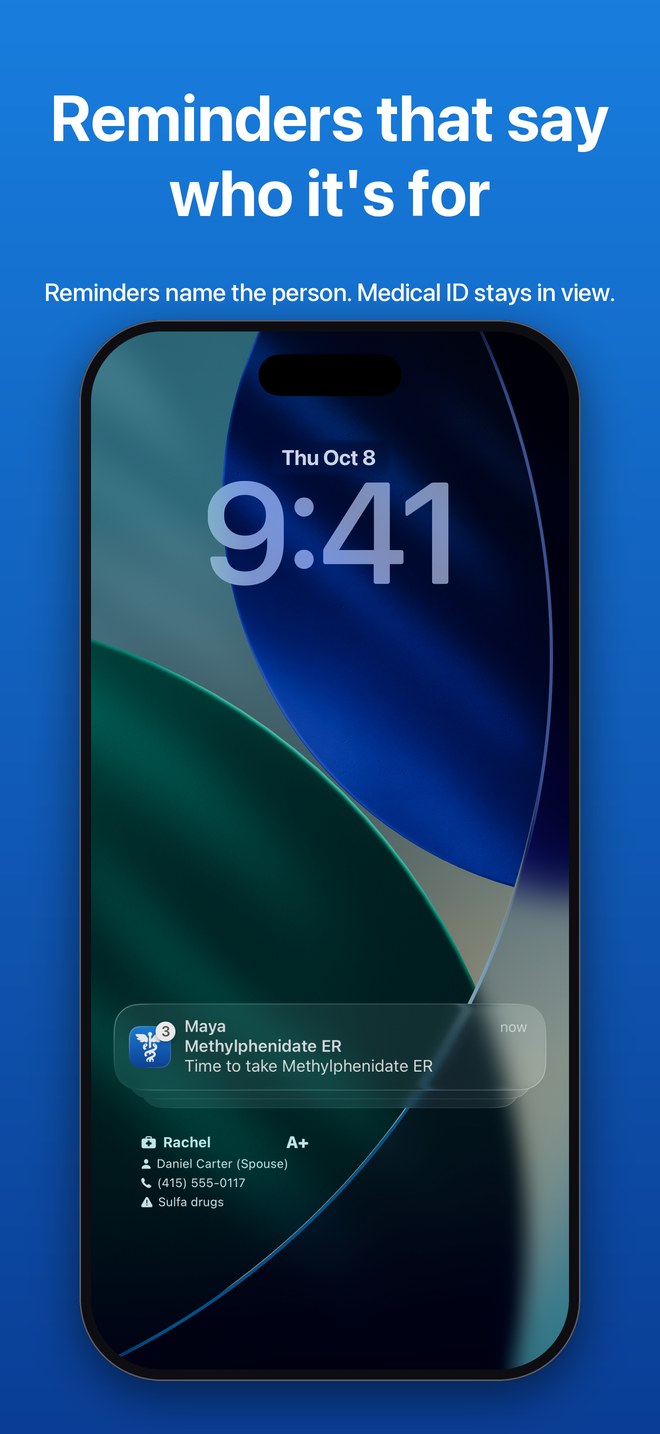
Reminders say who the dose is for, and doses due at the same time arrive together. Scan a label's barcode to fill in details.

Health journal timeline

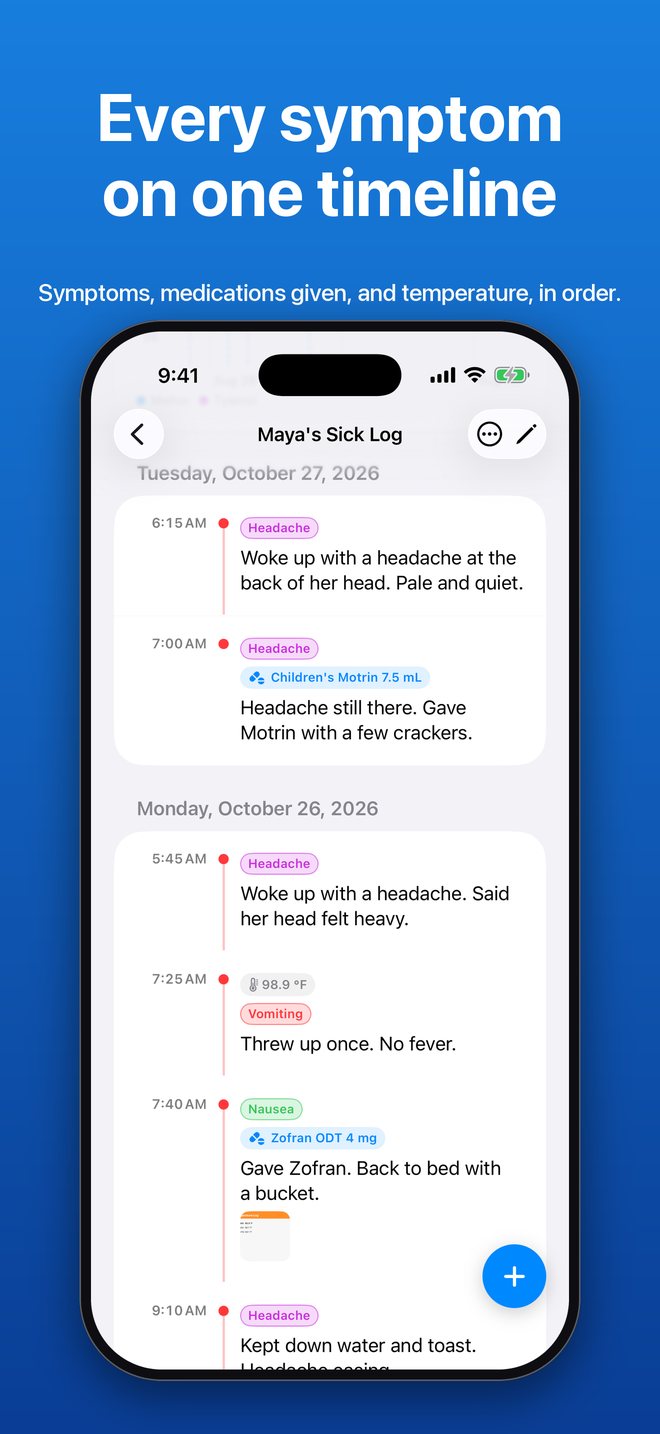
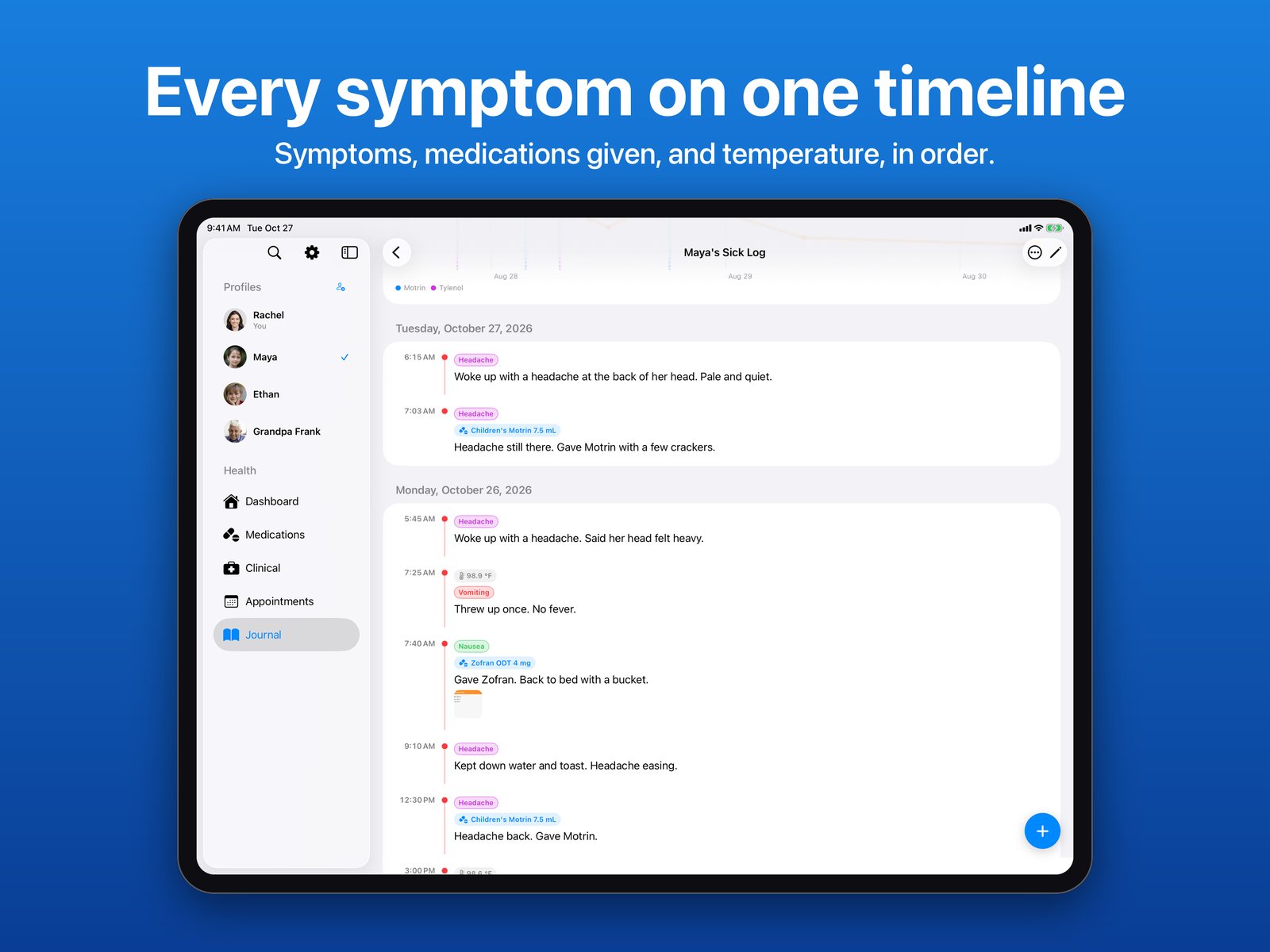
Entries have a time and are grouped by day. Add symptoms, the medications you gave, and a temperature, then see the days since each symptom, how many days passed between entries, and a fever chart. Import an existing diary from Apple Notes.

As-needed medications

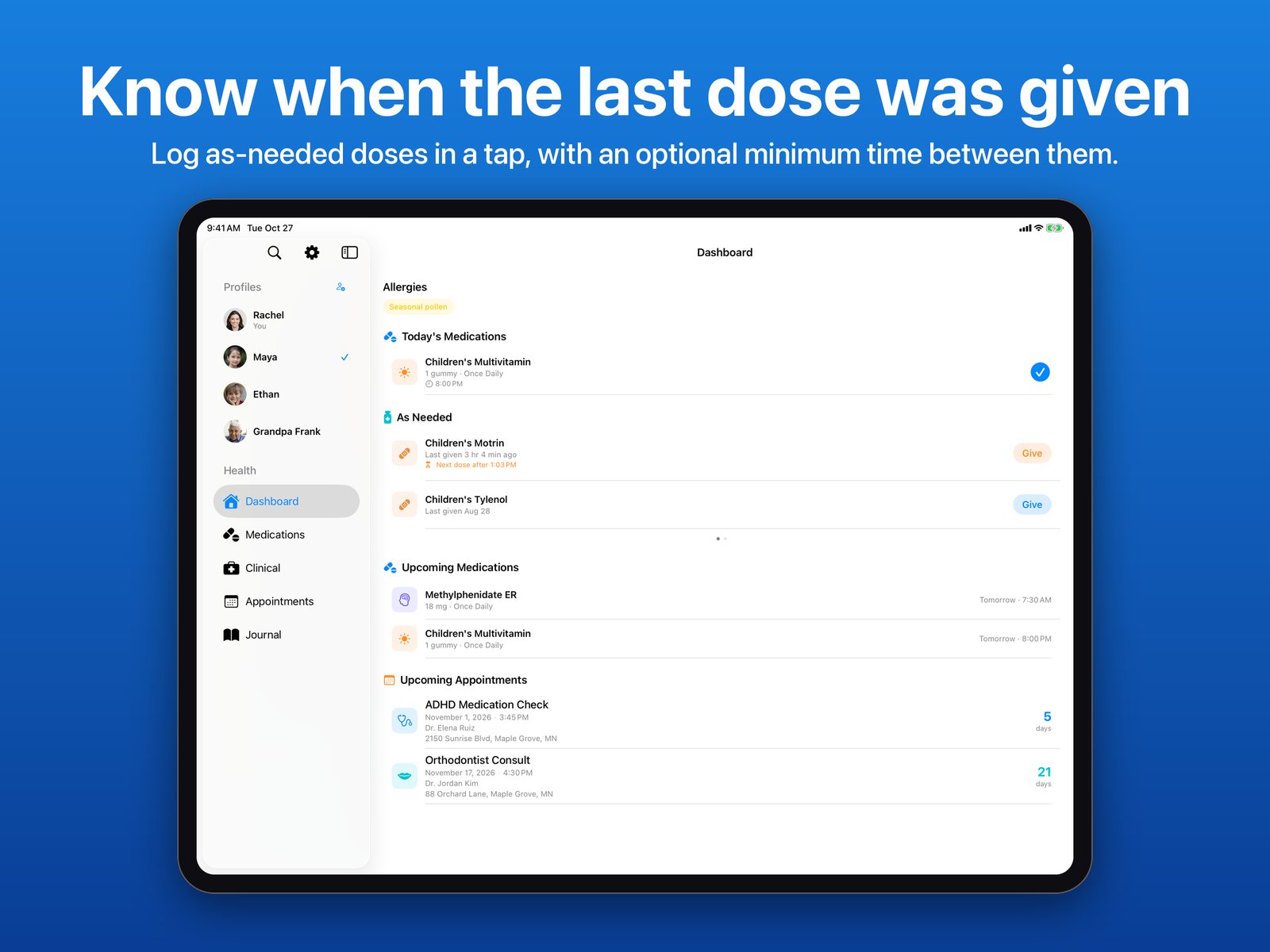
Log a dose in a tap and see when it was last given, with an optional minimum time between doses.

Lab results and vital trends

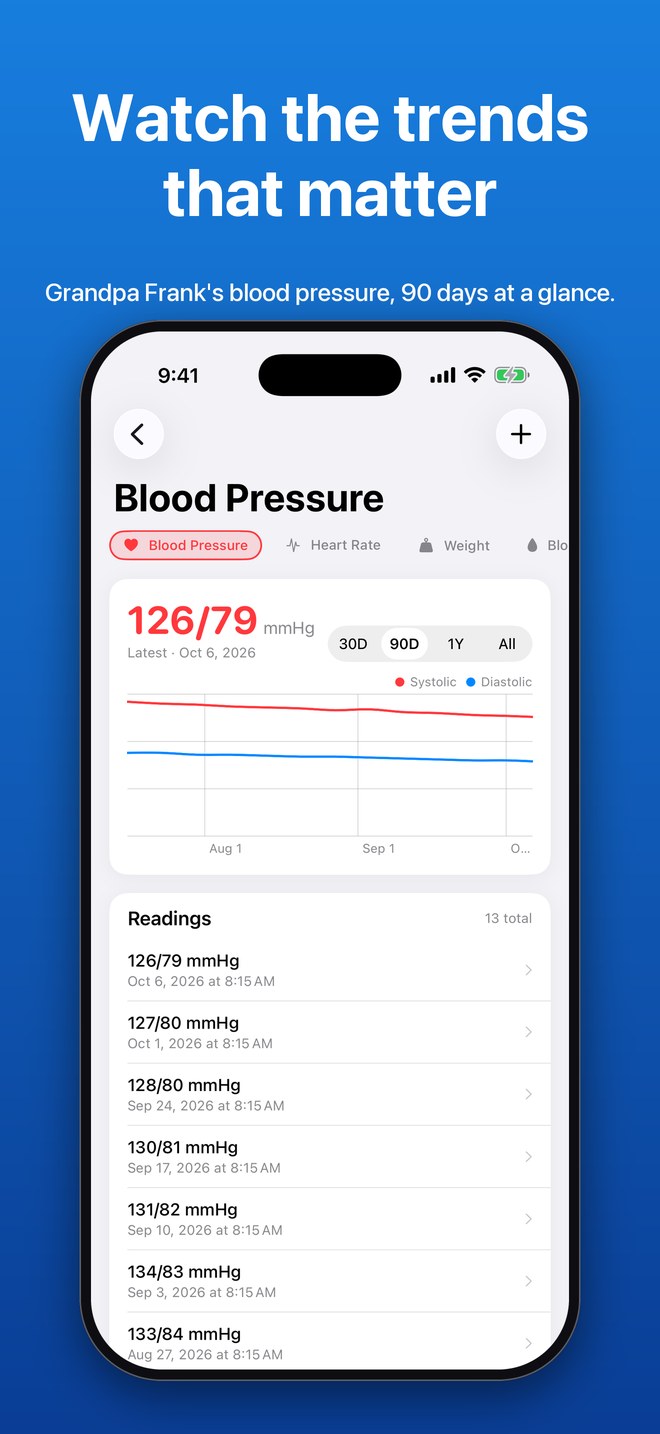
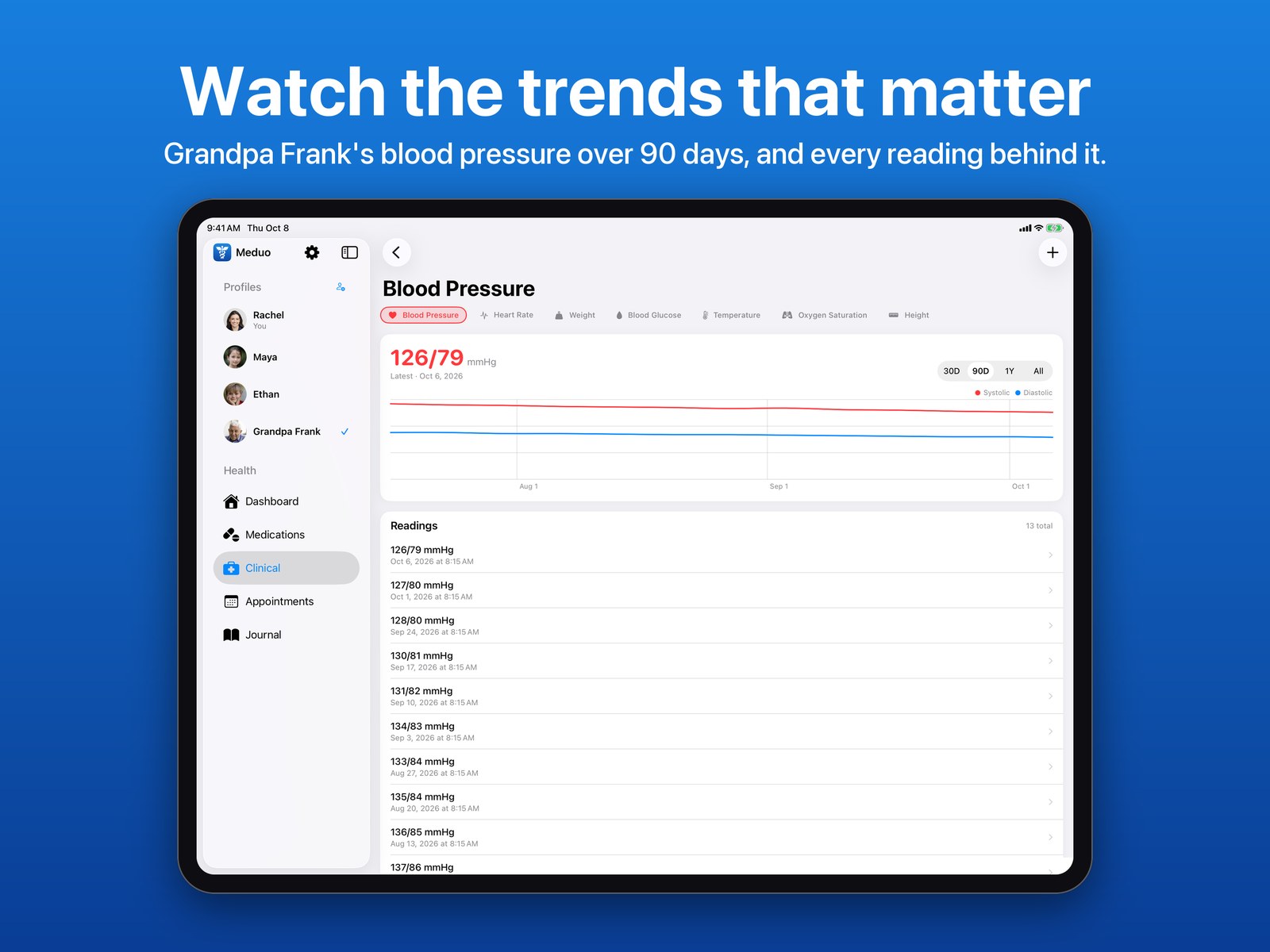
Keep results over time and chart blood pressure, weight, glucose, and more.

Appointments and procedures

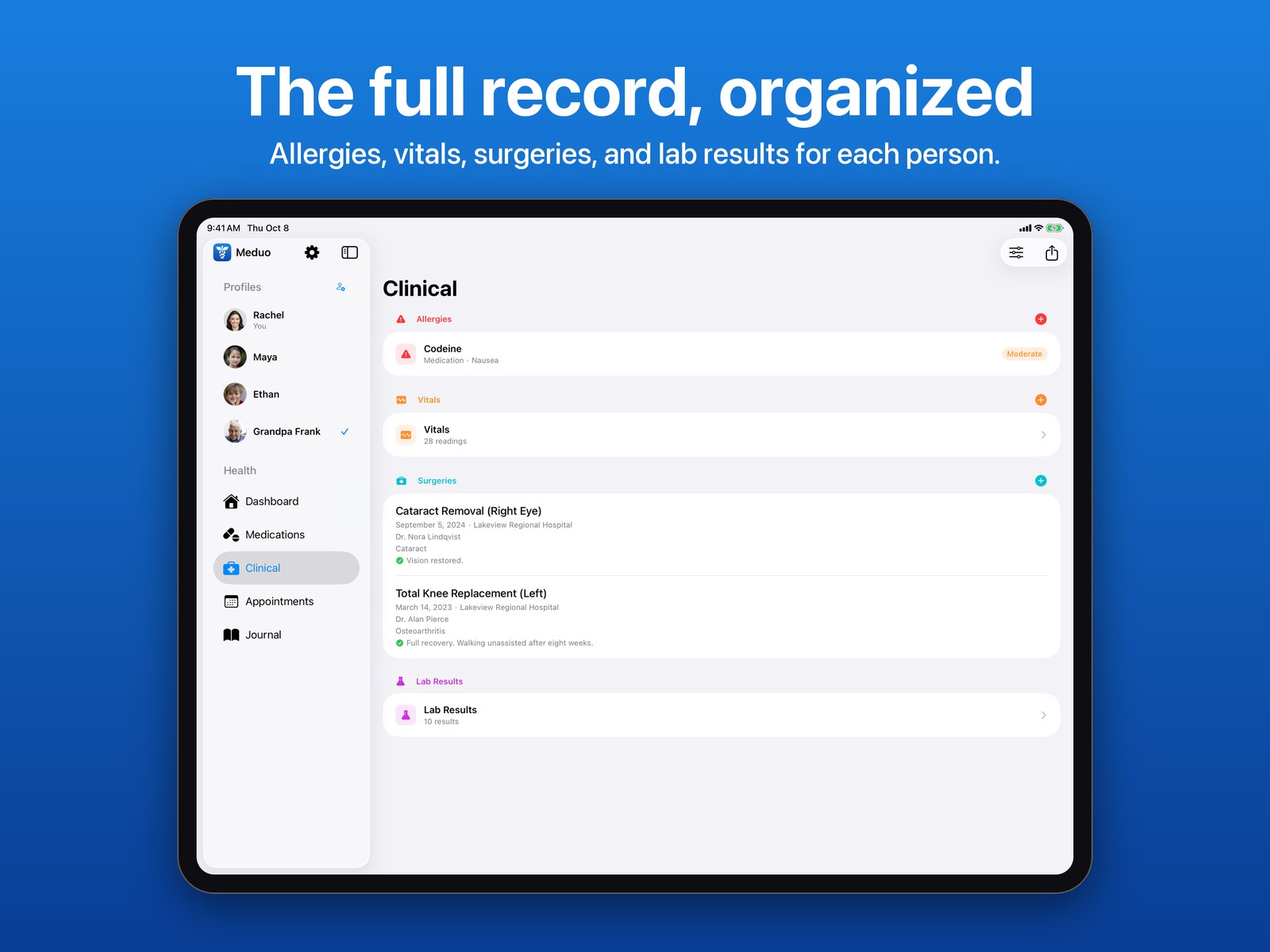
Upcoming and past visits with calendar sync, plus surgeries with facility, surgeon, and outcome.

Vaccinations, conditions, allergies

Searchable lists with dates, lot numbers, and providers.

One-tap PDF summary

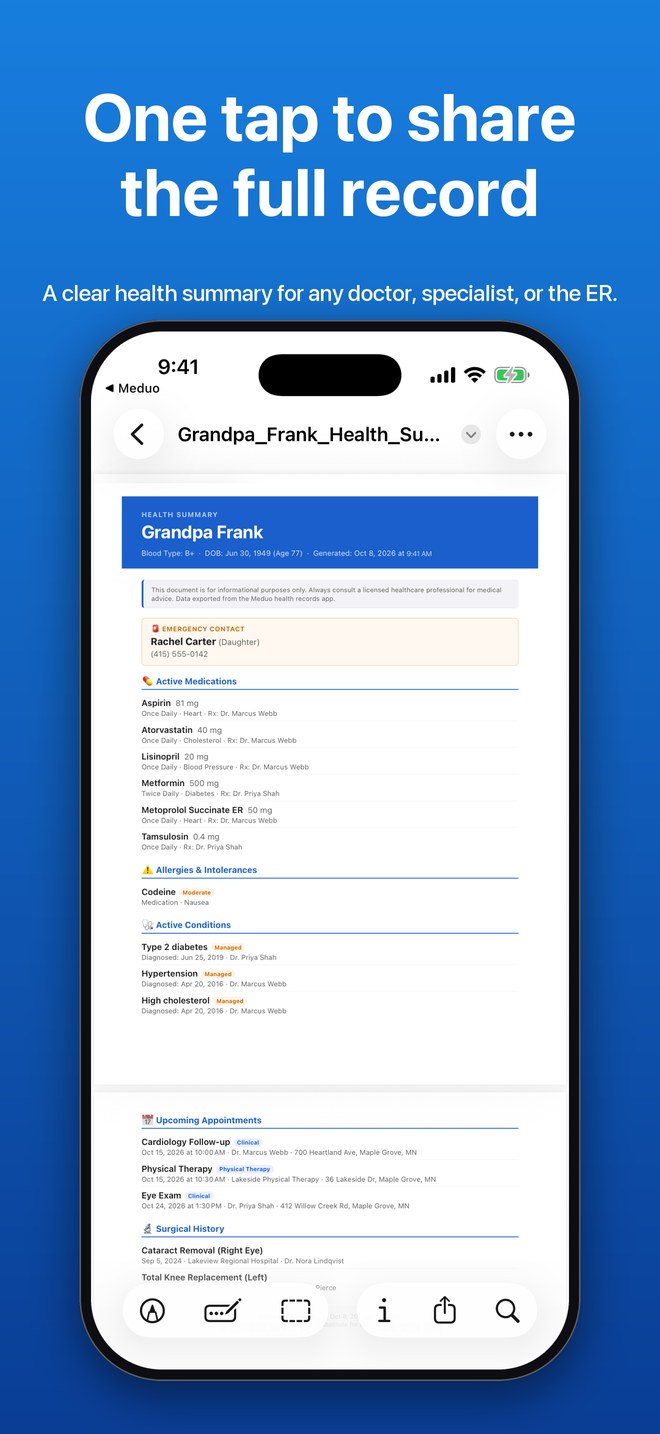
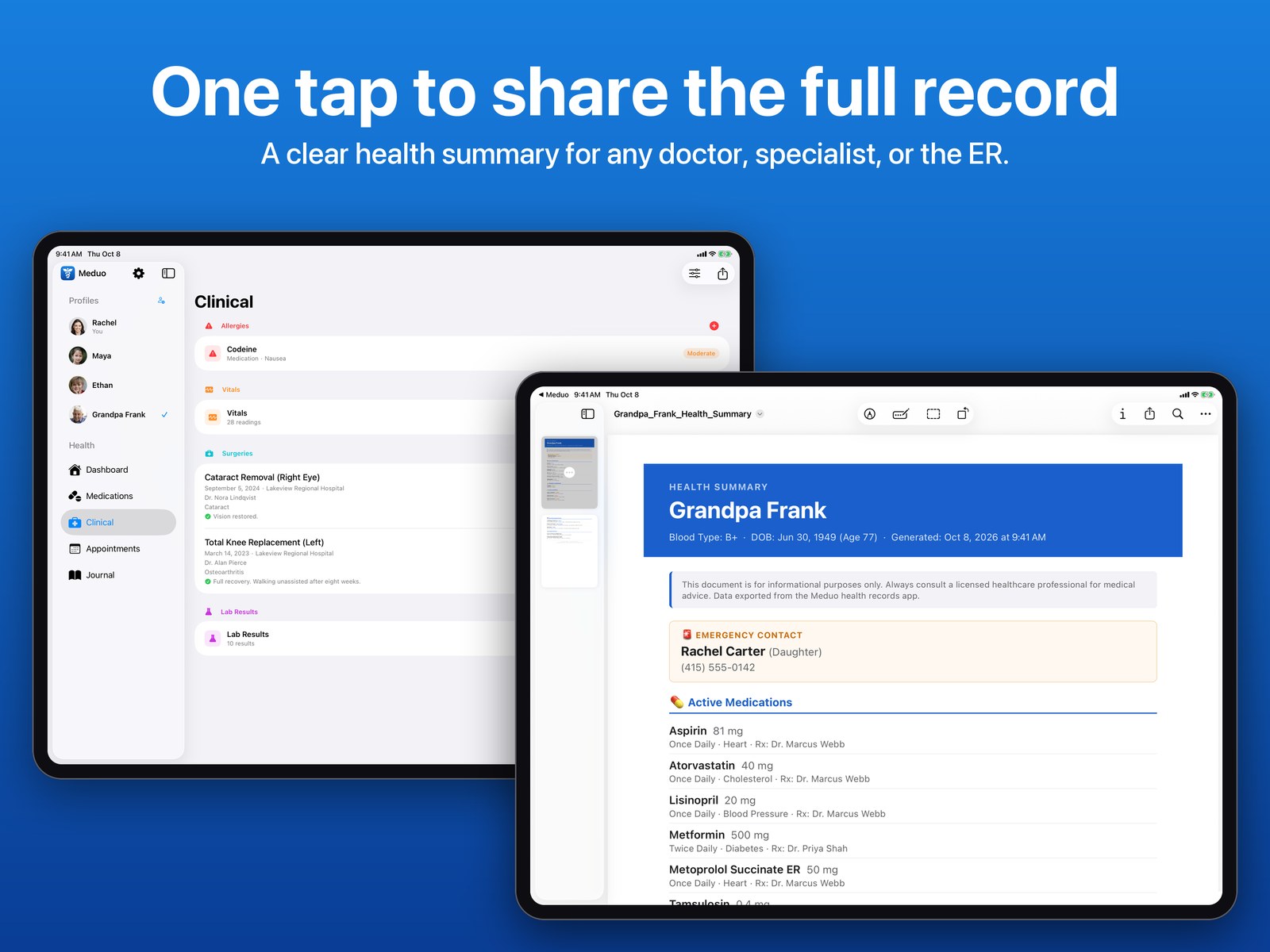
Export a complete health record to share with a new doctor, a specialist, or the ER.

Doctor report

Turn a journal into a PDF for the dates you choose, with entry times, symptoms, temperatures, and medications given.

Search and attachments

Search your records for one person or the whole family, and attach photos and scanned documents to journal entries, medications, labs, and more.

Widgets

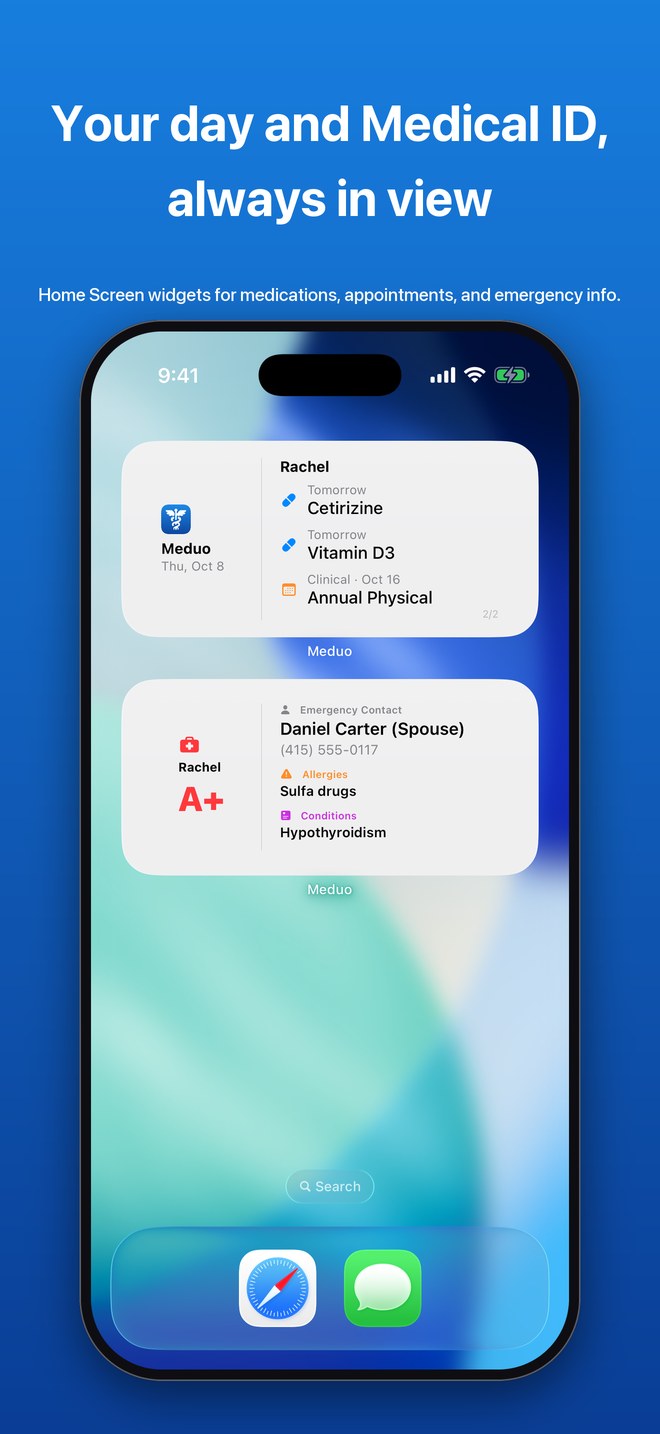
Today's medications and appointments on your Home Screen.

What's new

Latest update

Version 1.5.2

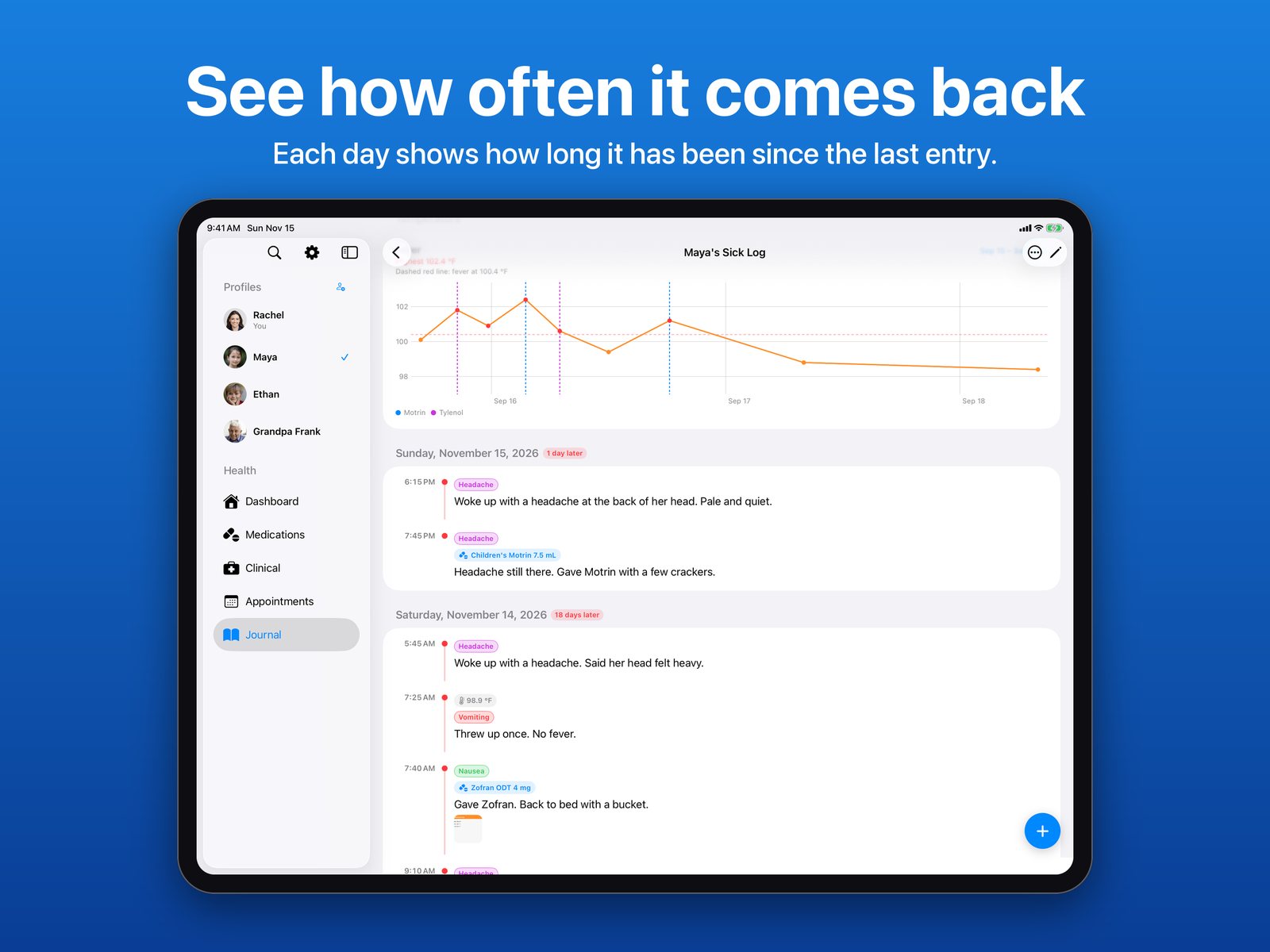
See how often things happen.

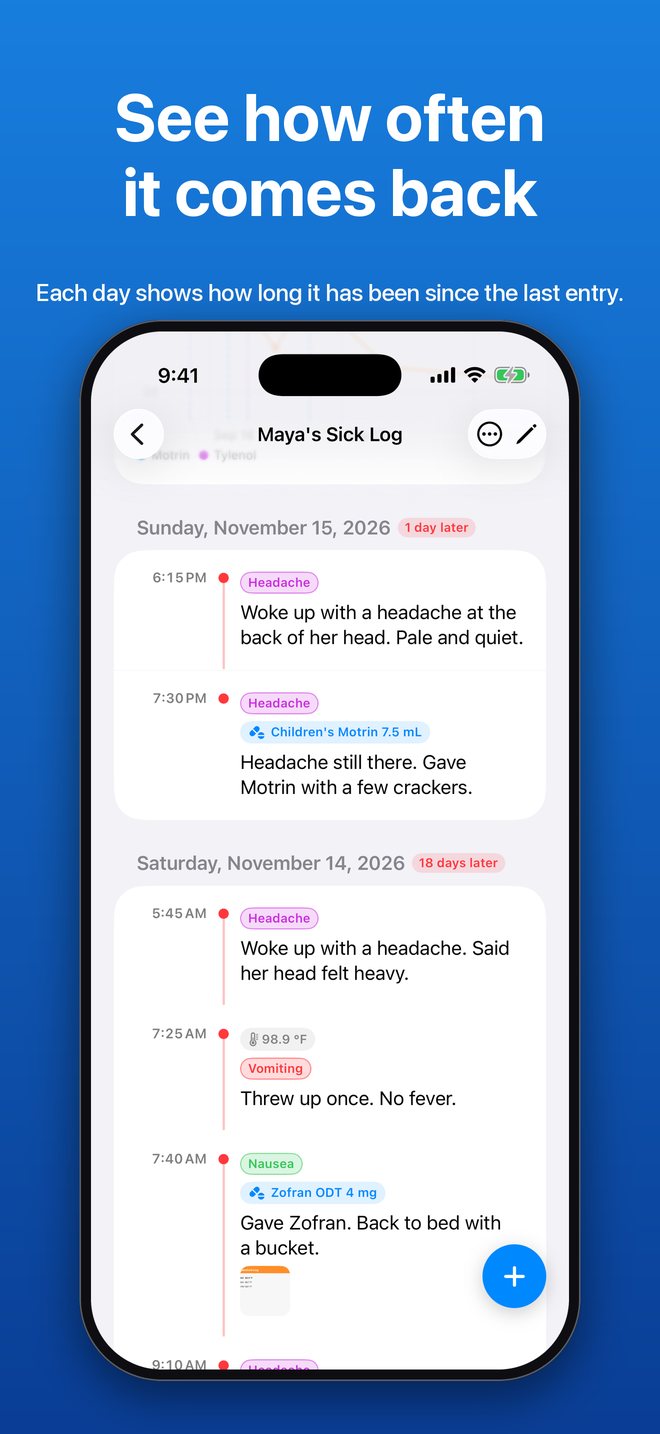
  • Days between entries. Each day on a journal's timeline shows how long it has been since the previous entry, such as "18 days later", so you can see at a glance how often symptoms come back.

Version 1.5.1 October 29, 2026

  • User guide. An illustrated guide to Meduo, in Settings > Help. You can also download it here.
  • Hide or delete a family profile. Hiding keeps the records and pauses reminders, and you can show the profile again any time. Your last profile is always kept.
  • Deleting a medication, appointment, journal, or record now asks you to confirm first.
  • Deleting a journal, medication, or profile also removes everything that belongs to it, such as entries, dose history, and photos.

Version 1.5

Your journal is now a timeline.

  • Journal timeline. Entries have a time and are grouped by day, so you can see what happened and when.
  • Medications given. Record the medication in a journal entry and it is added to that medication's dose history, so the Dashboard's "Last given" and your doctor report include it.
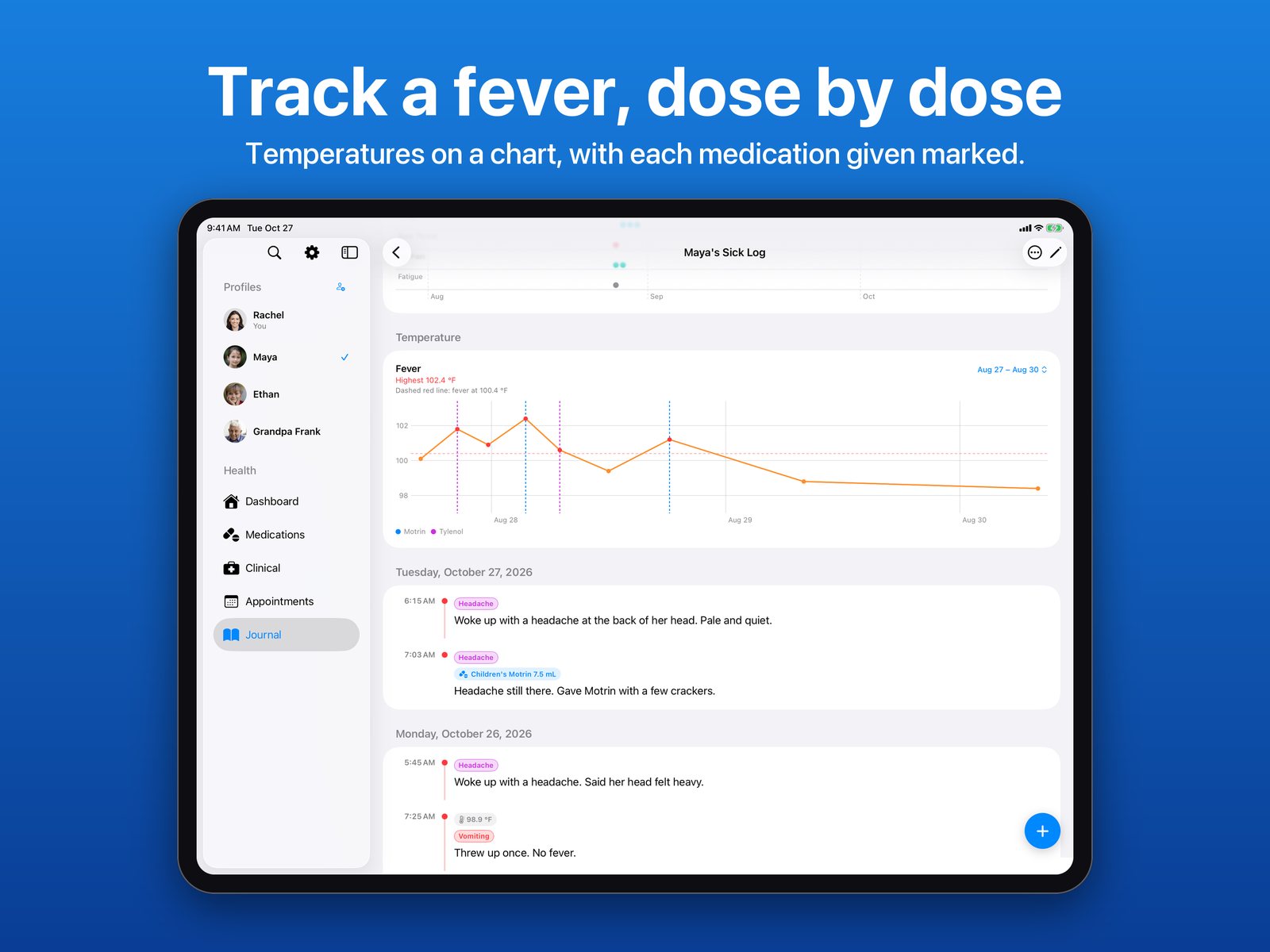
  • Temperature. Add a temperature in °F or °C. Fevers are tagged for you and shown on a fever chart with the medications given marked.
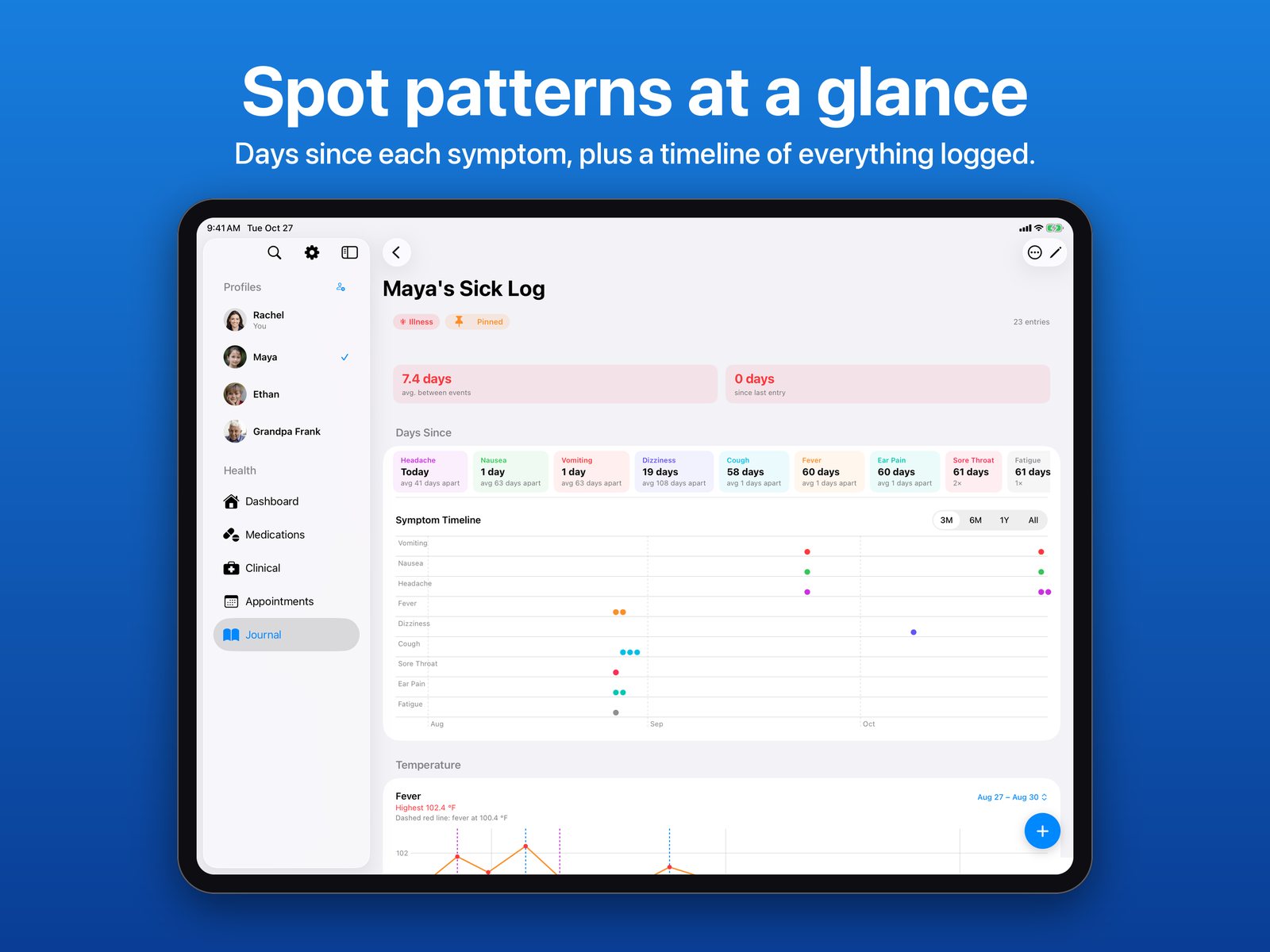
  • Symptom tags and patterns. Tags are suggested from what you write, with the days since each symptom and a symptom timeline chart.
  • As-needed medications. Log a dose from the Dashboard, see when it was last given, and set an optional minimum time between doses.
  • Doctor report. Create a PDF of a journal for the dates you choose, or email it.
  • Import from Apple Notes. Bring an existing diary in as a journal, one entry per dated line.
  • Search, photos, and scanned documents, plus quicker new entries.
  • Fixes: lists refresh right after you add a record, Meduo remembers which family member you were viewing, and a new journal entry no longer closes and reopens while you write it.
Lock Screen

An emergency card on your Lock Screen

Meduo's Lock Screen widget shows your name, blood type, allergies, and emergency contact. A first responder can read it without unlocking your phone.

The example on this page uses sample information.

Privacy

Your records stay yours

Meduo has no account to create and no servers of its own. Your records are stored on your device and sync through your own iCloud, so they're available on your iPhone and iPad. Meduo never sees them.

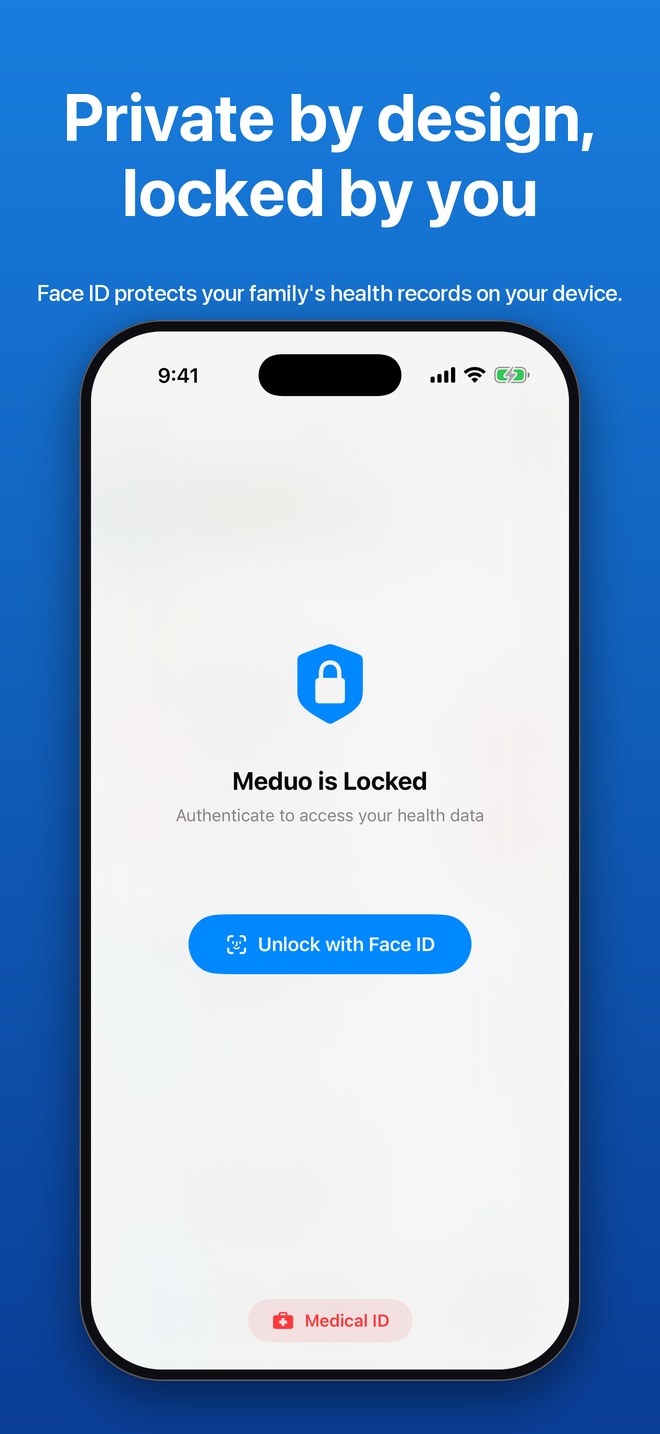
Face ID, Touch ID, or Optic ID is required every time the app opens.
Read the privacy policy

On iPhone

A look inside

Meduo dashboard with a switcher for four family members, today's medications, and upcoming appointments
Family dashboard
A Lock Screen reminder that names the person the dose is for, above a Medical ID card
Reminders
The medication list for one person, with doses, prescribers, pharmacies, and refill dates
Medications
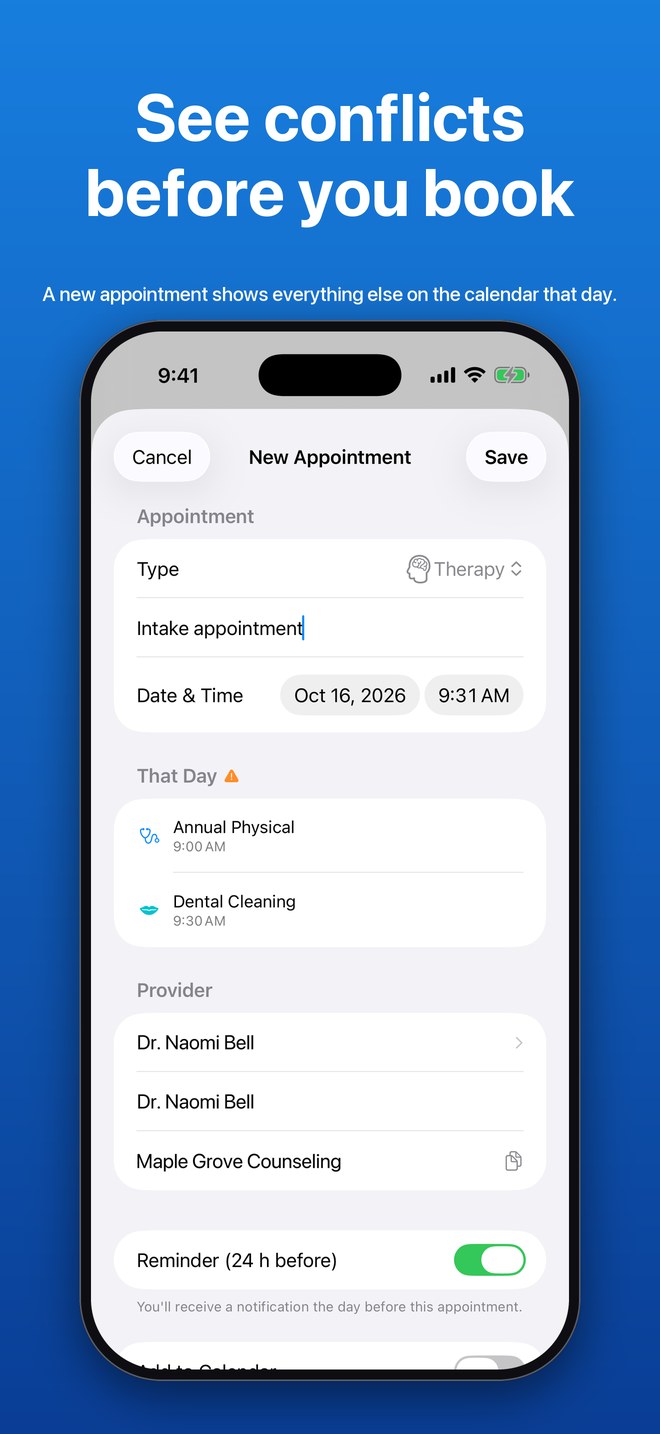
A new appointment form listing everything else scheduled that day, with a warning icon
Conflicts
Maya's Sick Log as a timeline: entries grouped by day with times, symptom tags, medications given, a temperature, and a photo
Journal timeline
Two days on a journal timeline, headed 1 day later and 18 days later, with symptoms and a dose of Children's Motrin
Days between entries
A blood pressure trend chart over 90 days with the list of readings behind it
Vitals
A health summary PDF opened on iPhone, with the emergency contact and active medications
PDF summary
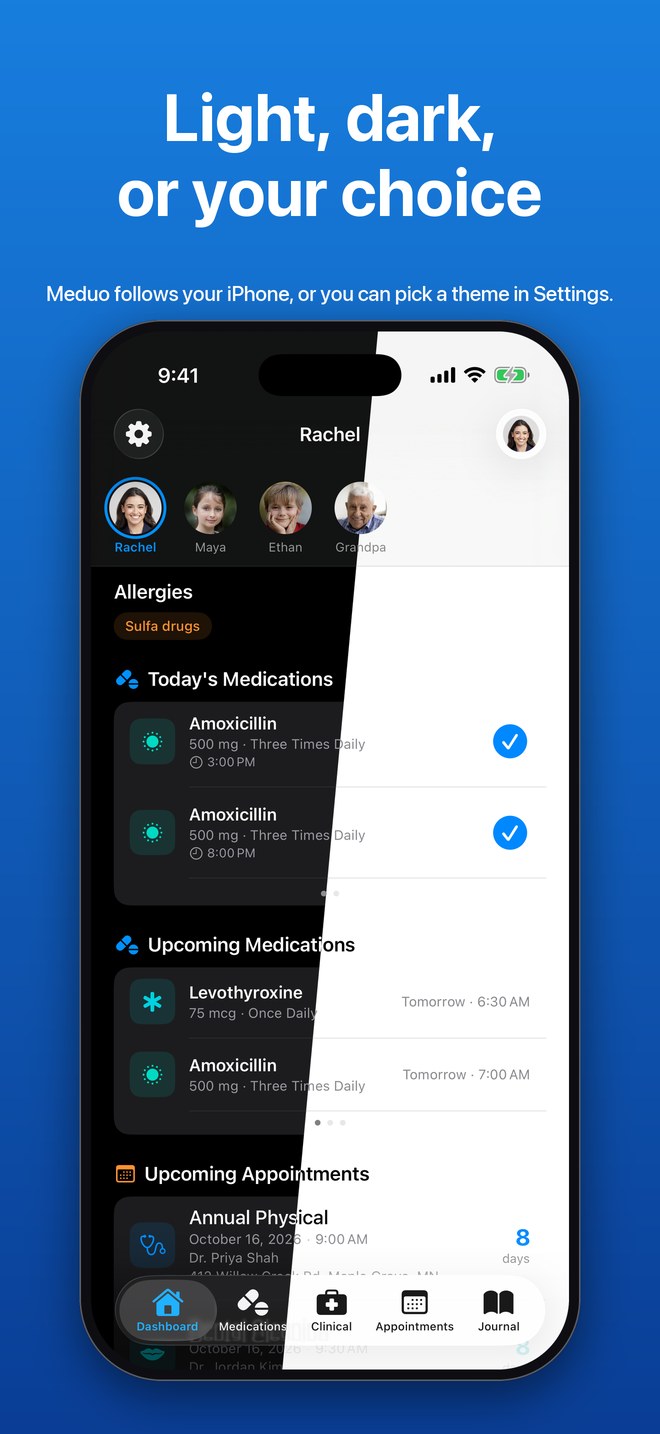
The dashboard split down the middle, half in dark mode and half in light mode
Light and dark
Two Home Screen widgets: upcoming medications and appointments, and a Medical ID card
Widgets
The Meduo lock screen asking to unlock with Face ID
App Lock
On iPad

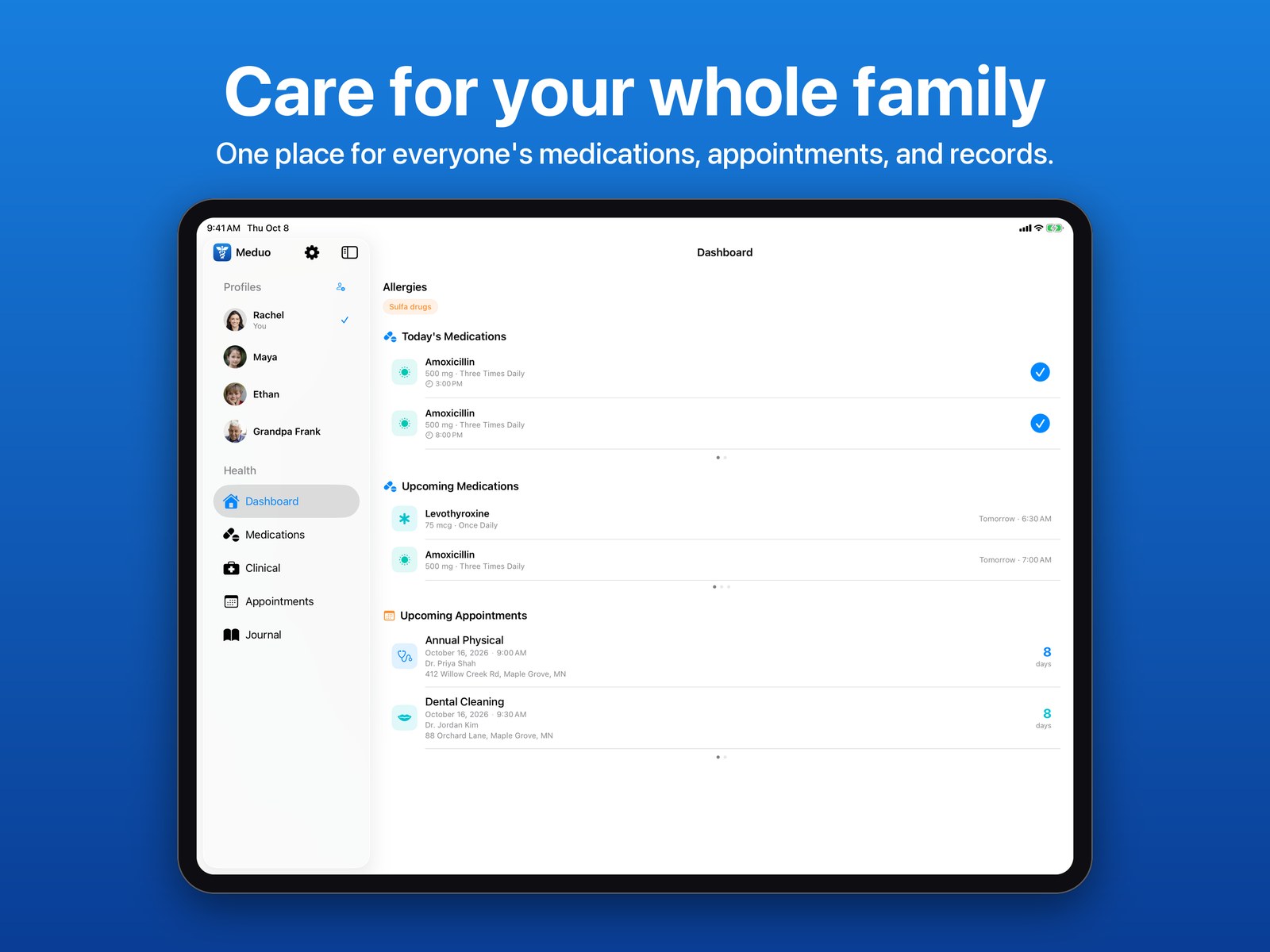
The whole family, on a bigger screen

Meduo on iPad with a sidebar of four family members beside the dashboard
Family dashboard
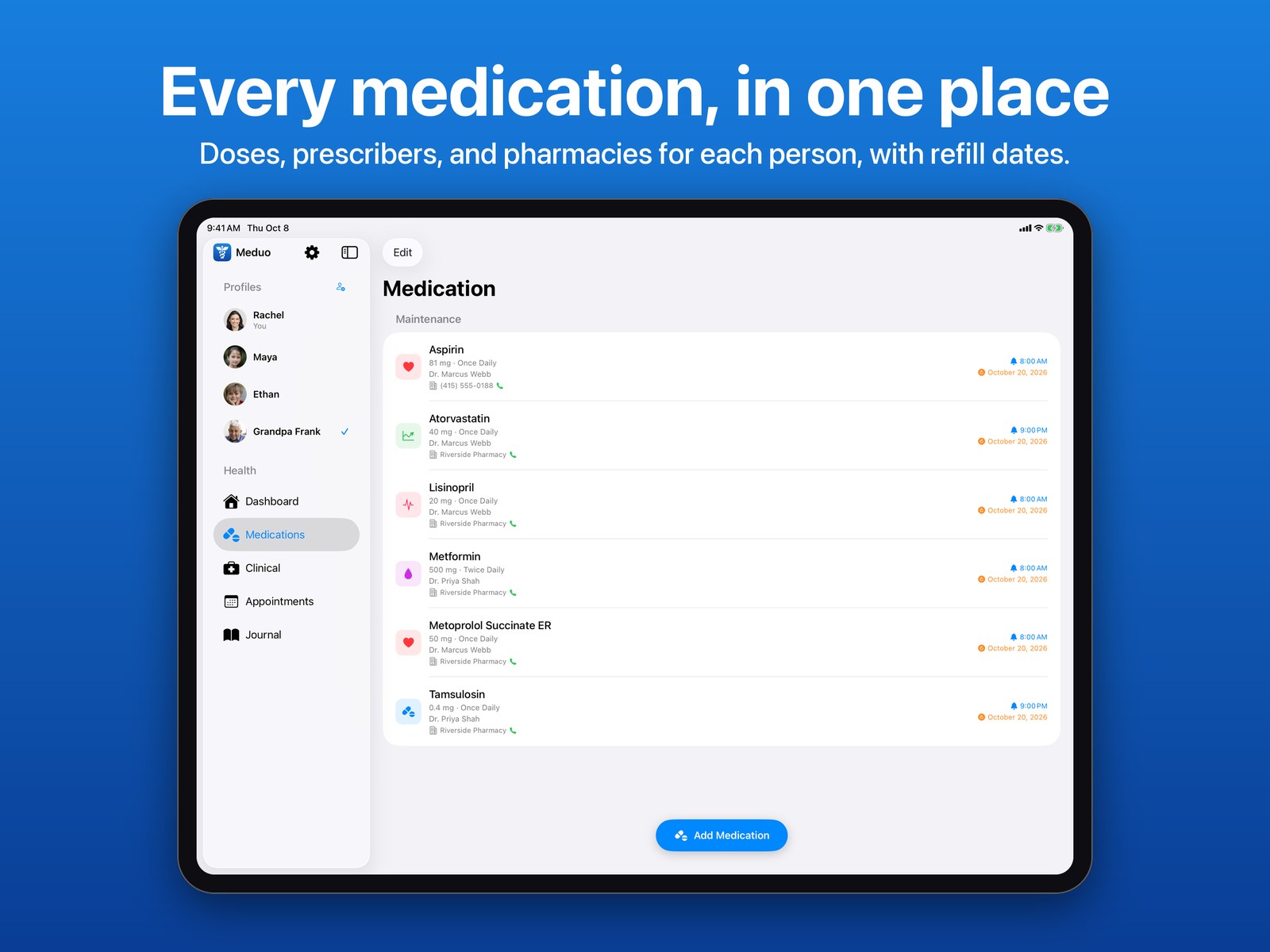
Six medications for one person in a wide list with doses, prescribers, and refill dates
Medications
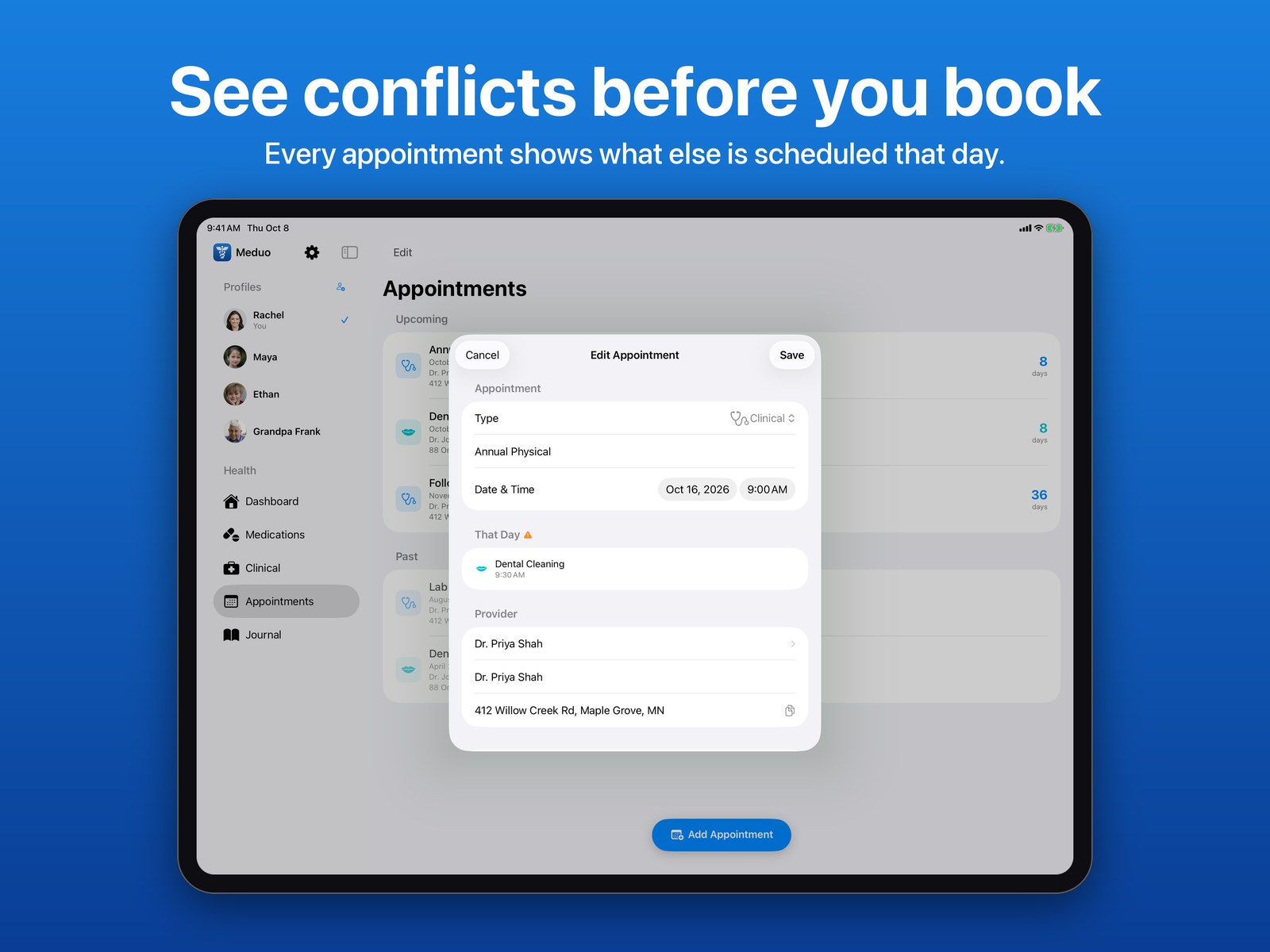
Editing an appointment on iPad with another visit listed under That Day
Conflicts
Maya's Sick Log on iPad with a timeline of entries grouped by day, showing symptoms, medications given, and temperatures
Journal timeline
A fever chart above two days of journal entries on iPad, headed 1 day later and 18 days later
Days between entries
The top of a journal on iPad with days since each symptom and a symptom timeline chart
Spot patterns
A fever chart on iPad with the highest reading, a fever line, and each medication given marked, above the timeline
Fever chart
The iPad dashboard with an As Needed section showing when each medication was last given and when the next dose is allowed
As-needed doses
Allergies, vitals, surgeries, and lab results for one person on iPad
Clinical record
A blood pressure trend chart and the full list of readings on iPad
Vitals
The Clinical screen beside the exported health summary PDF on iPad
PDF summary
Pricing

Try it free

Free
$0

Everything you need to manage your own day-to-day health.

  • Medications with reminders and barcode scanning
  • Appointments with calendar sync
  • Health journal with custom categories
  • Home Screen and Lock Screen widgets
  • iCloud sync and Face ID lock
Meduo Premium
$19.99 / year

Your complete record, for everyone you care for.

  • Profiles for your whole family
  • Clinical records: allergies, conditions, surgeries, vaccinations
  • Lab results and vital trend charts
  • Doctors and providers directory
  • One-tap PDF health summary to share
More

Questions, press, and support

Meduo is a personal record-keeping tool. It does not provide medical advice, diagnosis, or treatment.