MealBound app icon
Press kit

MealBound

Your complete home meal planning companion. Build your recipe collection, plan the week ahead, cook step by step, and shop by aisle.

iPhone, iPad & Apple Watch Version 2.1 View on the App Store
Prep notes

Why MealBound exists

MealBound started from how much I disliked making a weekly meal plan.

Now there's an app that can make that decision for us. We entered our own recipes, and MealBound can search the web for new ideas when we need fresh ones.

With a family of picky eaters, we also wanted the freedom to tweak any recipe to our liking, so every recipe stays fully editable. And a grocery list we can check off as we shop means we stop forgetting what we came for.
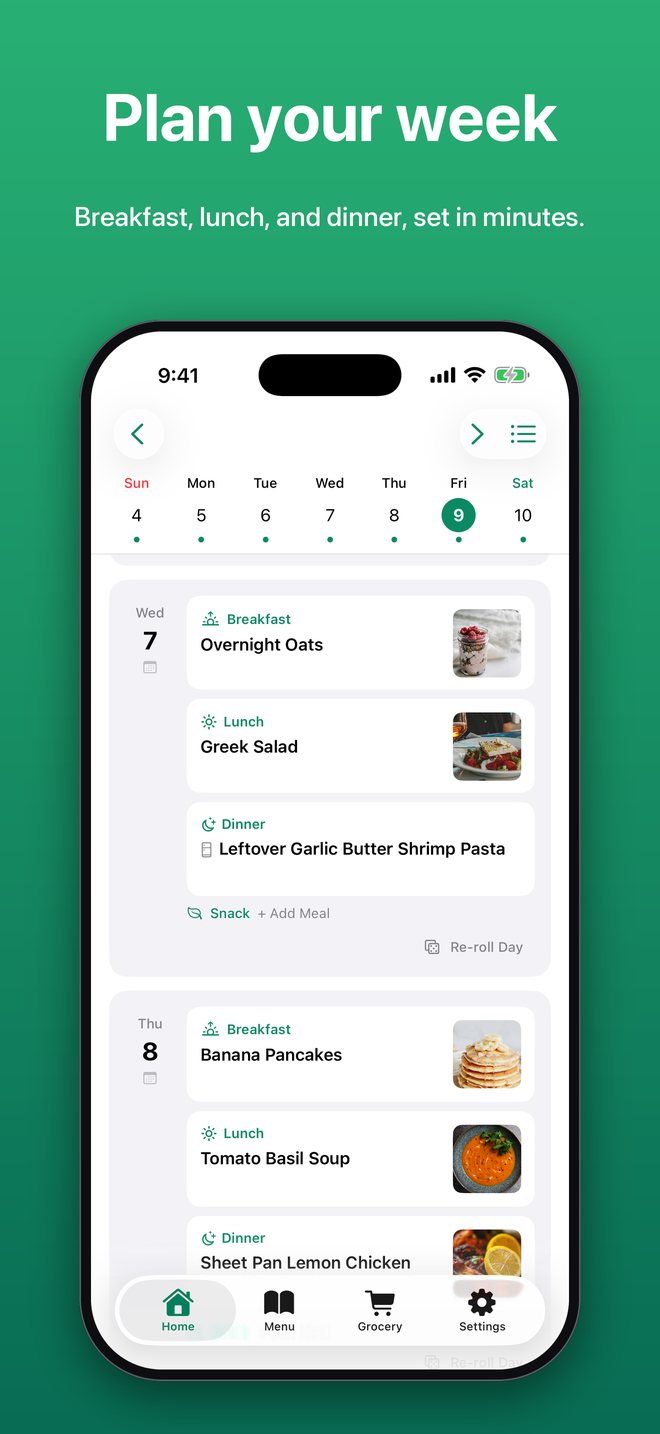
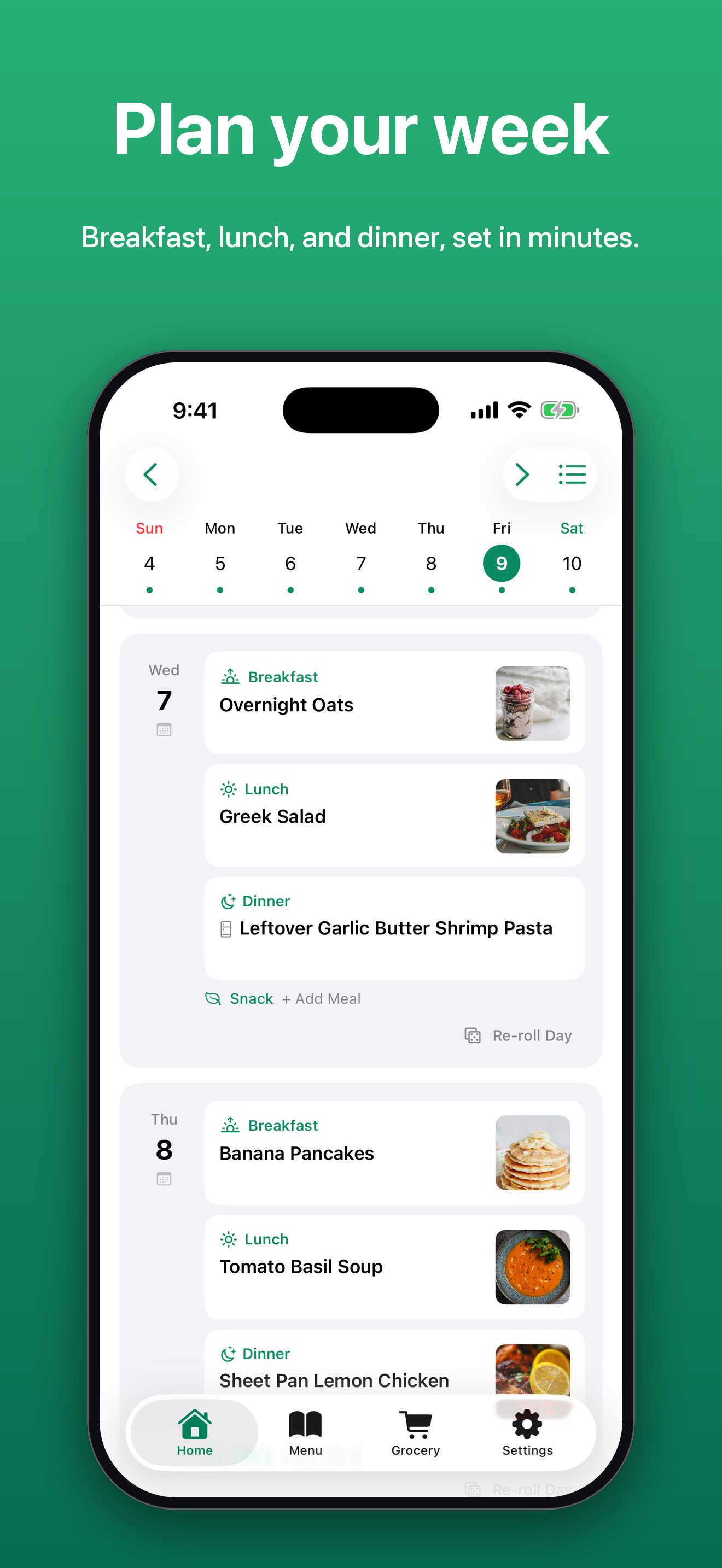
The weekly planner with a meal and photo for breakfast, lunch, and dinner each day
Ingredients

What it does

Recipe library

Store recipes with photos, ingredients, step-by-step instructions, ratings, and notes.

Import from URL or photo

Paste a recipe link or snap a photo of a printed recipe, and MealBound fills in the title, ingredients, and directions.

Discover recipes

Search recipes from online recipe databases, with nutrition, dietary tags, and serving size, and add any of them to your library in one tap.

Weekly meal planner

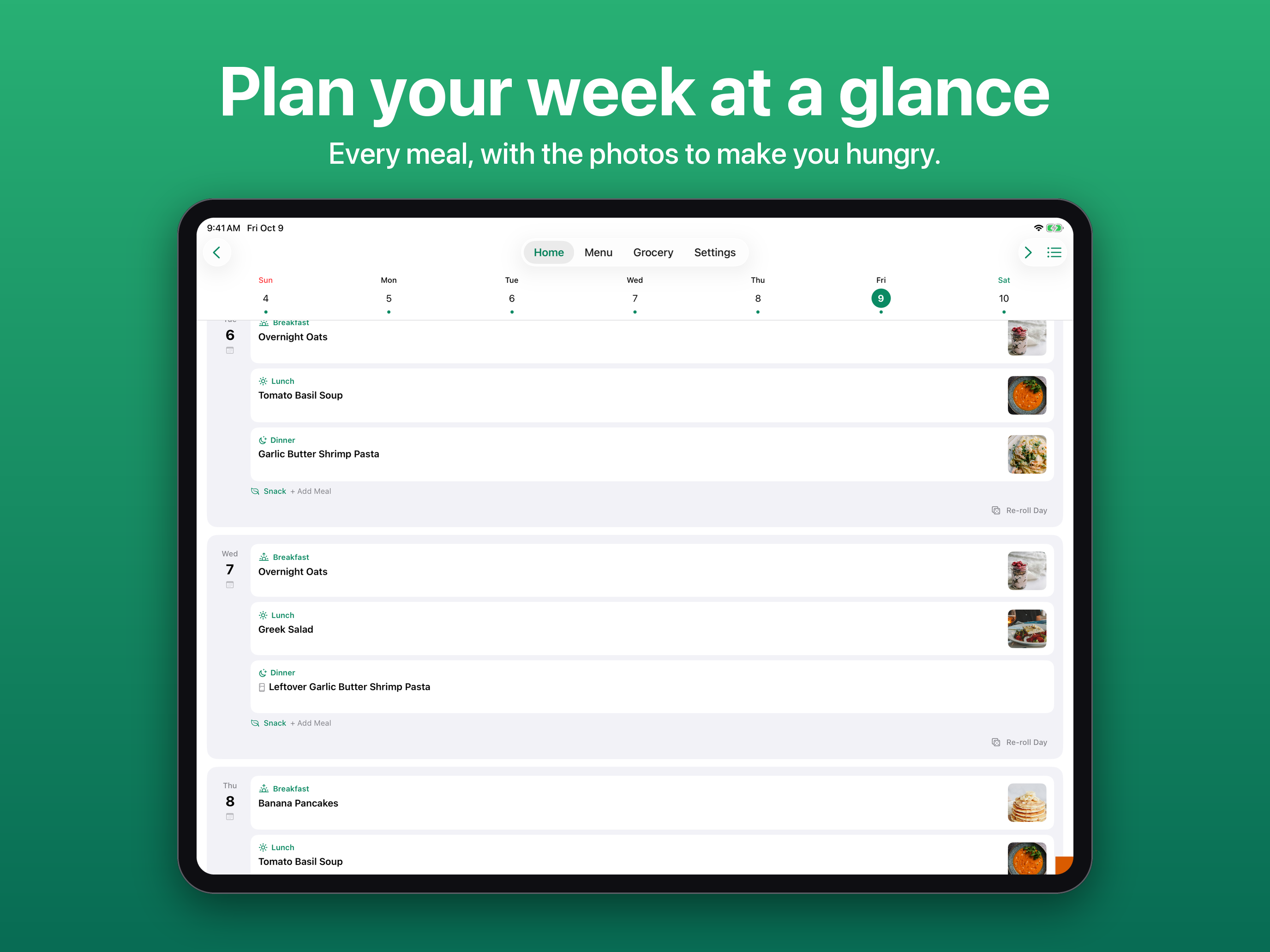
Map out breakfast, lunch, dinner, snacks, and desserts on a scrollable day-by-day canvas.

Auto-Plan

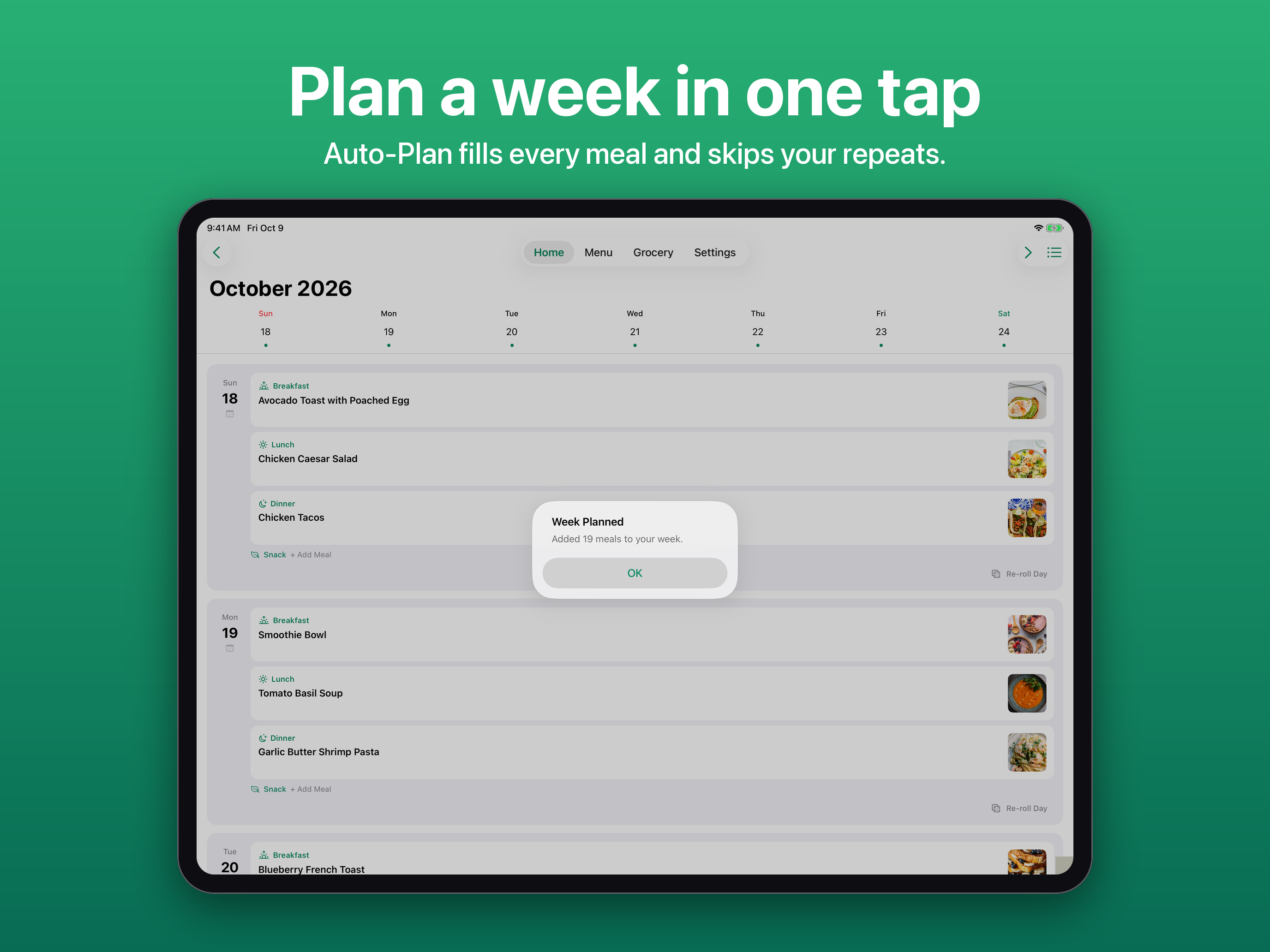
Fill your entire week in one tap, respecting no-repeat windows, busy-slot preferences, and weekend-only recipes.

Copy last week and leftovers night

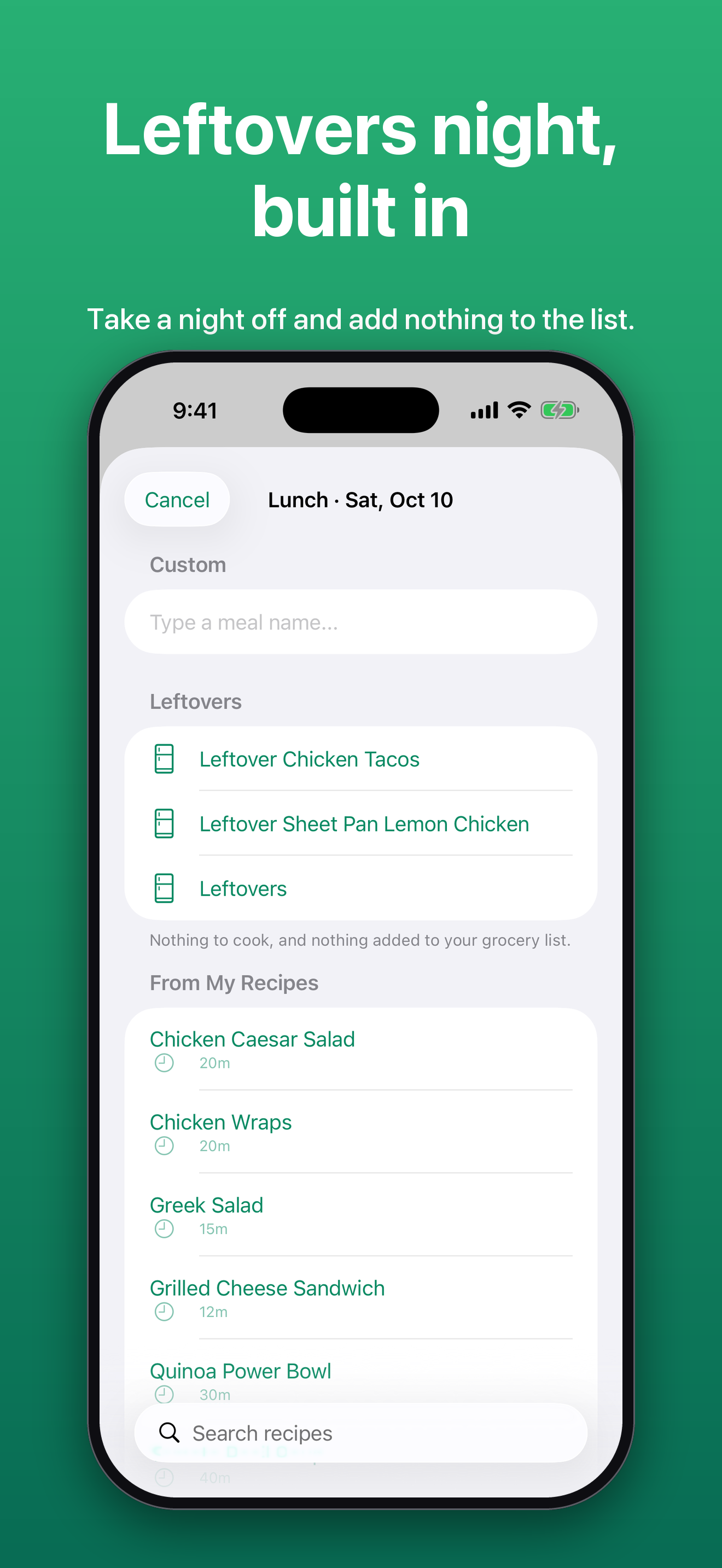
Repeat last week's plan in a tap, mark meals as leftovers, and pick a night for Auto-Plan to leave open. Leftovers add nothing to the grocery list.

Cook Mode

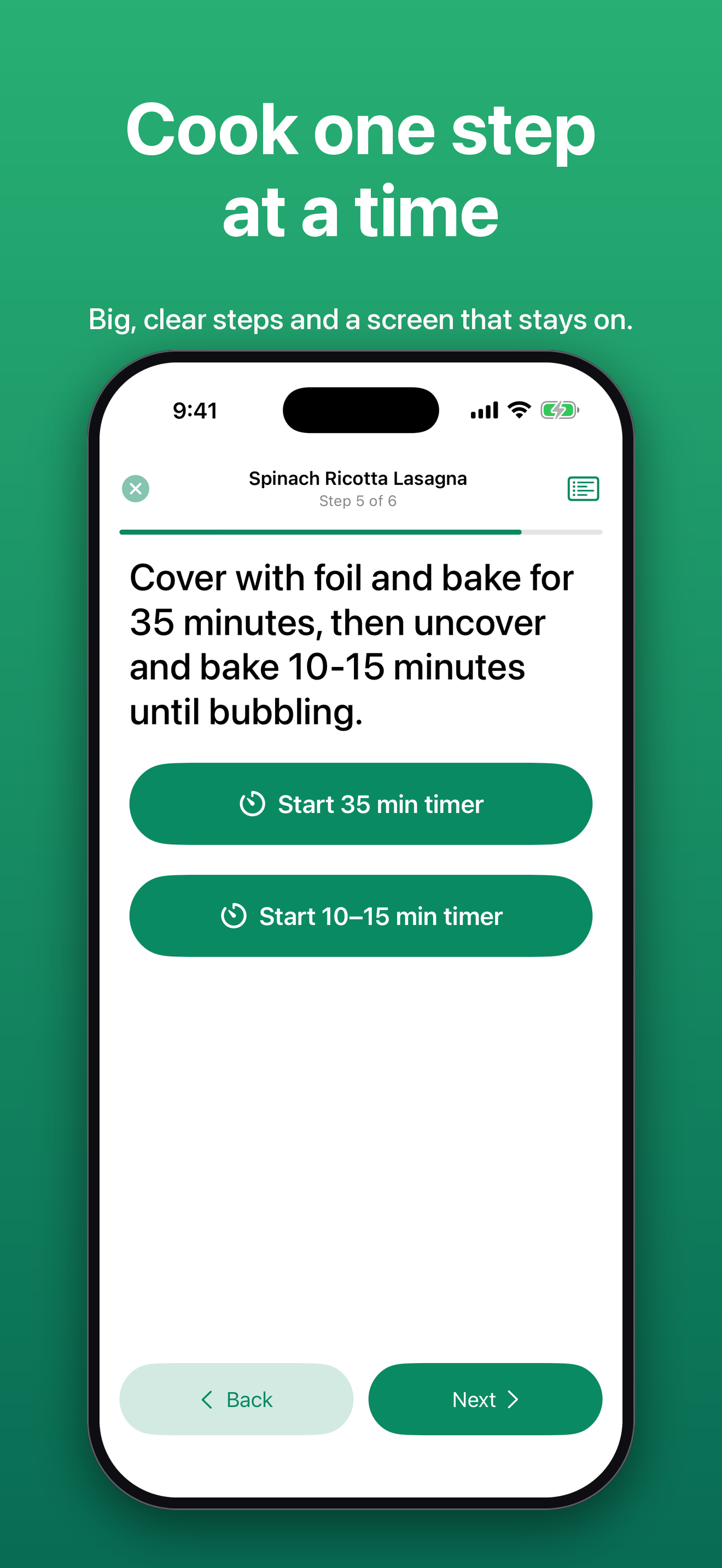
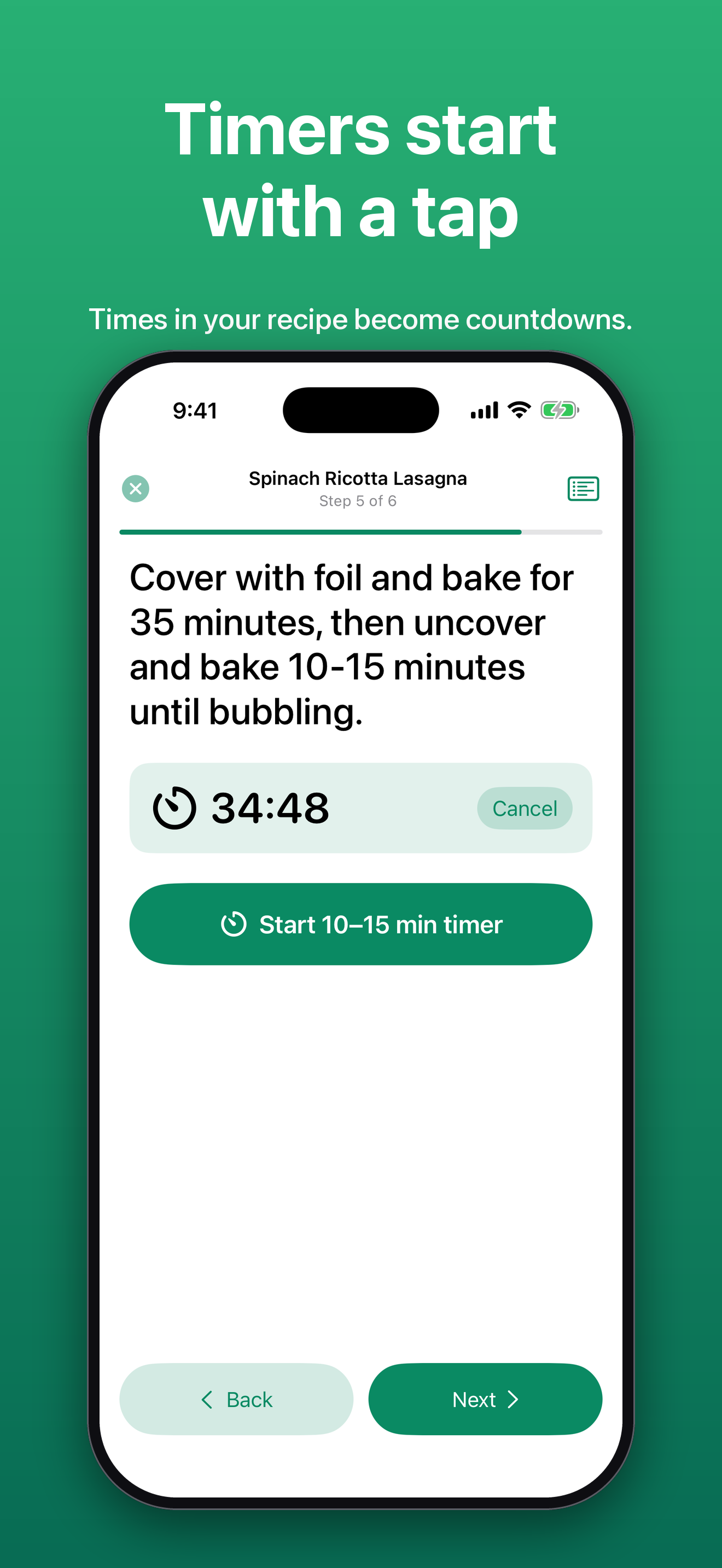
One big step at a time with the screen kept awake. Times written in a step become one-tap timers that alert the user even from the background.

Smart grocery lists

Generate a shopping list from your meal plan with ingredients merged and deduplicated, split automatically by your shopping days.

Shop by aisle

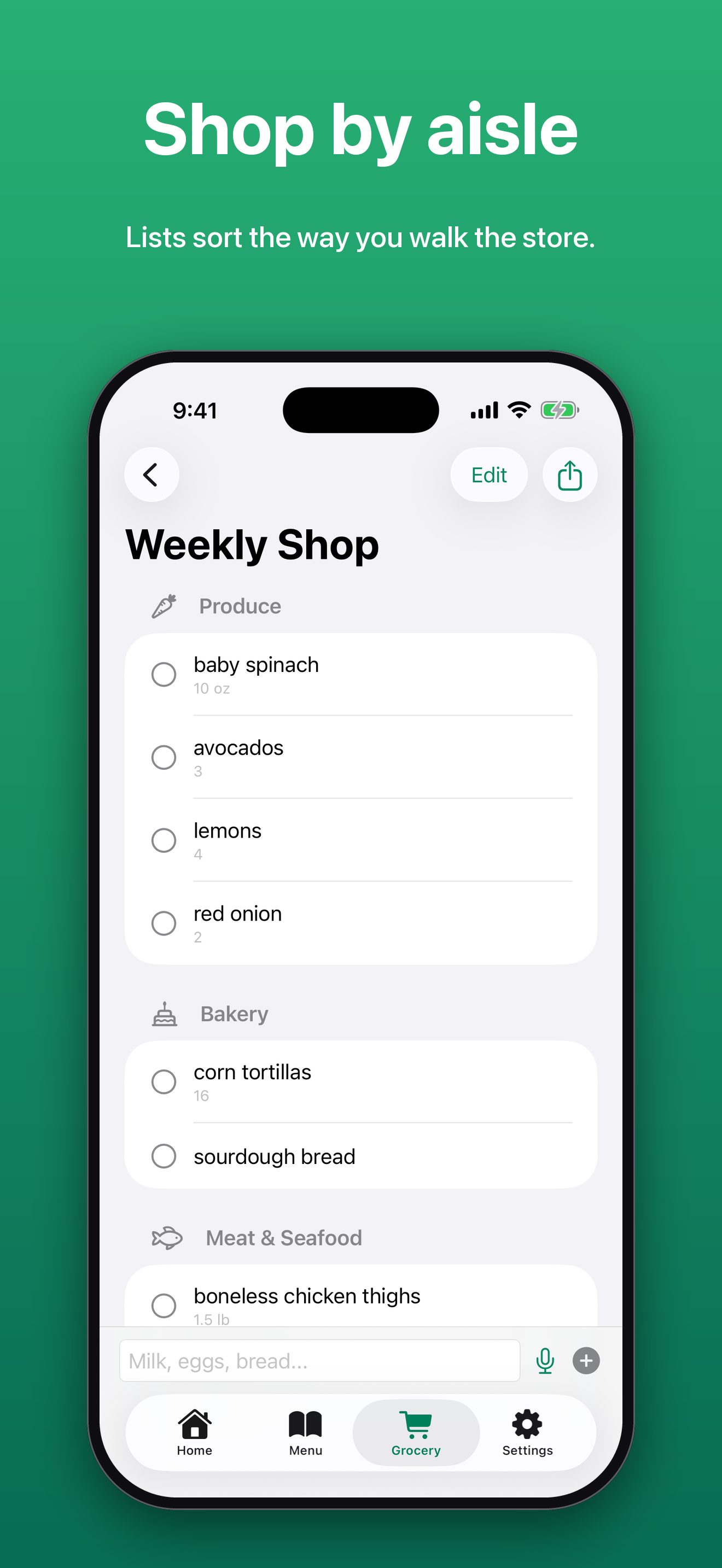
Lists group into store sections like Produce, Dairy, and Pantry, in the order a shopper walks the store. Any item's aisle can be changed.

Pantry staples

Salt, oil, and other things the user always has stay off generated lists. The list is editable in Settings.

Voice and quick-add

Add grocery items by speaking or with one-tap quick-add chips for common items.

Meal reminders

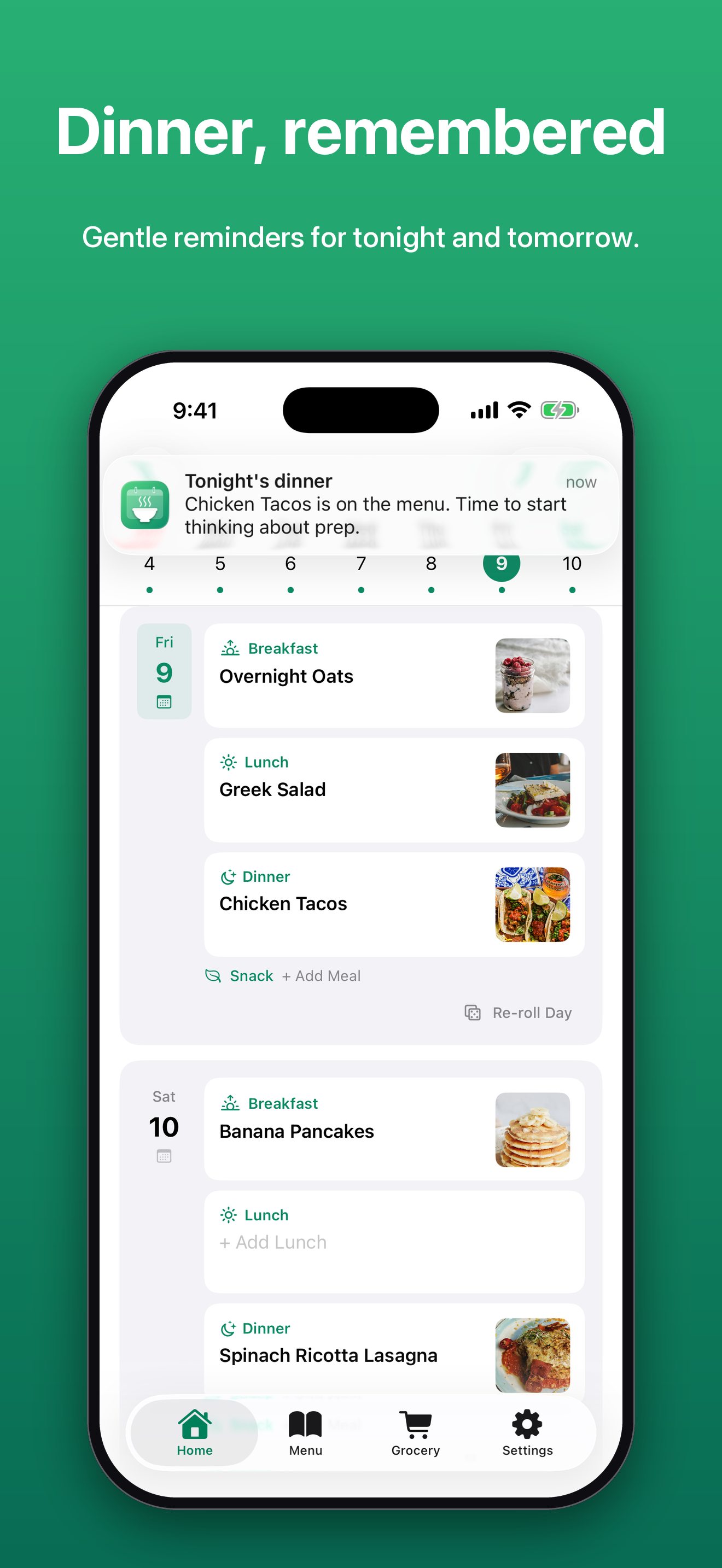
A note with tonight's dinner and a heads-up the evening before about tomorrow's meals.

Siri, widget, and Apple Watch

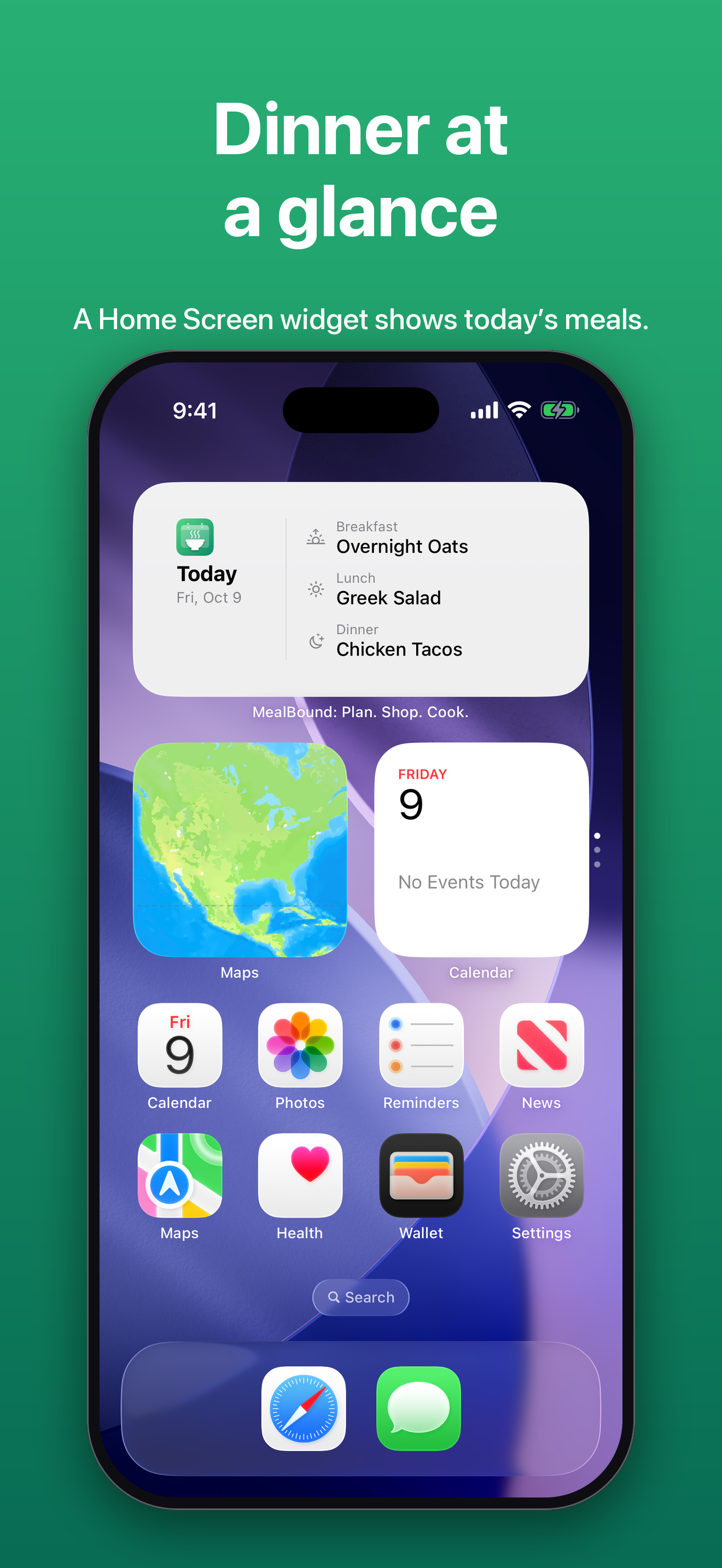
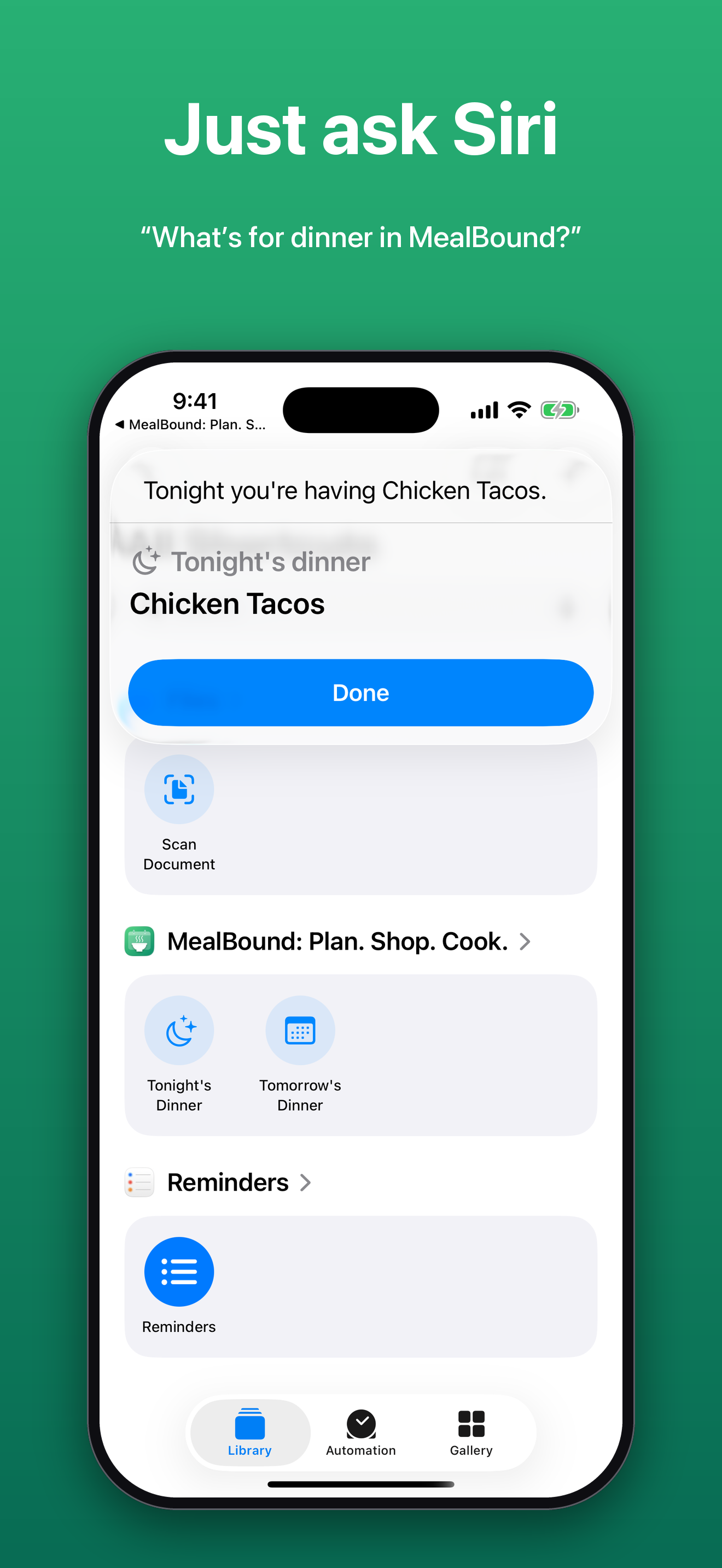
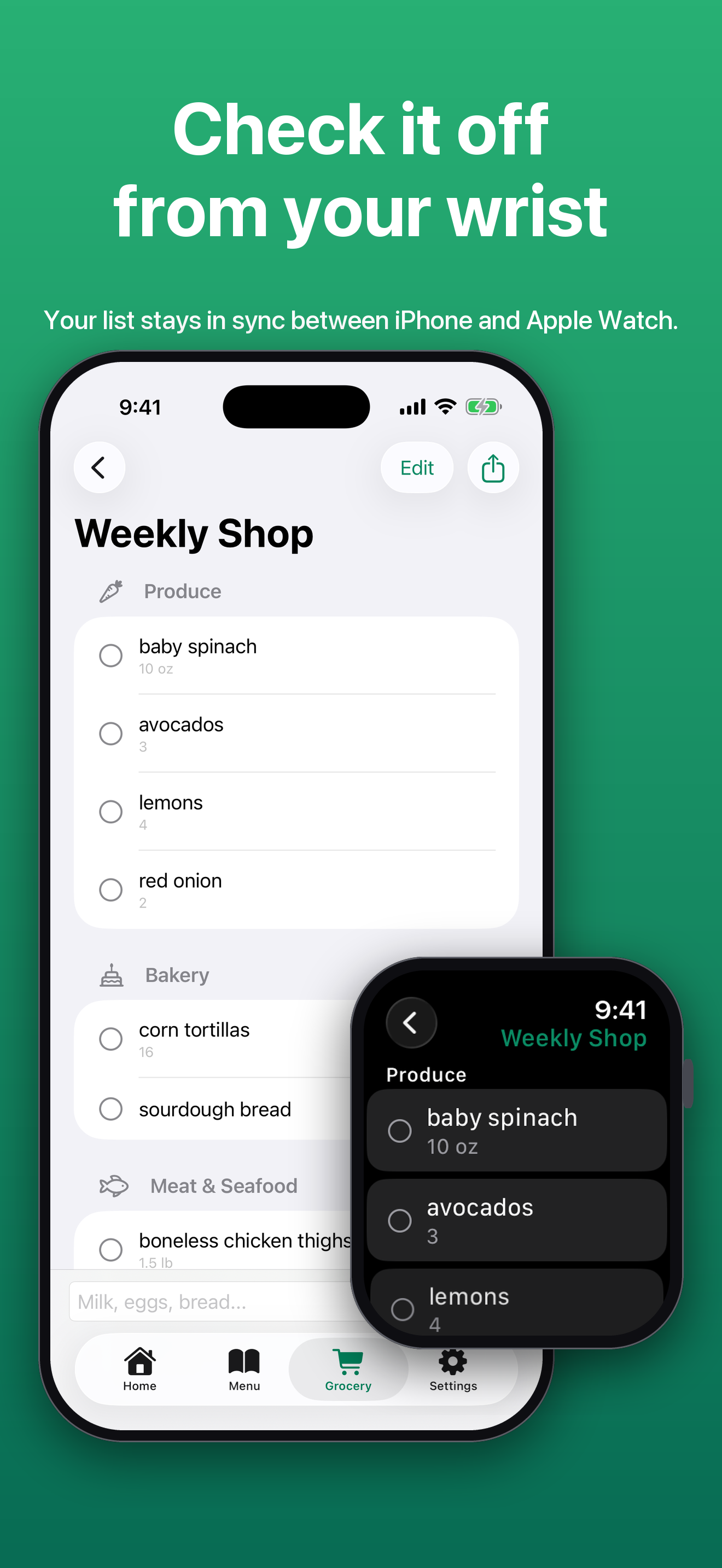
Ask Siri what's for dinner, see today's meals in a Home Screen widget, and check off the grocery list from an Apple Watch.

Export and share

Send a grocery list to Reminders so you can check it off while shopping, share it by AirDrop or Messages, or print a weekly meal plan for the fridge.

Private by design

No MealBound servers and no account. Data syncs through the user's own iCloud, and the app works fully offline.

Plated

Screenshots

Click any image to download the full-resolution PNG.

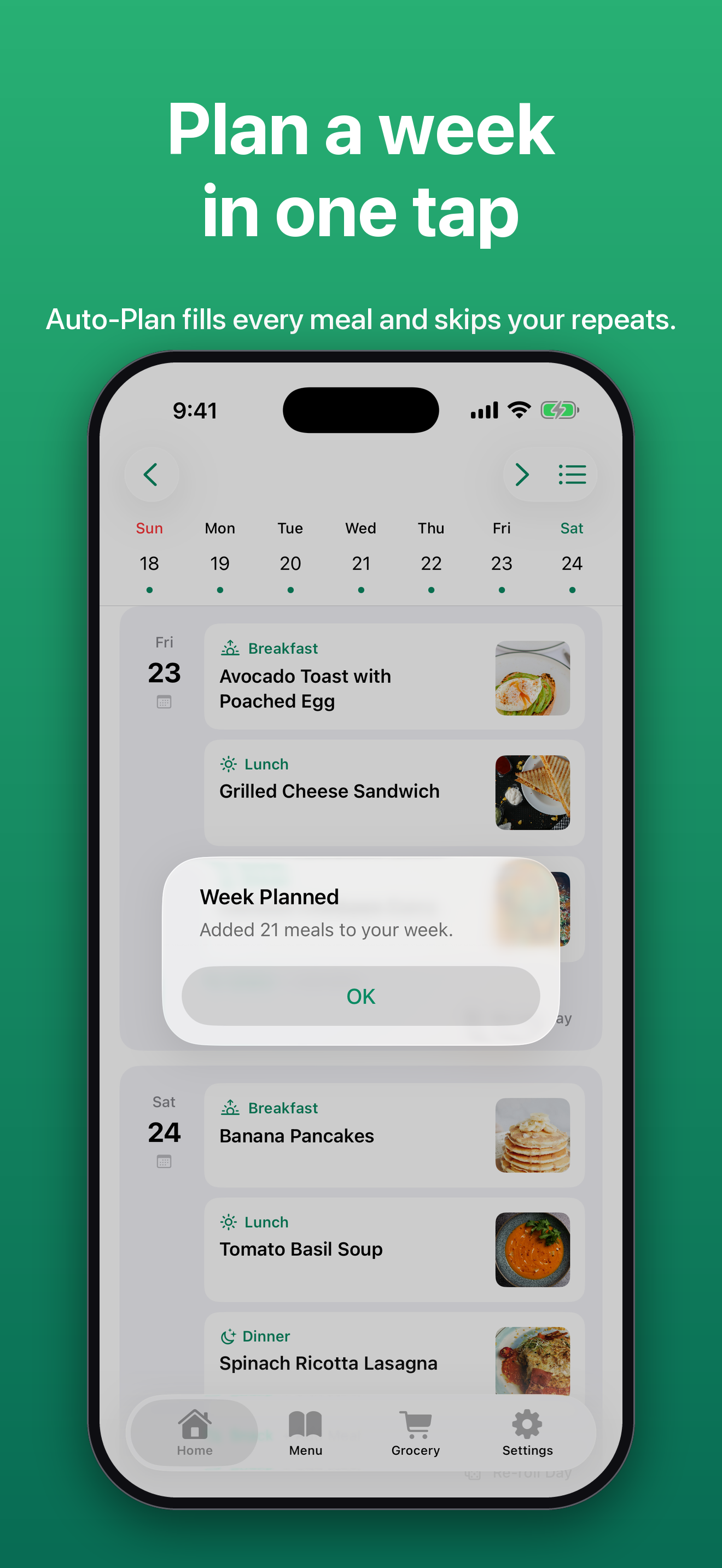
Week Planned alert over the weekly planner after Auto-Plan filled 21 meals. Plan a week in one tap.
Auto-Plan
The weekly planner with a meal and photo for breakfast, lunch, and dinner each day, including a leftovers night. Plan your week.
Planner
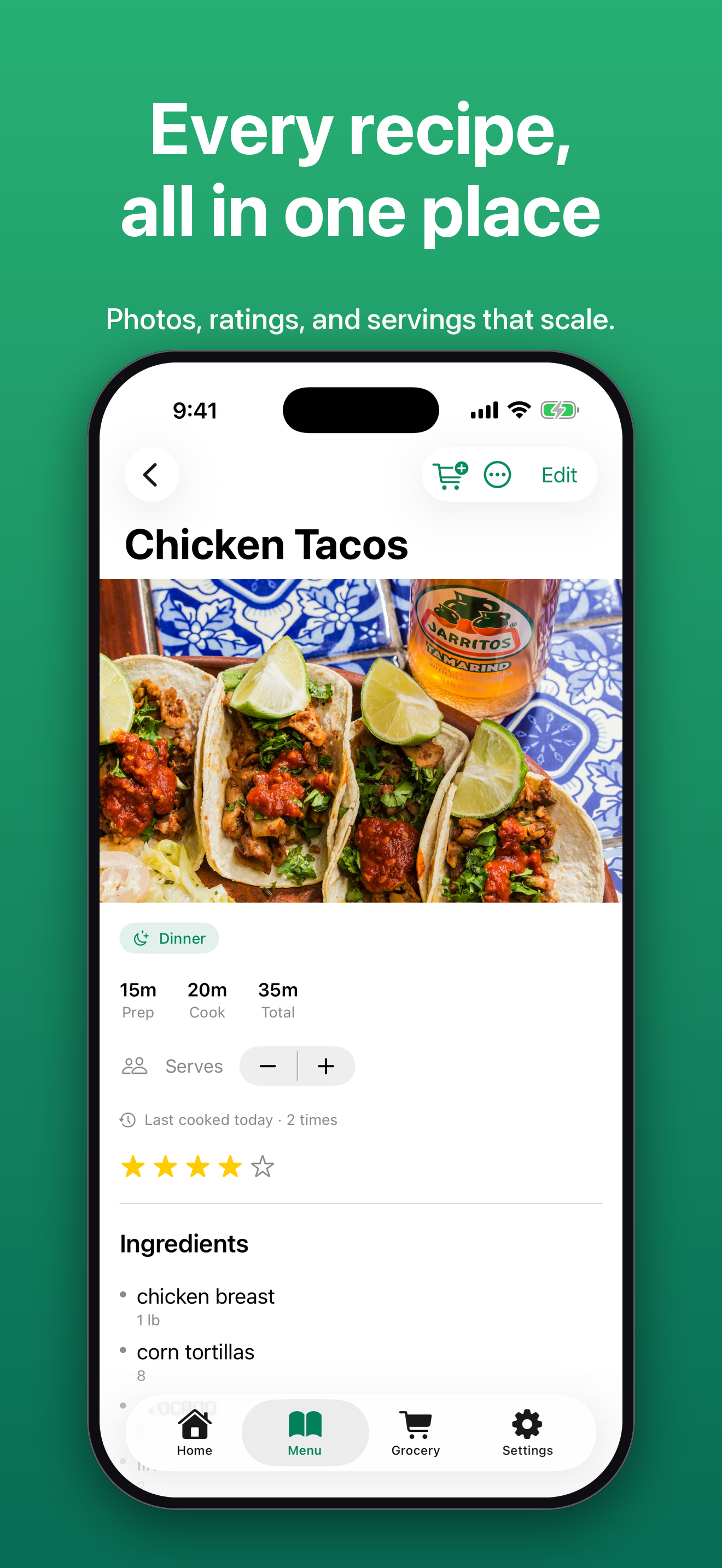
A recipe with a large photo, prep and cook times, servings, rating, and ingredients. Every recipe, all in one place.
Recipe
Cook Mode showing one recipe step in large type with a Start timer button. Cook one step at a time.
Cook Mode
Cook Mode with a running 34:51 countdown timer and a second timer ready to start. Timers start with a tap.
Timers
A grocery list grouped by aisle with Produce, Bakery, and Meat and Seafood sections. Shop by aisle.
Shop by aisle
Choosing a meal slot with Leftovers options suggested from recent dinners. Leftovers night, built in.
Leftovers
A notification banner reading Tonight's dinner, Chicken Tacos is on the menu, over the planner. Dinner, remembered.
Reminders
The MealBound Home Screen widget showing today's breakfast, lunch, and dinner. Dinner at a glance.
Widget
Siri showing the answer Tonight you're having Chicken Tacos. Just ask Siri.
Siri
A grocery list on iPhone with the same list open on Apple Watch. Check it off from your wrist.
Apple Watch
Auto-Plan on iPad with the Week Planned alert over a filled week with photos. Plan a week in one tap.
Auto-Plan
The iPad planner showing several days of meals with photos. Plan your week at a glance.
Planner
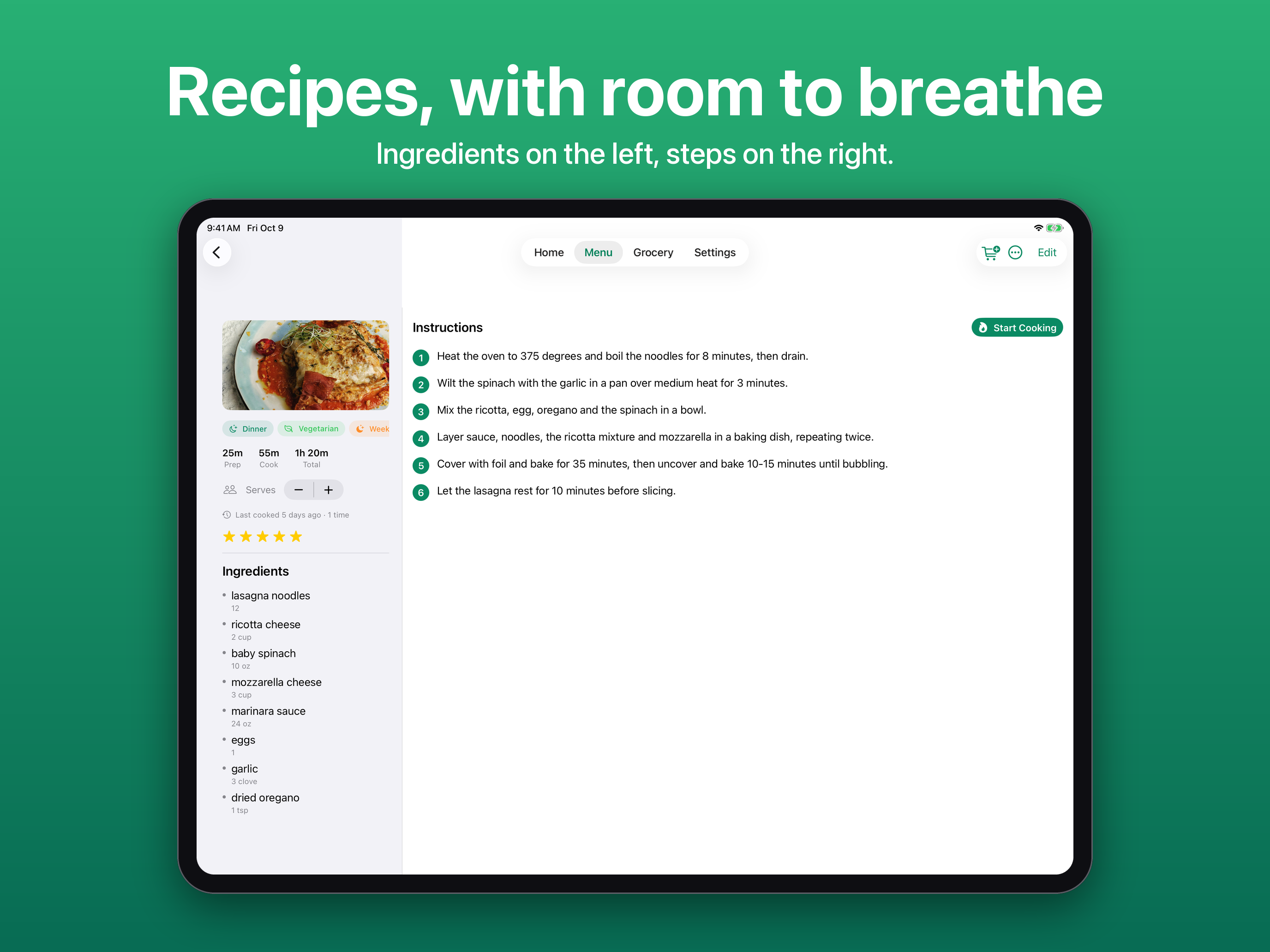
A recipe on iPad with ingredients on the left and numbered steps on the right. Recipes, with room to breathe.
Recipe
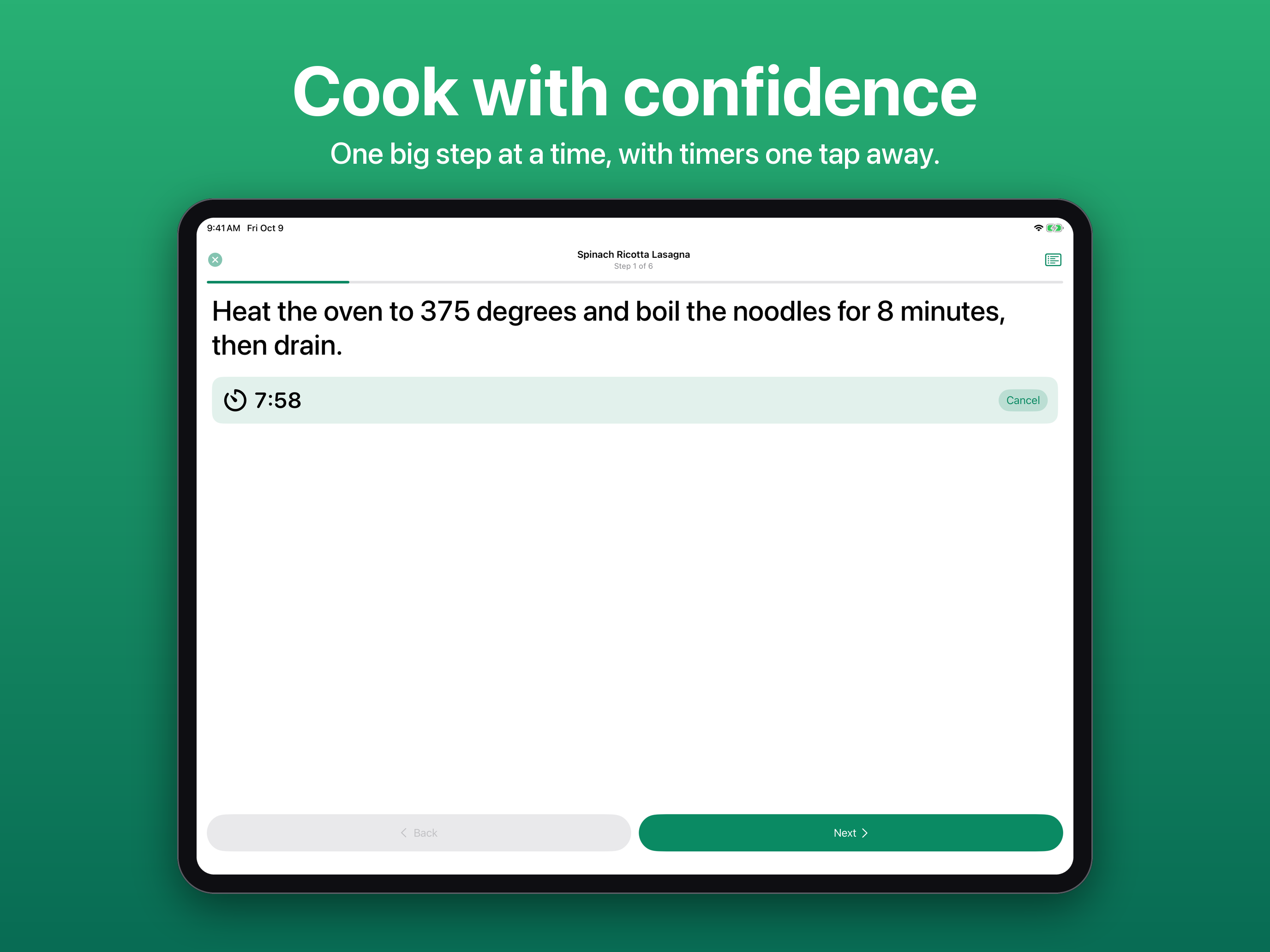
Cook Mode on iPad with a running timer and large step text. Cook with confidence.
Cook Mode
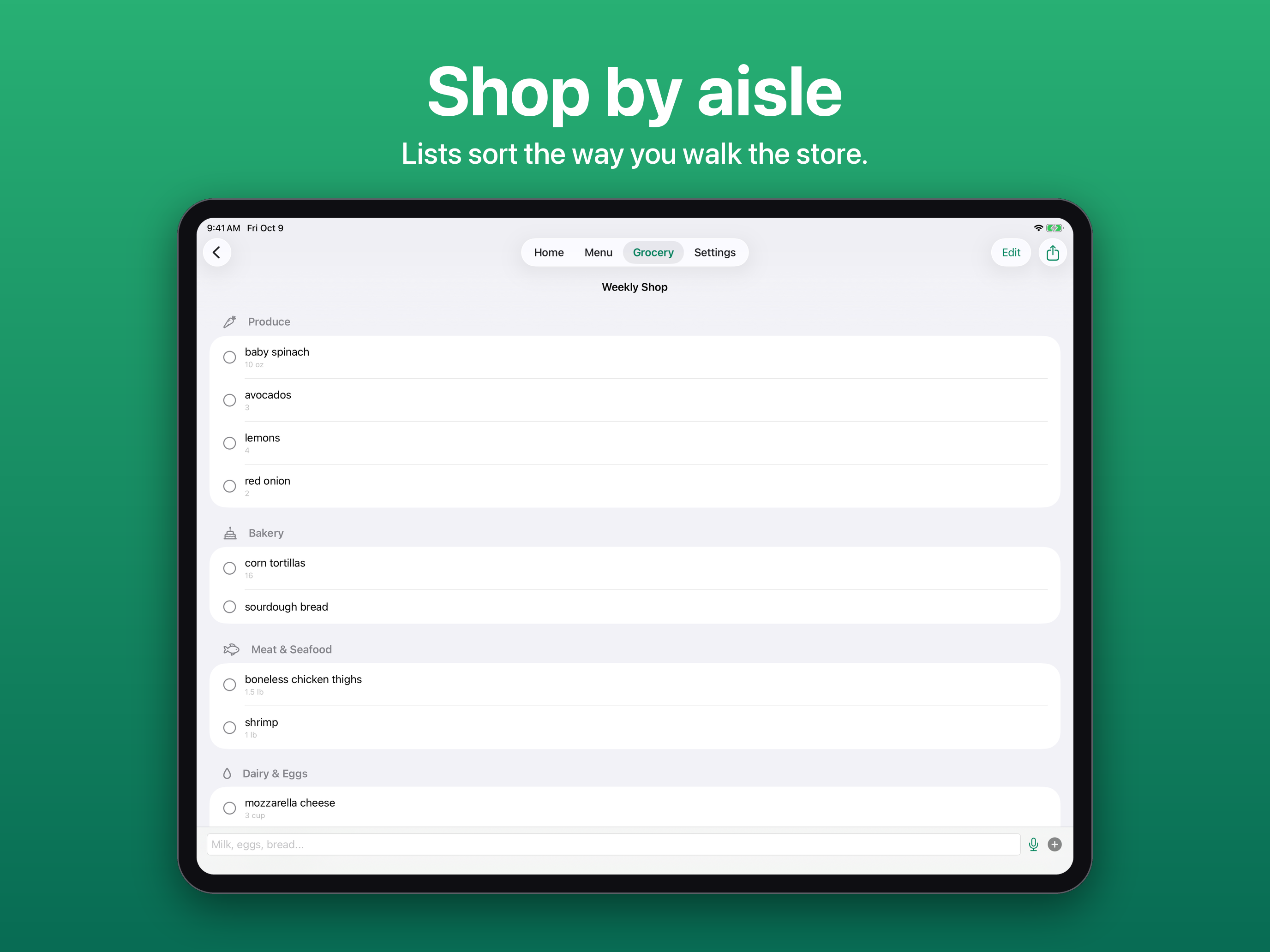
The grocery list on iPad grouped by aisle. Shop by aisle.
Shop by aisle
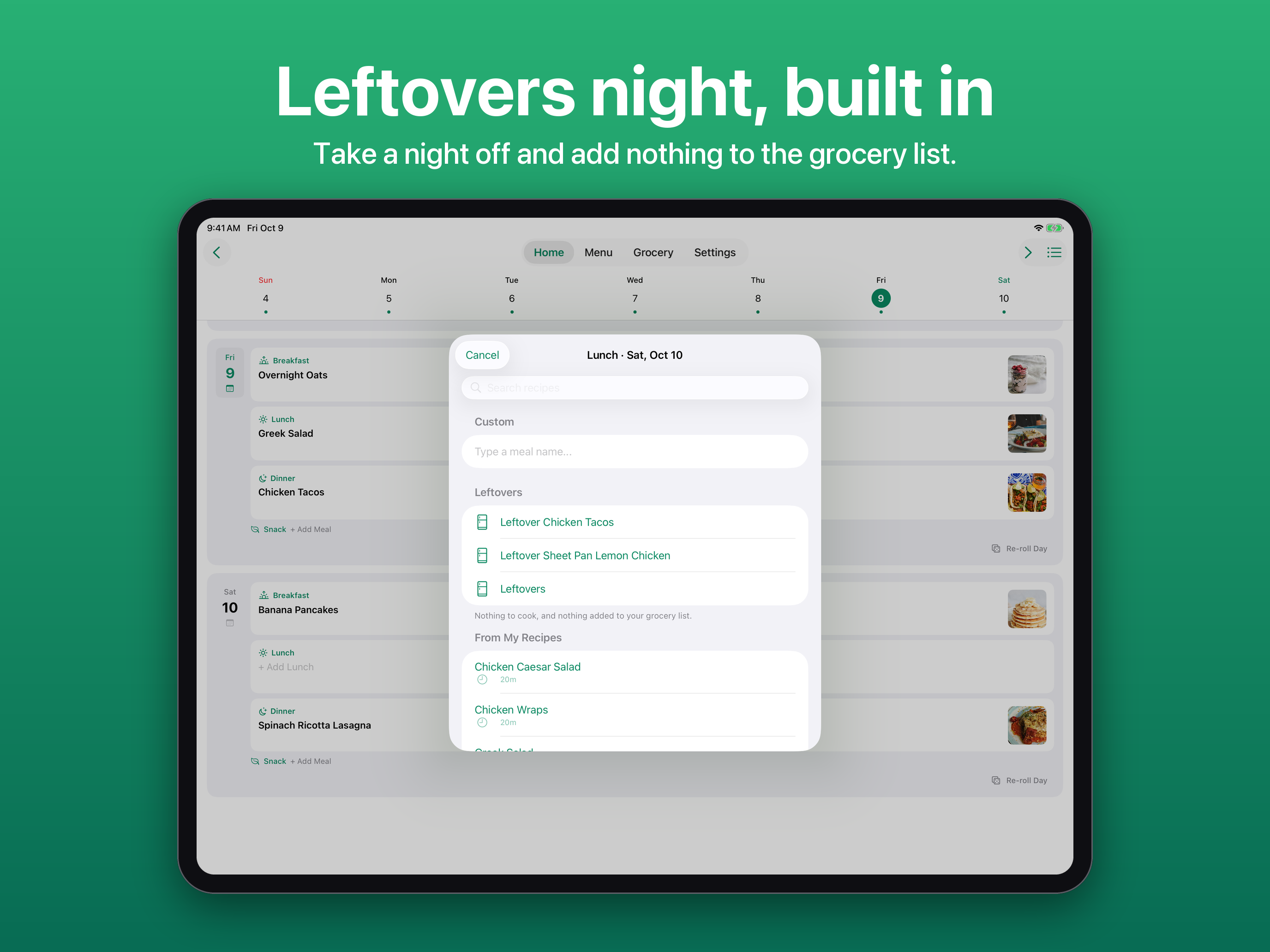
The meal picker on iPad with Leftovers options. Leftovers night, built in.
Leftovers
Ready to serve

Descriptions

One line

MealBound is a home meal planning app for iPhone, iPad, and Apple Watch that builds your recipe collection, plans the week ahead, guides you through cooking, and generates grocery lists sorted by aisle.

Short paragraph

MealBound takes the weekly "what's for dinner" question off your plate. It stores recipes you add by hand, import from any recipe website, or photograph, and lets you discover new ones from an online recipe database. Auto-Plan fills your week in one tap, respecting repeats and busy nights, and a smart grocery list merges ingredients and splits them by shopping day, ready to check off in Reminders or on an Apple Watch. Cook Mode walks through a recipe one step at a time with tap-to-start timers, and reminders, Siri, and a Home Screen widget keep tonight's dinner in view. There are no MealBound servers or accounts; recipes, meal plans, and grocery lists stay in the user's own iCloud. MealBound was built by independent developer Alexander Rohr, out of a dislike for planning meals the old way.

Recipe card

Fact sheet

DeveloperAlexander Rohr, independent
PlatformsiPhone, iPad, Apple Watch, Home Screen widget
RequiresiOS 17.6 and iPadOS 17.6 or later
Current version2.1
First releasedSeptember 22, 2026
PriceFree download; MealBound Pro $4.99 one-time
FreeUp to 20 recipes, weekly planner, grocery lists by aisle, Cook Mode, reminders, Siri, widget, Apple Watch, iCloud sync
ProUnlimited recipes, Auto-Plan, Discover & import, printing, one-time purchase
PrivacyNo account, no MealBound servers, iCloud sync via CloudKit
Built withSwiftUI, SwiftData, CloudKit, WidgetKit, App Intents, WatchConnectivity, StoreKit 2
Developer

Rohr Software logo

Rohr Software logo, a dragon eye

The logo of Rohr Software, Alexander Rohr's independent company and the developer of MealBound. You are welcome to use it alongside coverage of MealBound. Please don't recolor or stretch it.

Download SVG · Download PNG, 512 x 512

Reservations

Press contact

For interviews, review codes for MealBound Pro, or full-resolution assets:

Alexander is available to talk about building a privacy-first meal planning app as a solo developer, and cooking for a family of picky eaters.