BudgetXP+ Desktop
A native personal finance app for macOS: accounts, budgets, reconciliation, and reporting, synced automatically with BudgetXP+ on iPhone and iPad.
Free to download · BudgetXP+ Pro $12.99 one-time · macOS 15.6 or later

A native personal finance app for macOS: accounts, budgets, reconciliation, and reporting, synced automatically with BudgetXP+ on iPhone and iPad.
Free to download · BudgetXP+ Pro $12.99 one-time · macOS 15.6 or later
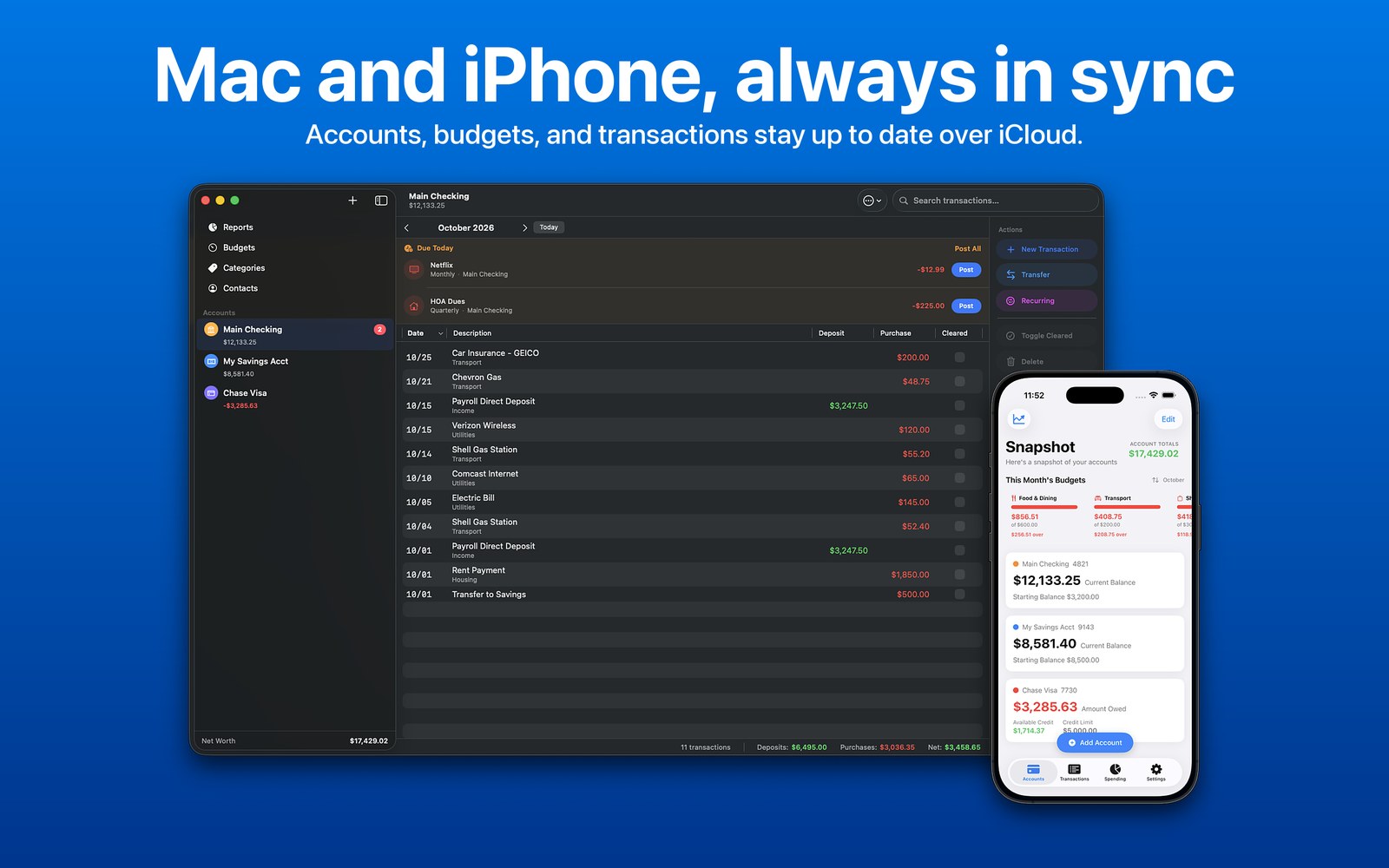
BudgetXP+ started as a Windows desktop app I wrote so my wife and I could track our spending and set money aside for a rainy day. BudgetXP+ for iPhone and iPad brought that budget into our pockets, so a purchase gets logged the moment it happens.
BudgetXP+ Desktop completes the idea: a native Mac app for sitting down with the full picture, reconciling against a bank statement, and digging into reports, with everything synced automatically to the app in your pocket.
Alexander Rohr, developer
A sortable table view with multi-column sort, full-text search, and keyboard shortcuts for editing, duplicating, and adding transactions.
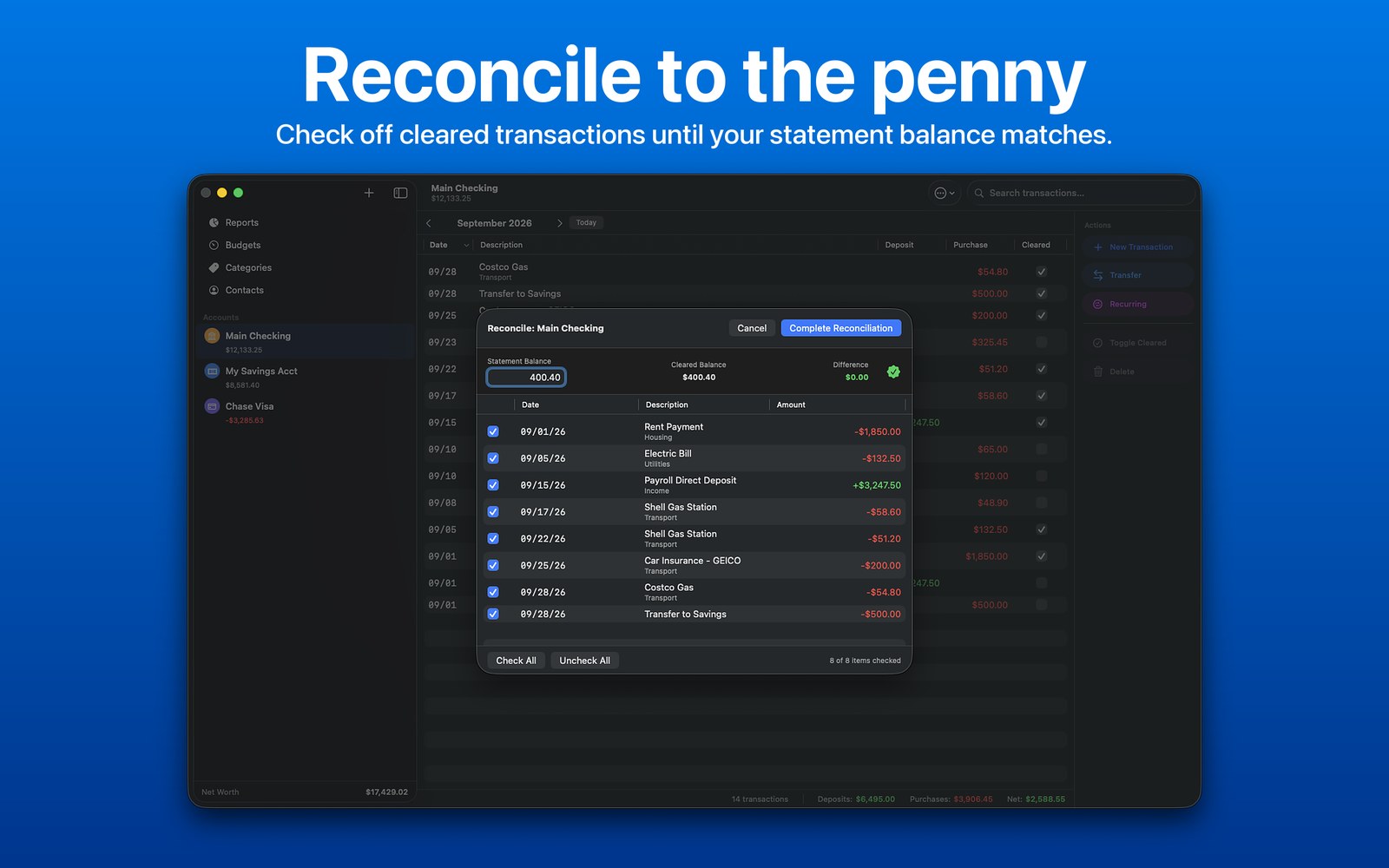
Enter your bank statement's closing balance and check off cleared transactions, with a running difference that updates live.
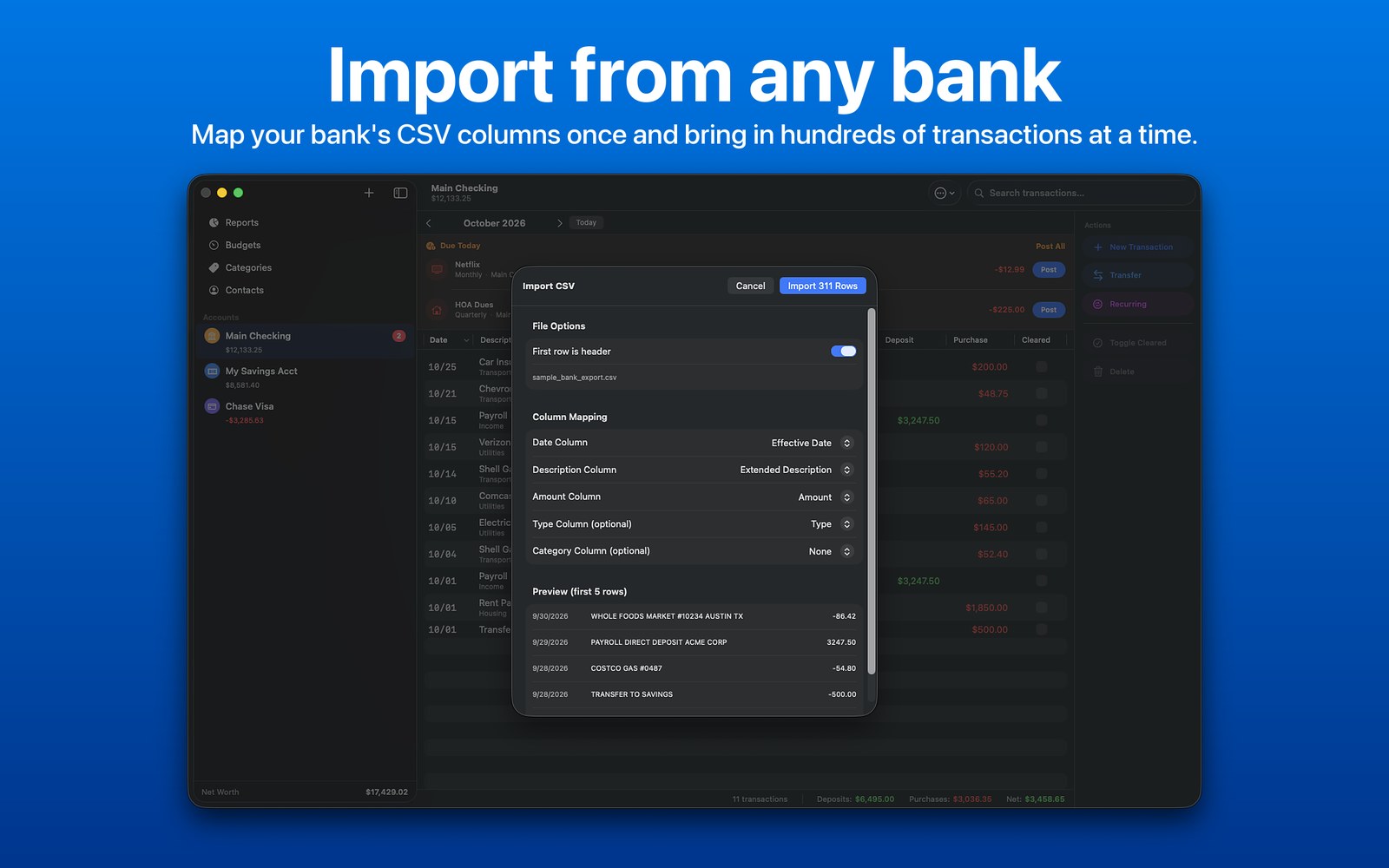
Import any bank CSV export with smart column mapping, or export the current month to a properly formatted CSV.
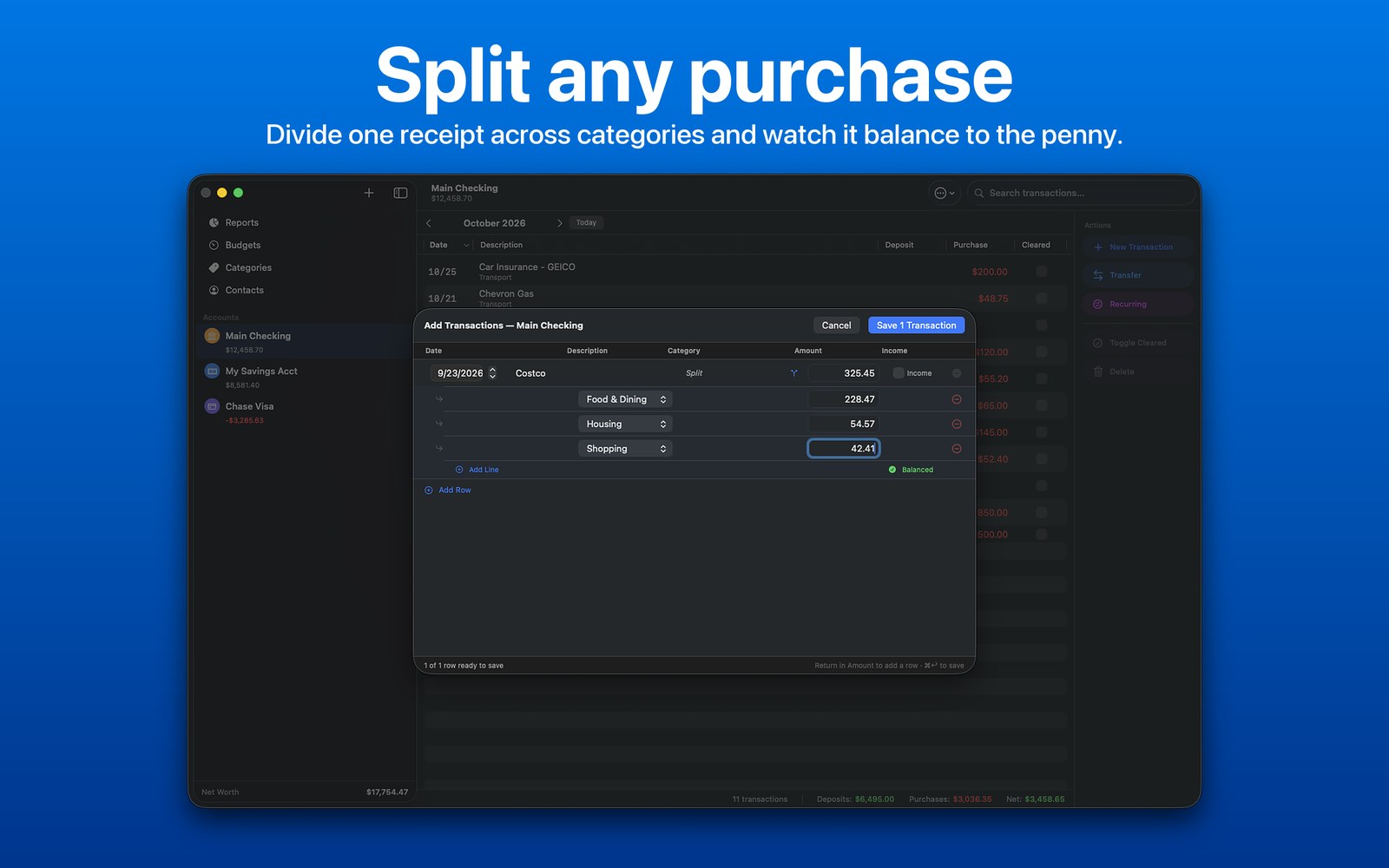
Divide one transaction across multiple categories, with a live remaining balance as you split.
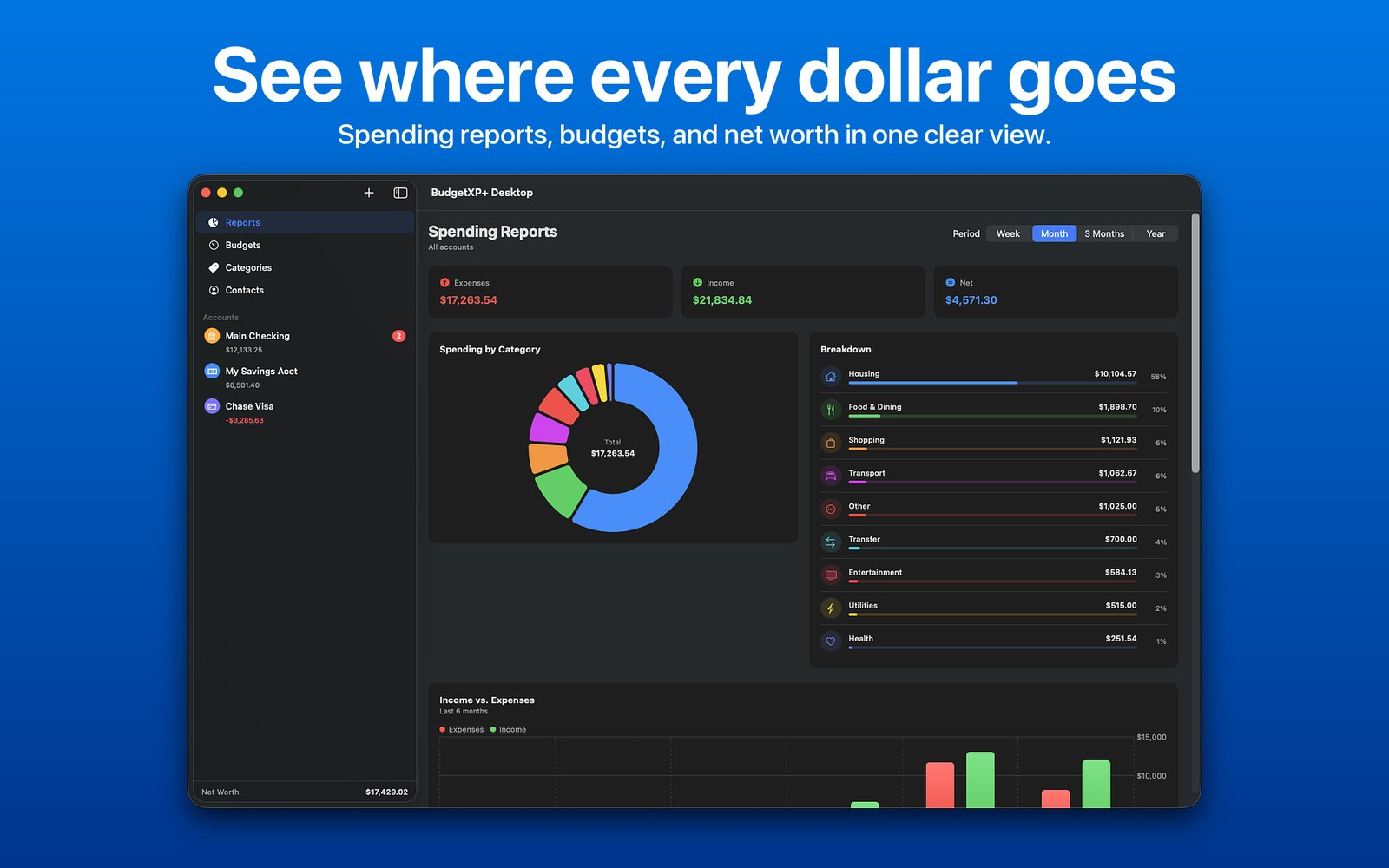
The same charts as iOS, sized for a wide desktop canvas, plus a 12-month net worth line chart.
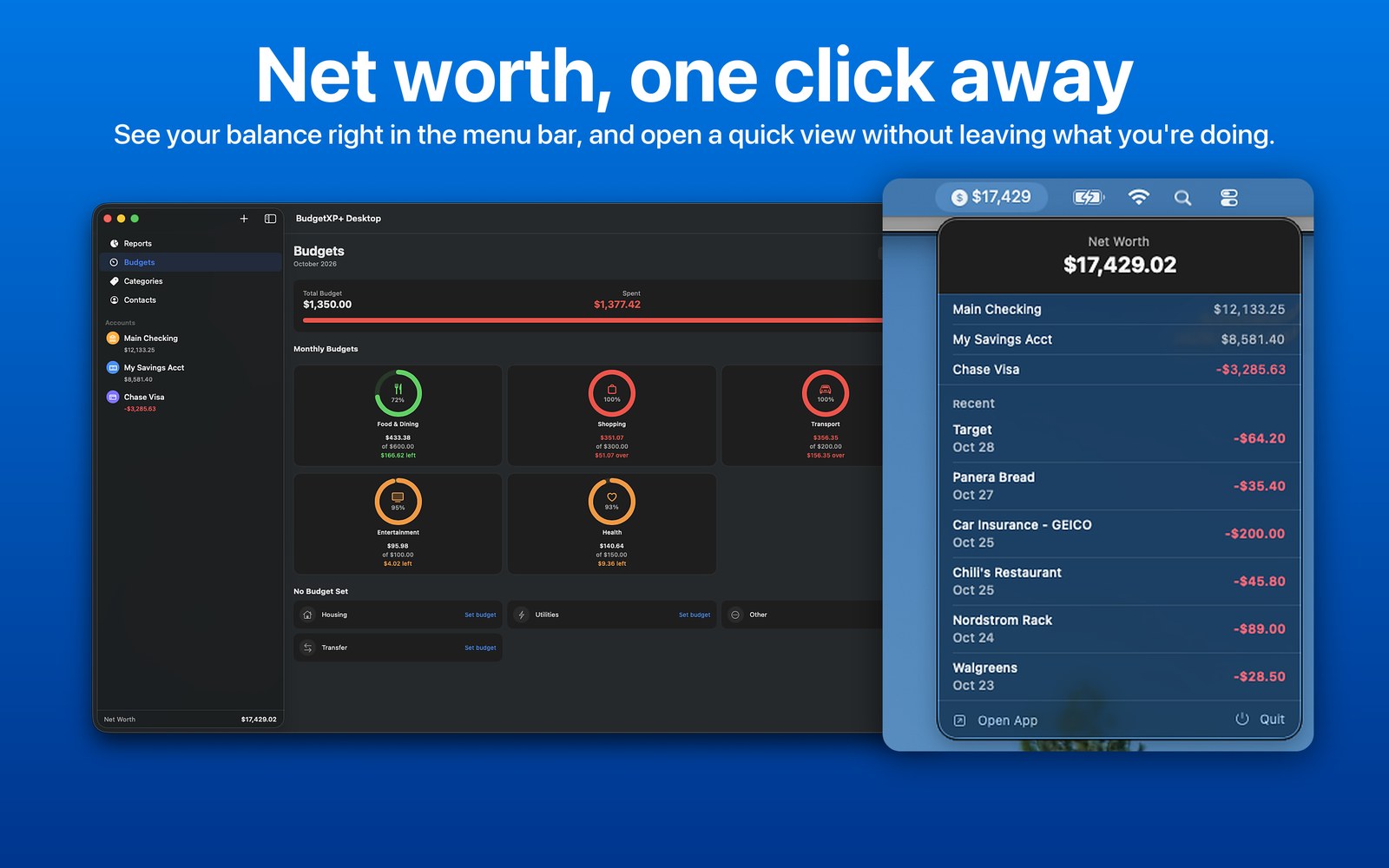
Your net worth sits right in the menu bar, and one click opens a quick view of account balances and recent transactions. You can hide the number in Settings.
Add several transactions at once in a spreadsheet-style grid, with autocomplete, bulk actions, and ATM-style currency entry.
Keep vendor and creditor details, such as a website, username, and password, right alongside your accounts.
BudgetXP+ is available separately for iPhone and iPad, syncing automatically over iCloud.
BudgetXP+ Desktop has no account to create and no servers of its own. Your accounts and transactions are stored on your Mac and sync through your own iCloud, so they're available on your iPhone and iPad too. BudgetXP+ never sees them.
Everything you need to get started.
Everything unlocked, forever.